
Blocks
Twitter Follow ButtonFree
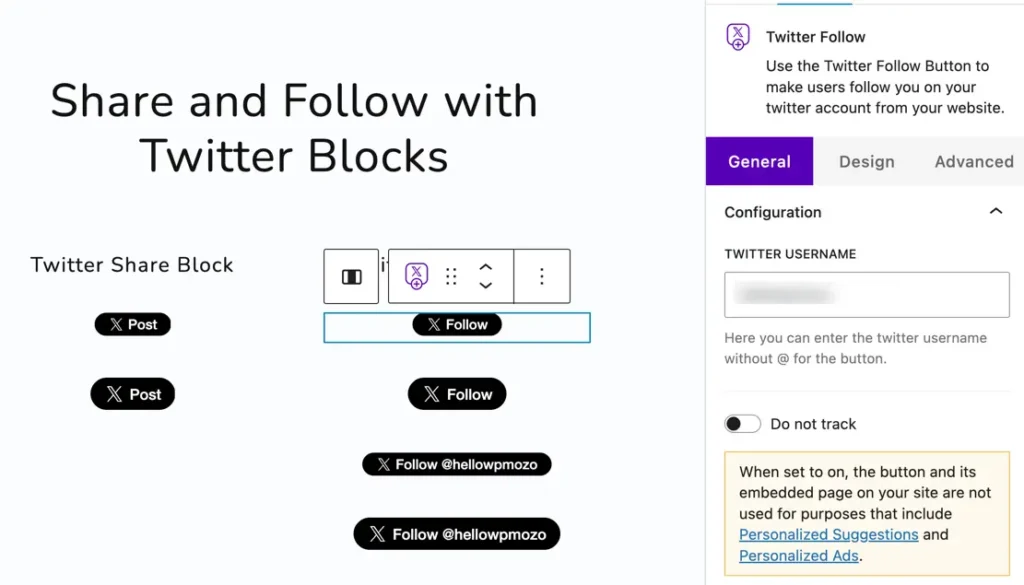
The Twitter Follow Button block allows you to add a Follow button to your website, helping visitors easily follow your Twitter account without leaving the page. It’s a great way to boost engagement and grow your social media presence. This block is free to use.
Adding the block#
To add the block:
- Click the “+” button to add a new block.
- Search for “Twitter Follow Button” and select it.
- For detailed instructions on how to add blocks in Gutenberg, please refer to the official WordPress Block Editor documentation (opens in a new tab).
Configuration#
Content#
- Twitter Username:
Enter your Twitter username without the “@” symbol to connect your button to the correct profile. - Do Not Track:
When enabled, this option prevents the button and embedded page from being used for personalized suggestions and ads, ensuring better privacy for visitors.
Display#
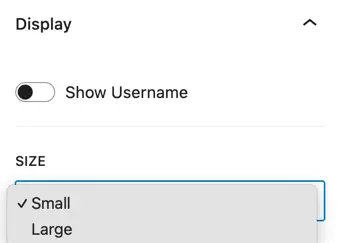
- Show Username:
Toggle to display or hide your Twitter handle beside the follow button. - Size:
Choose between Small or Large button sizes depending on your design preference.
Design Customization#
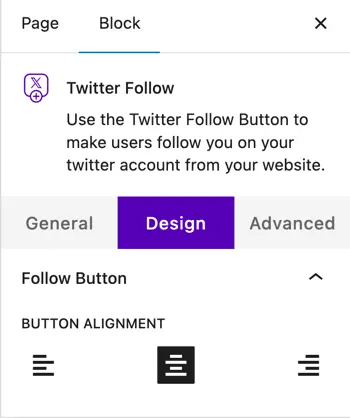
- Follow Button:
Align the button as needed (left, center, or right).
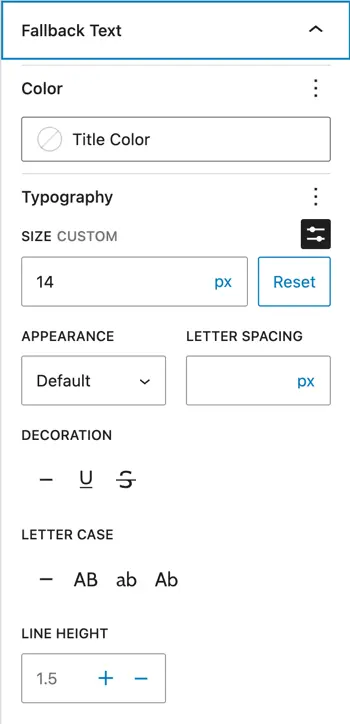
Adjust text color, typography (font size, letter spacing, line height), and decoration to match your website’s style.
Fallback Text:
Define custom fallback text to display in case the Twitter button fails to load, ensuring consistent user experience.
Was this article helpful?
Thanks for the feedback. Need more help? Contact support.