
Blocks
Image MagnifierFree
The Image Magnifier block is a free tool that lets you showcase images with a zoom-on-hover effect. It helps viewers explore finer details of your images using a smooth magnifying lens for an engaging visual experience.
Adding the block#
To add the block:
- Click the “+” button to add a new block.
- Search for “Image Magnifier” and select it.
- For detailed instructions on how to add blocks in Gutenberg, please refer to the official WordPress Block Editor documentation (opens in a new tab).
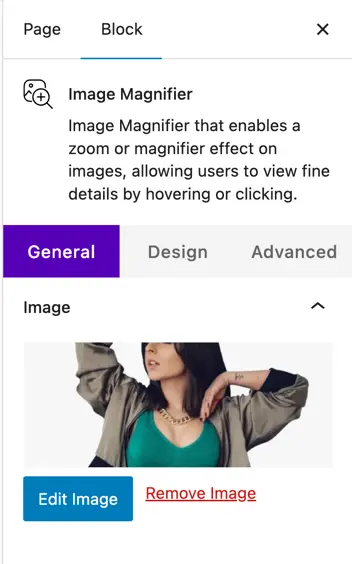
Add Image#
- Image – Upload or select the image you want to display.
- Edit Image / Remove Image – Change or remove the selected image.
Design customization#
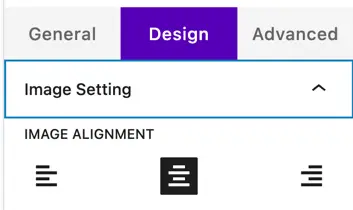
Image setting#
- Image Alignment – Set the image alignment (left, center, or right) within the container.
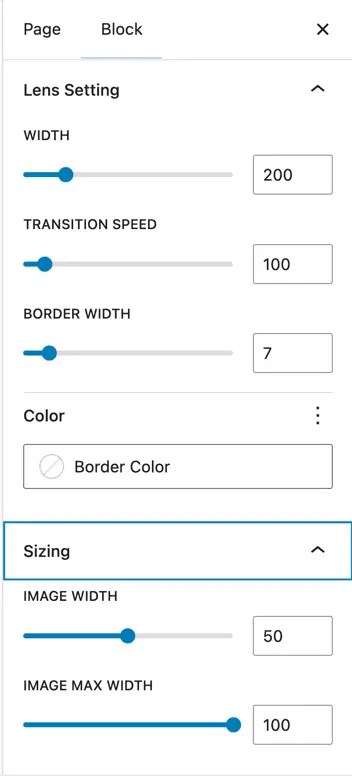
Lens setting#
- Width – Define the size (in pixels) of the magnifying lens.
- Transition Speed – Set how quickly the magnifier effect responds (in milliseconds).
- Border Width – Set the thickness (in pixels) of the lens border.
- Border Color – Choose the color for the lens border.
Sizing
- Image Width – Set the displayed width of the image (in percentage).
- Image Max Width – Set the maximum width the image can scale to (in percentage).
Was this article helpful?
Thanks for the feedback. Need more help? Contact support.