
Pro blocks
Instagram FeedPro
How to get and add your Instagram Access Token, set the cache time and number of posts, choose a grid or masonry layout, show captions, an overlay, and a Follow button, and style the feed.
This feature needs the Pro version of WPMozo Blocks and Addons.
On this page
See the Instagram Feed block live on the demo site (opens in a new tab)
Requires: an Instagram Access Token. See Getting an access token.
Getting an access token#
- Use an Instagram Business or Creator account connected to a Facebook page.
- Create an app in Meta for Developers (opens in a new tab) and add the Instagram product.
- Generate a long-lived access token for your account.
- Paste the token into the block’s Access Token field.
Long-lived tokens expire after about 60 days unless they are refreshed. If the feed stops loading, generate a new token.
Adding the block#
- Click the “+” (Block Inserter) button.
- Search for “Instagram Feed” and select it.
- Paste your Access Token. Your posts load in the editor.
General tab#
Configuration#
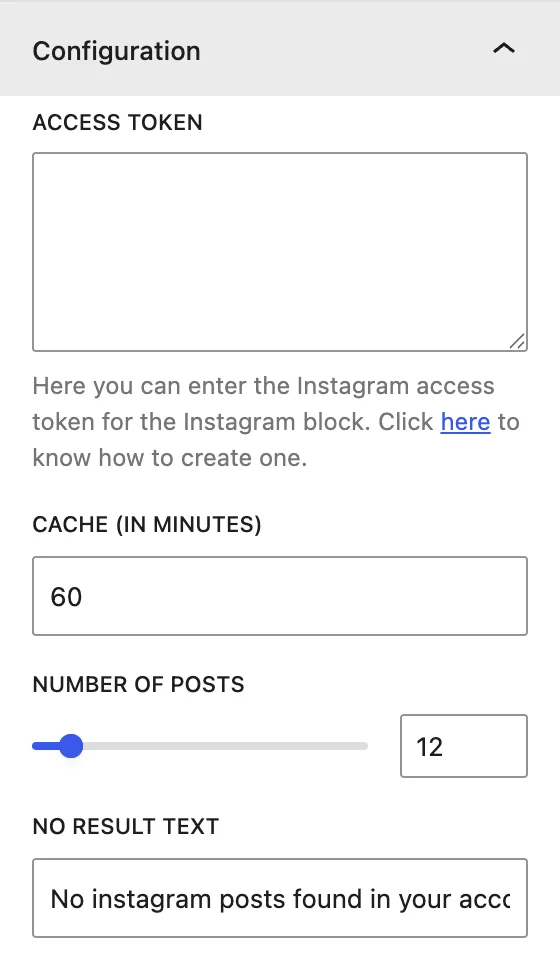
| Setting | Description |
|---|---|
| Access Token | Your Instagram API token. |
| Cache (In Minutes) | How long posts are stored before Instagram is checked again. A higher value means faster pages and fewer API calls. |
| Number of Posts | How many posts to show. |
| No Result Text | Message shown if no posts can be loaded. |
Display#
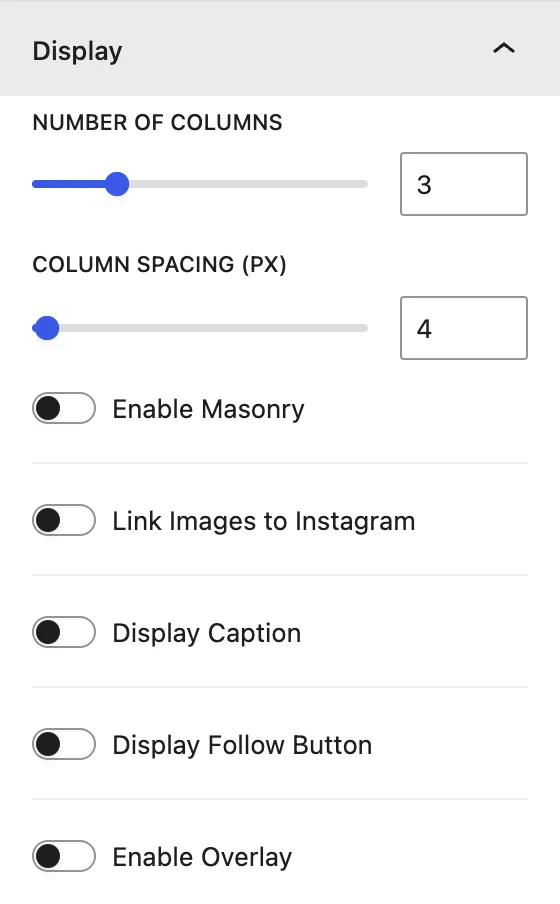
| Setting | Description |
|---|---|
| Number of Columns | Posts per row. |
| Column Spacing (px) | Gap between posts. |
| Enable Masonry | Keeps each post’s original height (Pinterest-style) instead of cropping all posts to squares. |
| Link Images to Instagram | Clicking a post opens it on Instagram. |
| Display Caption | Shows the post caption. |
| Display Follow Button | Adds a “Follow on Instagram” button. |
| Enable Overlay | Shows a color overlay with an icon on hover. |
Design tab#
Instagram Item#
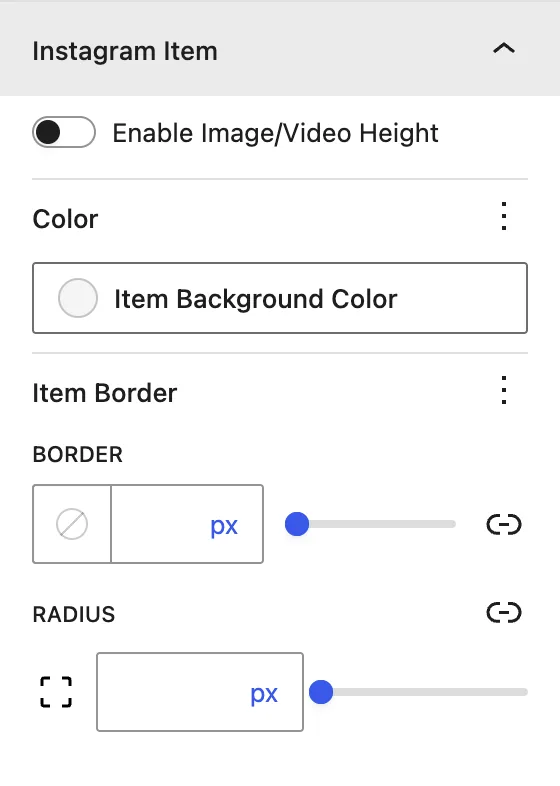
| Setting | Description |
|---|---|
| Enable Image/Video Height | Forces a fixed height for all posts. |
| Color | Background color of each item. |
| Item Border / Radius | Border and rounded corners. |
When the matching option in Display is on, the Caption, Overlay, and Follow Button panels appear in the Design tab, so you can style those elements (colors, typography, spacing).
Advanced tab#
Was this article helpful?
Thanks for the feedback. Need more help? Contact support.