
File structure and download
Depending on whether you are using the free or Pro version of WPMozo Block and addons, follow the steps below to download the plugin.
For Free Version
You can download the free version from the official WordPress plugin repository:
- Go to Plugins → Add New in your WordPress dashboard.
- Search for “WPMozo blocks and addons”.
- Click Install Now and then Activate the plugin.
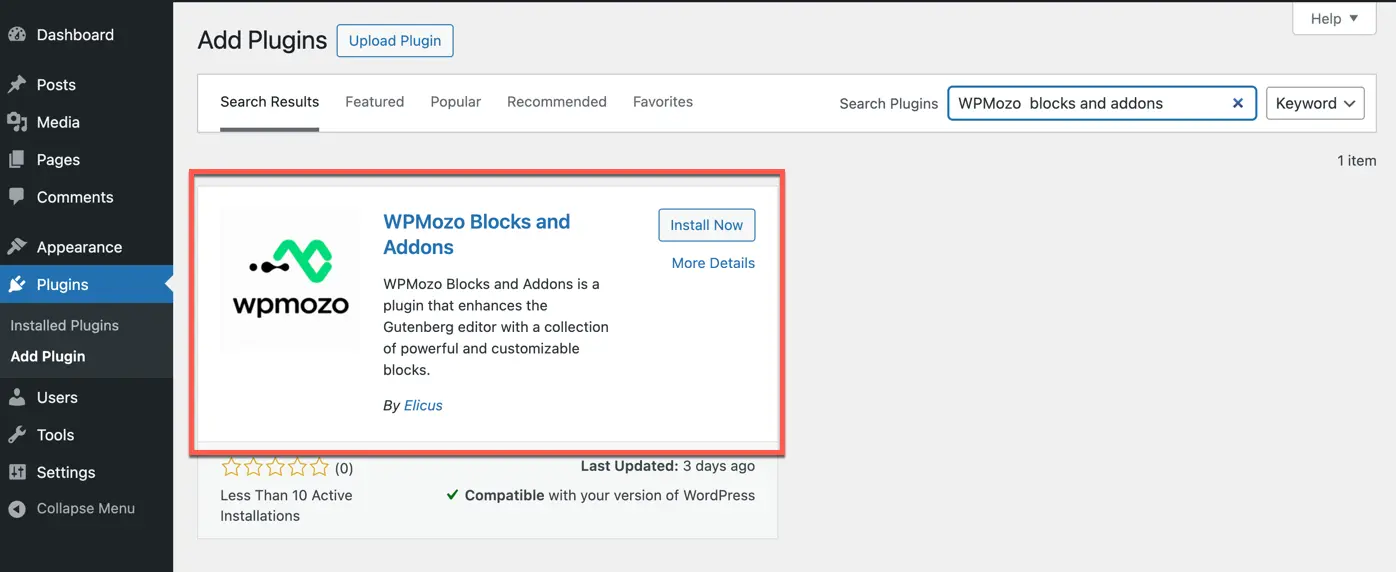
Or directly visit:
https://wpmozo.com/product/wpmozo-blocks-and-addons/
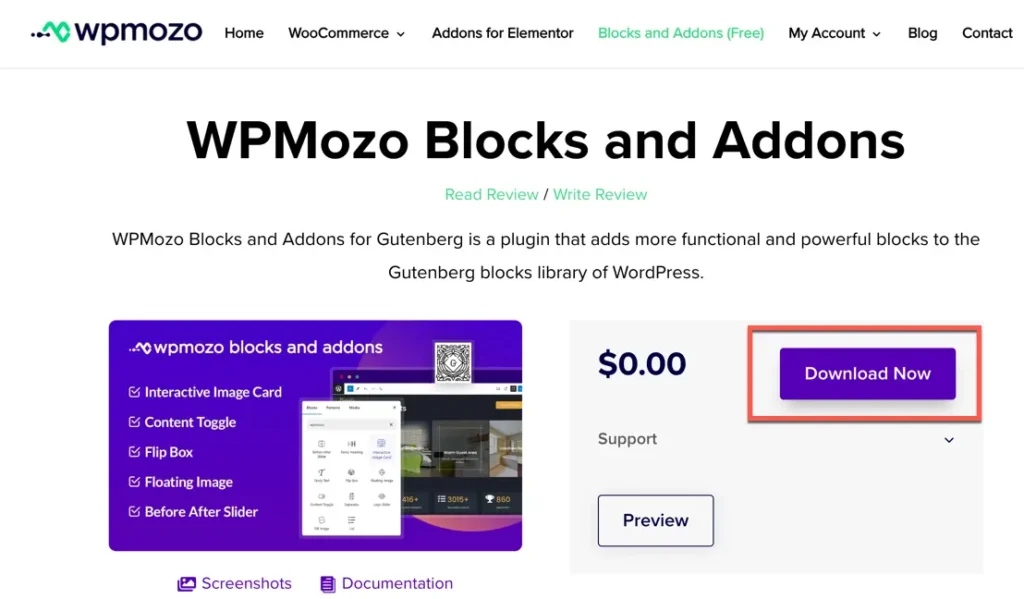
For Pro Version (Paid)
After purchasing the Pro version from our website, you can download the plugin in the following ways:
Method 1: From My Account on Our Website
- Log in to your account on our website.
- Go to the My Account → Downloads section.
- Download the file named:
wpmozo-blocks-and-addons.x.x.x.zip
Method 2: From Order Confirmation Email
- After purchasing, you’ll receive an order confirmation email. You’ll find the download link there as well.