
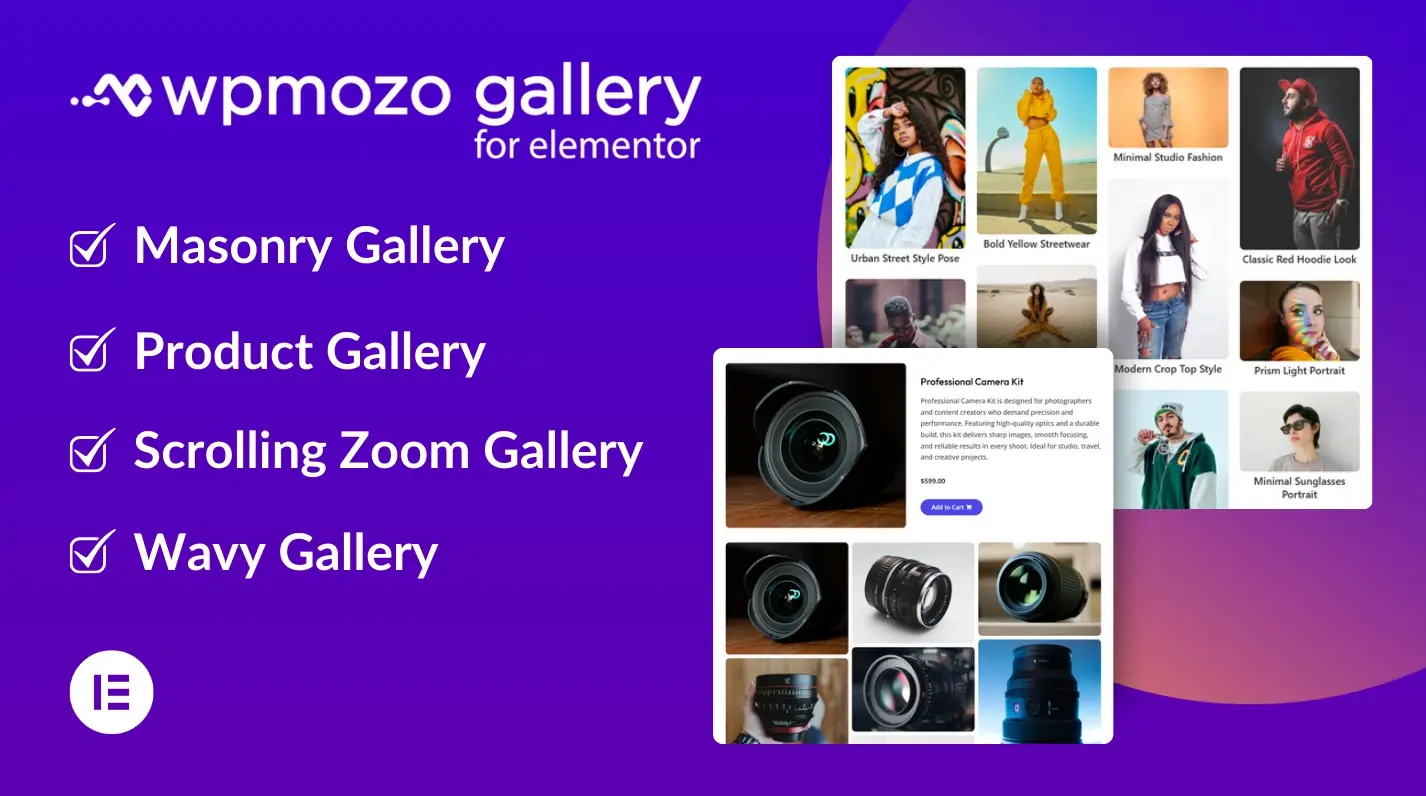
Four Elementor Gallery Widgets in One Plugin
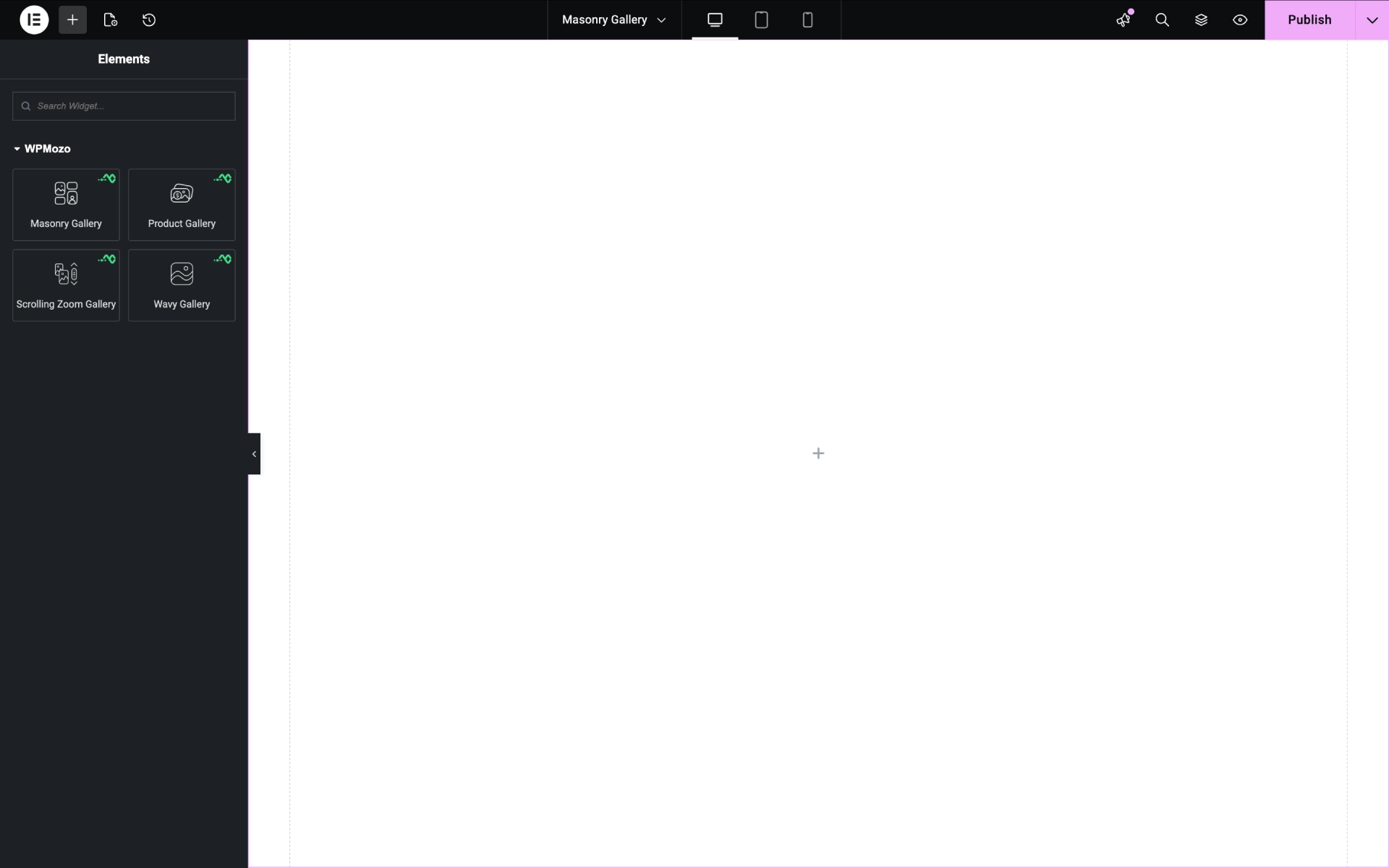
The WPMozo Gallery for Elementor plugin includes four specialized gallery widgets, each designed for a specific layout style or visual effect. Add them to any Elementor page through the Elementor builder panel. All widgets share consistent styling controls, so once you learn one, you can configure all four. The plugin is built specifically for Elementor; no compatibility shims for other page builders, no bloat.
Masonry Gallery with Up to 10 Columns
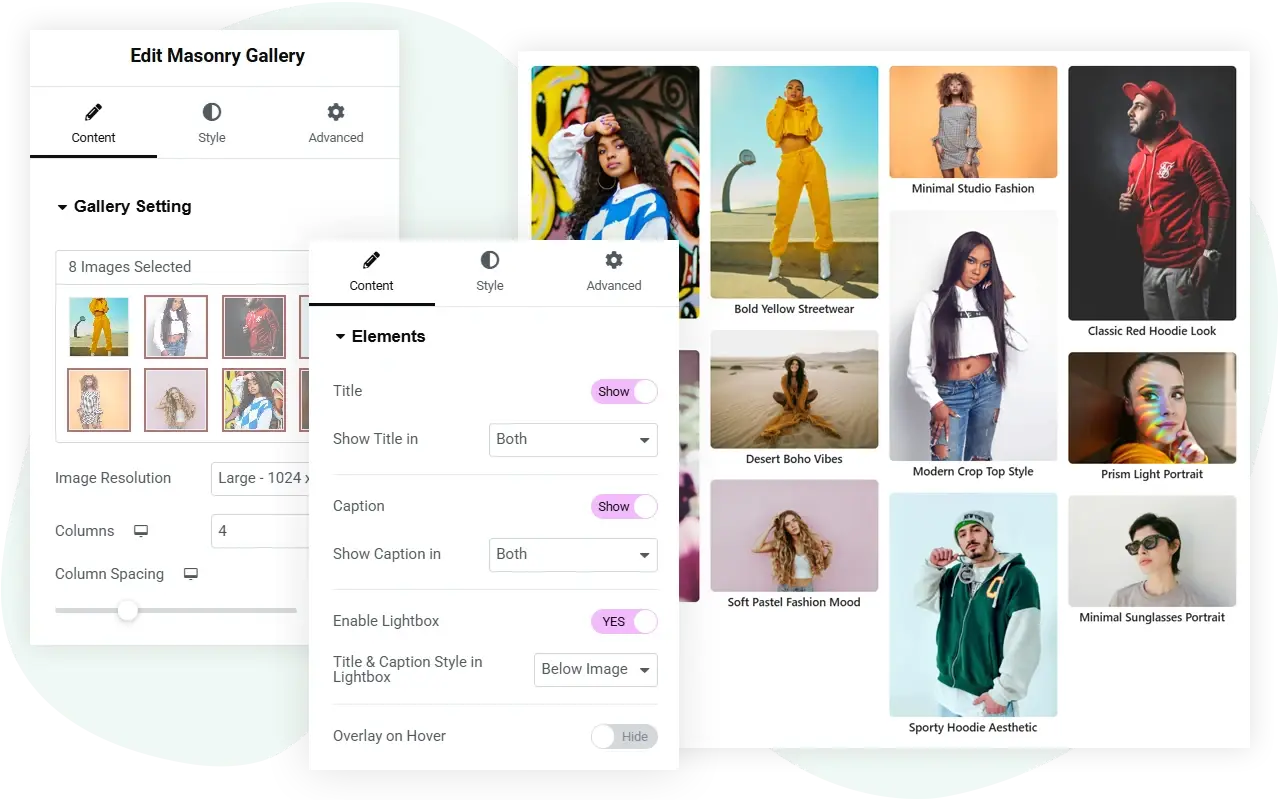
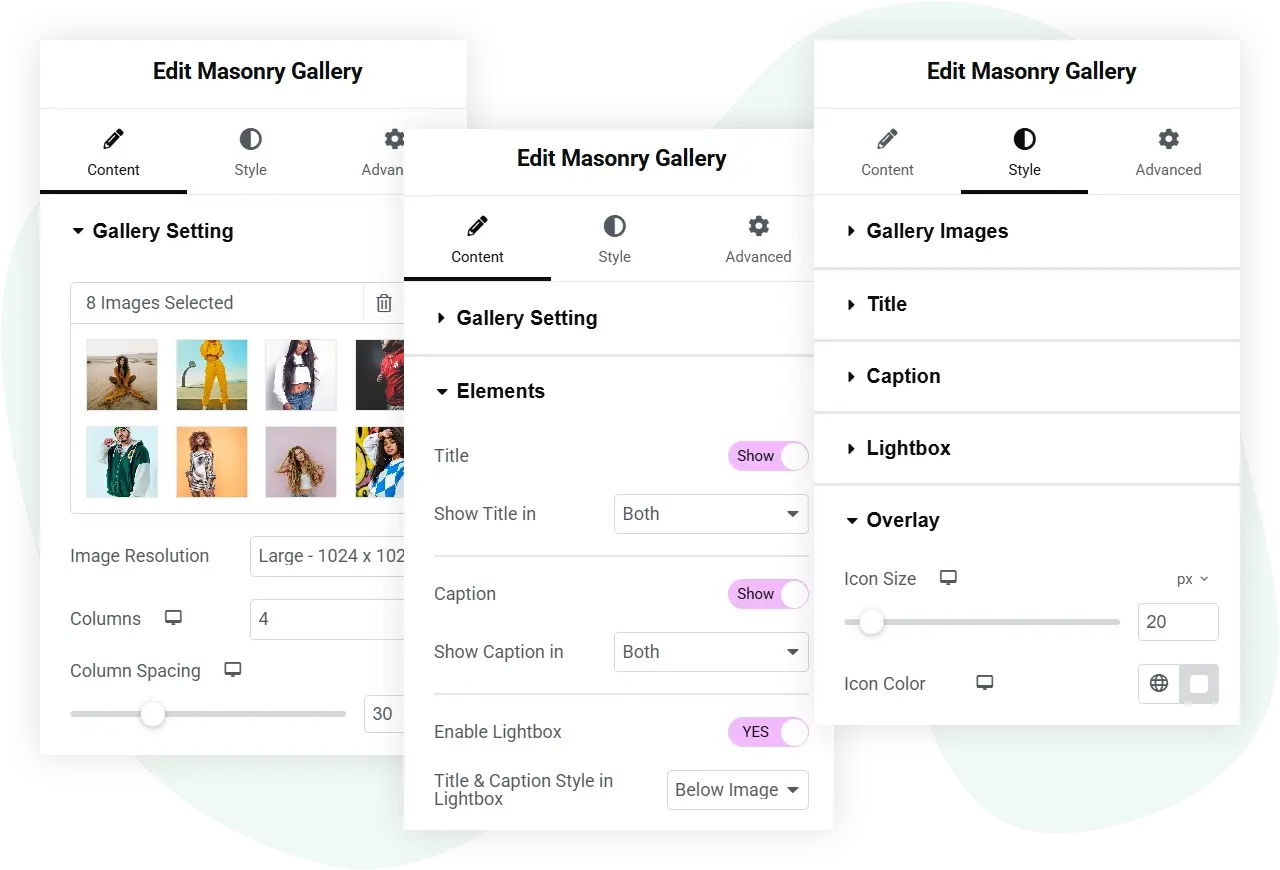
Build masonry image galleries on Elementor pages with up to 10 columns and full control over spacing between images. The Masonry Gallery widget supports lightbox integration, title and caption overlays on hover, and image-specific overlay effects. Style controls include typography for captions, color overlays, border and corner radius for image containers, and responsive column adjustments for tablet and mobile breakpoints.
The widget works with any image size or resolution. Upload directly from the Elementor media library or select existing images. Build galleries for portfolios, photography sites, product catalogs, design showcases, and editorial content.
For a comparison of WordPress gallery plugins, see our roundup of the best gallery plugins.
Product Gallery for WooCommerce in Elementor
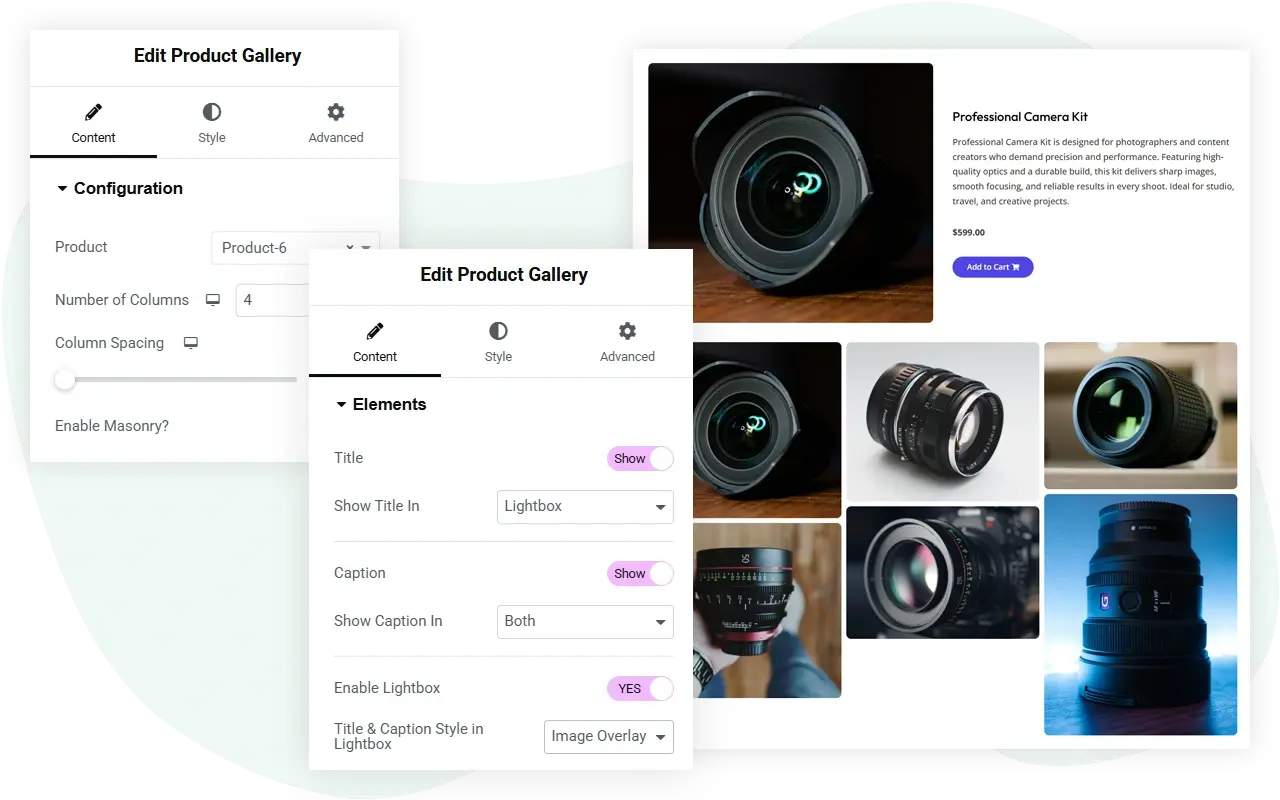
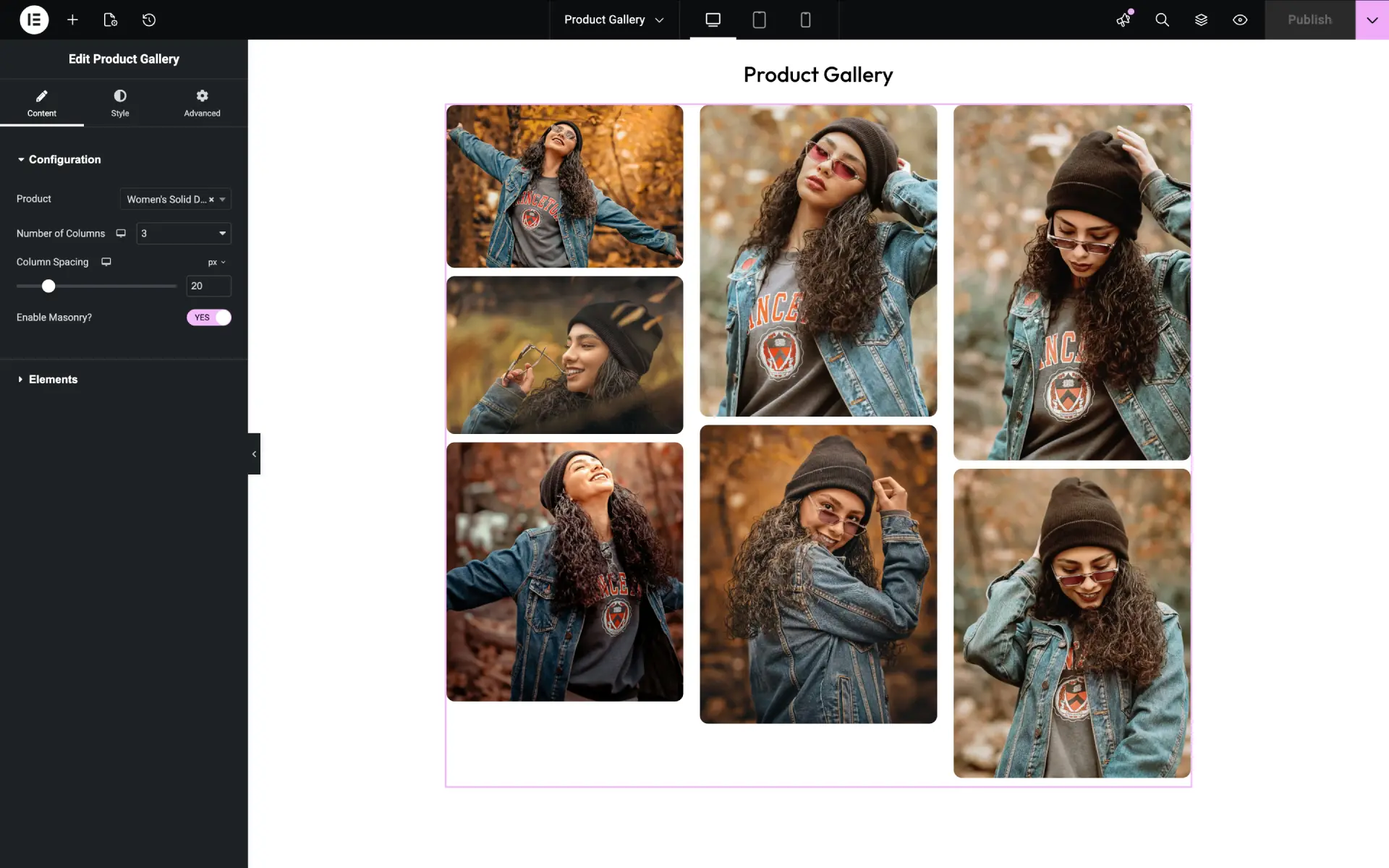
The Product Gallery widget pulls images from any WooCommerce product and displays them as a gallery on an Elementor page. Useful for product detail pages, lookbook layouts, and shop landing pages where you want to feature a single product’s images outside the default WooCommerce product page layout.
Select any product, set the number of columns (up to 10), and choose between standard grid and masonry layouts. Enable title, caption, lightbox, and overlay elements per gallery. The widget syncs automatically when product images change in WooCommerce. No code required.
Wavy Gallery: Animated Scrolling Effect
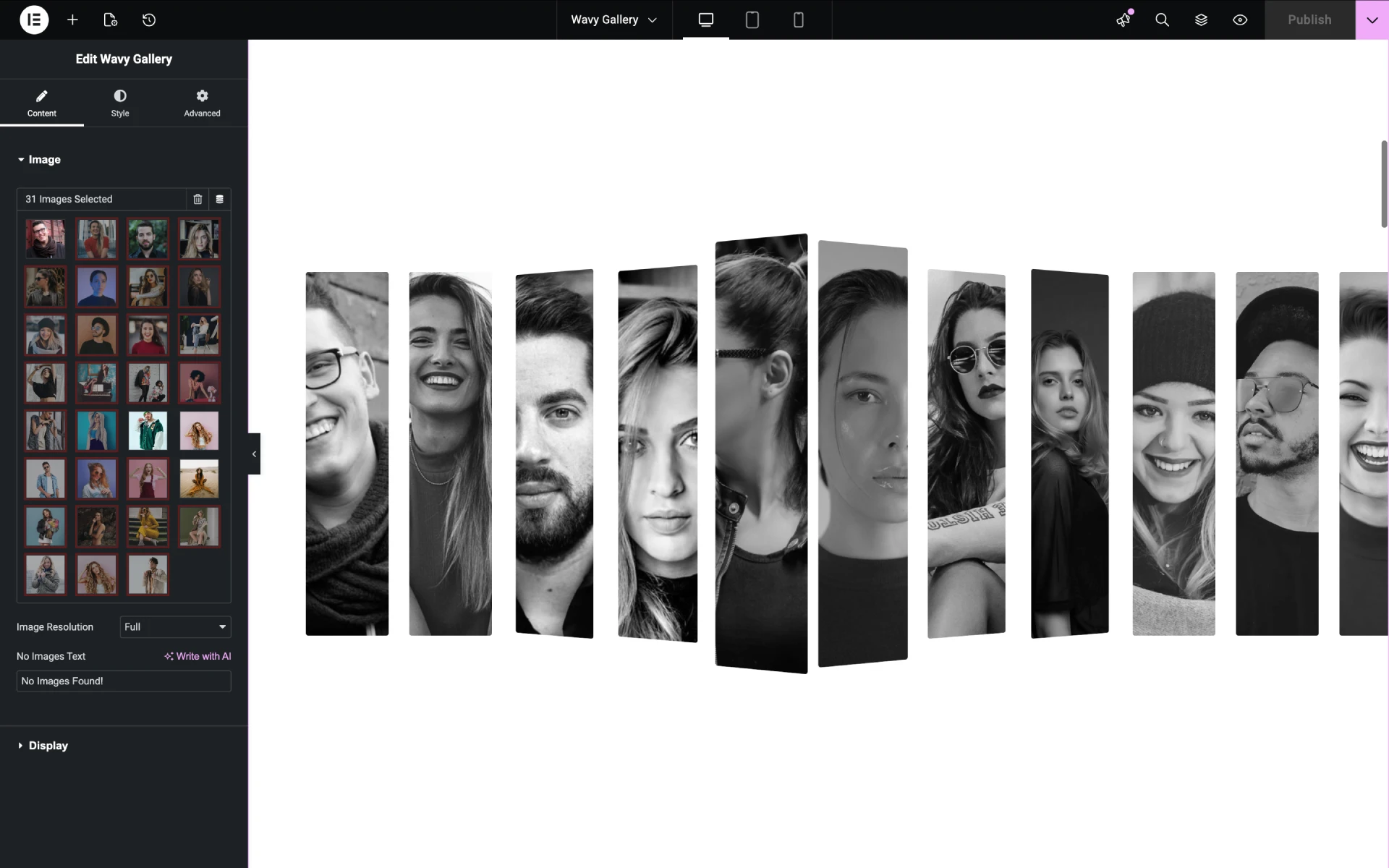
The Wavy Gallery widget animates images in a wave pattern as the user scrolls the page. Each image slides from right to left while lifting and dropping in sequence, creating a wave-like motion across the gallery row. By default, images render in monochrome; hovering an image reveals its full color.
This widget is best for portfolio sites, design agency pages, and creative landing pages where the gallery itself should be part of the visual experience, not just a static grid. The animation triggers on scroll, so users see the effect without any click or interaction.

Scrolling Zoom Gallery: Image Scale on Scroll
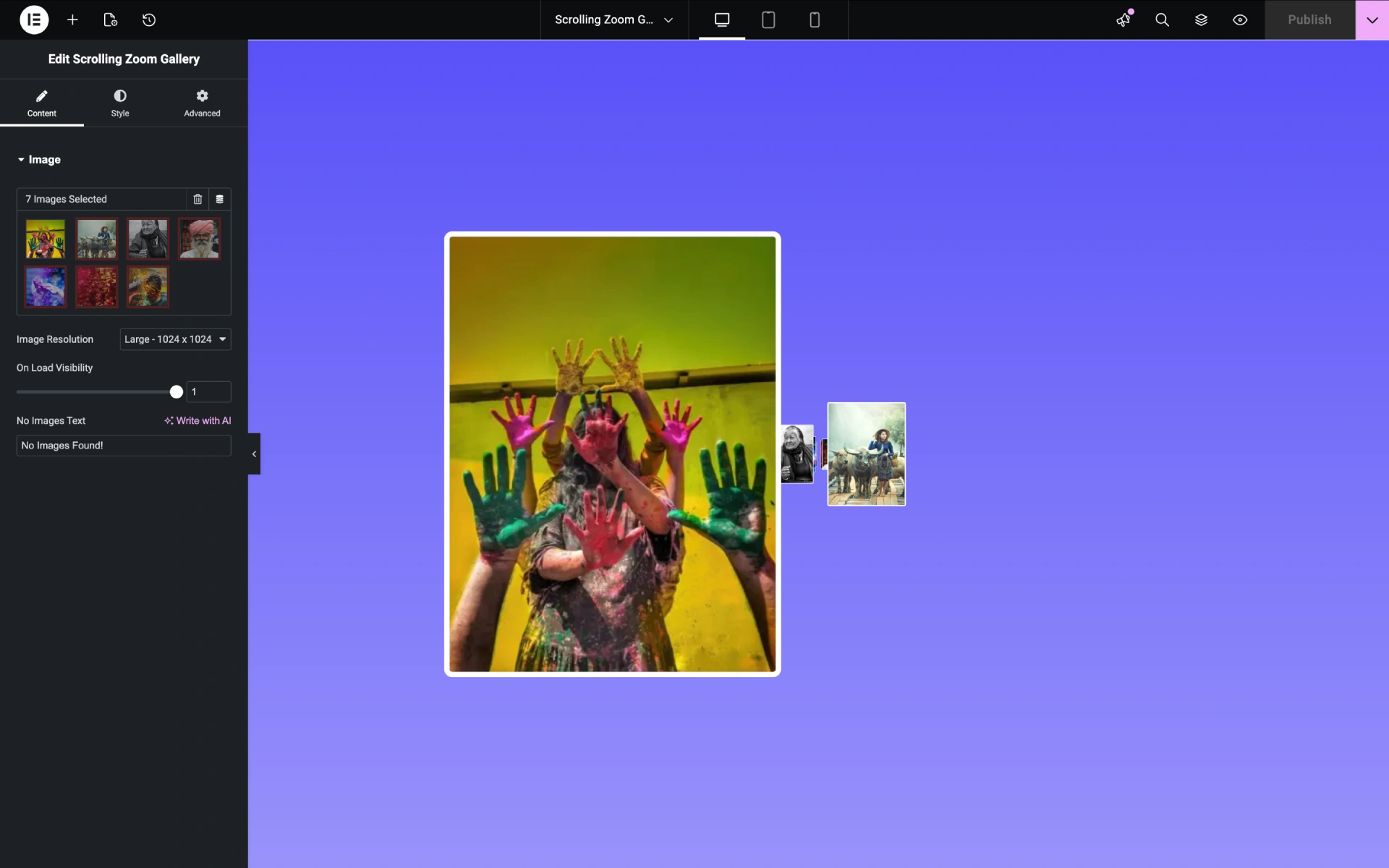
The Scrolling Zoom Gallery widget creates a scroll-driven zoom effect on each image in the gallery. As the user scrolls down the page, images appear small and distant, then scale up as they enter the viewport, as if zooming toward the viewer. The effect creates depth and motion in static galleries without requiring video content.
This widget is best for storytelling pages, case study layouts, photography portfolios, and any context where the gallery sequence should feel cinematic. The animation triggers automatically on scroll position and works on desktop, tablet, and mobile.

Customization Without Code
Every option in the WPMozo Gallery for Elementor lives inside the Elementor panel. Configure column count, spacing, lightbox behavior, hover effects, typography, colors, borders, and overlay opacity through the standard Elementor controls you already know. The plugin doesn’t require custom CSS for any built-in feature.
Settings persist per widget, so you can use different configurations for different galleries on the same page. Responsive controls let you set separate values for desktop, tablet, and mobile so galleries scale appropriately on any screen.
Choose This Plugin or the WPMozo Addons Bundle
WPMozo offers two products that include gallery widgets, and the right choice depends on what else you need on your site.
Choose WPMozo Gallery for Elementor (this product) if:
- You only need rich gallery widgets for your site
- You want the most affordable option ($19/year for unlimited sites)
- You’re building a portfolio, photography, or visual-heavy site where galleries are the main content
- You already have other Elementor widgets handled by Elementor Pro or another addon pack
Choose WPMozo Addons for Elementor (the bundle) if:
- You need many widget types beyond galleries (sliders, forms, pricing tables, social feeds, etc.)
- You’re building a complex site that uses 5+ different specialized widgets
- You want one plugin to handle most of your Elementor design needs
For agencies and freelancers managing multiple client sites, the WPMozo All Access Pass covers both products plus every other WPMozo plugin in one license.
Use Cases for the Gallery Widgets
The four gallery widgets work for different types of sites and content. Here are specific scenarios for each.
Photography portfolio sites. Masonry Gallery showcases mixed-aspect-ratio images without forcing crops. Lightbox enables full-size viewing. Recommended widgets: Masonry Gallery for the main portfolio page, Scrolling Zoom Gallery for individual project showcases. Configuration: 4-6 columns desktop, 2-3 columns tablet, 1 column mobile, lightbox enabled, hover overlay with title and caption.
Design agency case studies. Scrolling Zoom Gallery creates cinematic project walkthroughs as users scroll. Combined with Elementor’s section animations, each case study becomes an interactive presentation. Recommended widget: Scrolling Zoom Gallery as the page hero, Masonry Gallery for additional project gallery sections.
Creative agency landing pages. Wavy Gallery animates the gallery into the page narrative. Best for sites where visual personality matters more than dense information. Recommended widget: Wavy Gallery on the homepage hero, transitioning to standard Masonry Gallery for portfolio sub-pages.
WooCommerce product showcase pages. Product Gallery widget displays WooCommerce product images outside the default product page layout. Useful for landing pages featuring specific products, lookbook layouts, or seasonal collections. Recommended widget: Product Gallery configured with masonry layout, lightbox for full-size product views, and overlay showing product title and price.
Real estate and property listings. Masonry Gallery handles mixed photo orientations (interior shots, exterior wide-angles, detail closeups) without forced cropping. Lightbox lets prospects view images at full resolution. Recommended widget: Masonry Gallery with 3-4 columns, lightbox enabled, hover overlay with image titles for room identification.
Wedding and event photography. Mass photo galleries benefit from masonry layout for variety, but the Scrolling Zoom Gallery creates an emotional flow for hero shots. Recommended widget combination: Scrolling Zoom Gallery for the featured 5-10 photos at the top of a wedding page, Masonry Gallery below for the full event coverage.
How WPMozo Gallery Compares
When choosing an Elementor gallery plugin, four points usually decide the winner. Here’s how WPMozo Gallery for Elementor handles each.
✓ Animated gallery effects. Most Elementor gallery plugins offer static grid and masonry layouts. WPMozo includes two animated gallery widgets (Wavy and Scrolling Zoom) that competitors don’t match in their base packages.
✓ Specialized vs. generic. Many gallery plugins are part of bundles with 60+ unrelated widgets, where the gallery features are afterthoughts. WPMozo Gallery focuses exclusively on gallery widgets, with deeper customization controls for each.
✓ Pricing for gallery functionality. Premium gallery plugins typically start at $30-79 per year for similar feature sets. WPMozo Gallery for Elementor is $19 per year for unlimited sites, making it the most affordable premium option in the category.
✓ Lifetime license available. Subscription pricing renews annually for most competitors. WPMozo offers a one-time Lifetime license at $199, breaking even after about 10 years of annual renewals at $19, or after 2-3 years at competitor pricing of $50-79/year.
What’s Included with the License
Both Annual ($19/year) and Lifetime ($199 one-time) licenses include:
- Four gallery widgets: Masonry Gallery, Product Gallery, Wavy Gallery, Scrolling Zoom Gallery
- Unlimited websites: Install on every site you build, no per-site fees
- All updates during license period: Annual license gets 1 year of updates; Lifetime gets all future updates forever
- Email support: Direct access to the development team for installation, configuration, and bug reports
- 30-day money-back guarantee: Full refund within 30 days of purchase, no questions asked
- Future widgets: Additional gallery widgets added to the plugin during the license period are included automatically (Dynamic Gallery and other widgets are in the roadmap)
The Annual license ($19/year) auto-renews. Cancel anytime before renewal to avoid future charges; existing functionality continues working after the license expires.
The Lifetime license ($199 one-time) never renews and never expires. Best value for agencies, freelancers, and sites where the plugin will be used long-term.
For agencies and freelancers managing multiple client sites, the WPMozo All Access Pass covers this plugin and every other WPMozo plugin in one license.
Frequently Asked Questions
The WPMozo Addons for Elementor bundle includes the Masonry Gallery, Product Gallery, Wavy Gallery, and Scrolling Zoom Gallery widgets. This dedicated Gallery plugin includes those same widgets with deeper customization controls. Choose this plugin if galleries are central to your site design; choose the bundle if you need 85+ widgets beyond galleries.
WPMozo Gallery for Elementor works with both Elementor Free and Elementor Pro. No Pro-only features are required.
Three of the four widgets (Masonry, Wavy, and Scrolling Zoom Gallery) work without WooCommerce. The Product Gallery widget requires WooCommerce to pull product images. If your site doesn’t use WooCommerce, the other three widgets still provide full value.
There’s no built-in limit on image count per gallery. Large galleries (50+ images) work but should use lazy loading (built into the plugin) to keep page load times reasonable. For galleries with 100+ images, consider splitting across multiple gallery sections with pagination via Elementor’s section controls.
The plugin supports all image formats WordPress accepts: JPG, PNG, WebP, GIF, SVG. WebP is recommended for performance. The plugin doesn’t compress or resize images; use a separate image optimization plugin (WP Rocket, Imagify, Smush, etc.) if needed.
The plugin uses lazy loading by default, so images load only when scrolled into view. Animated effects (Wavy and Scrolling Zoom) use CSS transforms rather than JavaScript animations, which are GPU-accelerated and don’t block the main thread. On a typical WordPress site with optimized images, the plugin adds less than 50KB to the initial page payload.
Yes. Every widget has separate controls for desktop, tablet, and mobile breakpoints. Column counts, spacing, font sizes, and hover behaviors can all be adjusted per breakpoint. The animated widgets (Wavy and Scrolling Zoom) gracefully degrade on smaller screens where the effects might be too intense.
The animated effects (Wavy and Scrolling Zoom) are purely visual and don’t interfere with screen reader access to image alt text, captions, or titles. The underlying HTML structure remains semantic and accessible. We recommend including descriptive alt text on all images for full accessibility compliance.
The plugin continues working on your sites with the features you have. After the license period (Annual: 1 year; Lifetime: never expires), you lose access to new updates, new features, and direct support. To continue receiving these, renew the Annual license. Existing functionality is not deactivated when the license expires.
Yes. The 30-day money-back guarantee covers any reason. If the plugin doesn’t fit your needs, request a full refund within 30 days of purchase. See the refund policy for details.
After purchase, you’ll receive a download link and license key by email. Download the plugin ZIP file, upload it via WordPress Admin → Plugins → Add New → Upload Plugin, activate it, then enter your license key under WPMozo → License. Full installation steps are in the documentation.
The plugin doesn’t have a free trial, but the 30-day money-back guarantee functions as a risk-free trial. Purchase, test it thoroughly on your site, and request a refund within 30 days if it doesn’t meet your needs.

Reviews