
Blocks
Facebook Embedded VideoFree
The Facebook Embedded Video Block is a free Gutenberg block allows you to embed Facebook videos directly into your WordPress site. With simple configuration, display controls, and styling options, you can easily showcase videos from Facebook while keeping them responsive and engaging for your visitors.
Adding the block#
To add the block:
- Click the “+” button to add a new block.
- Search for “Facebook Embedded Video” and select it.
- For detailed instructions on how to add blocks in Gutenberg, please refer to the official WordPress Block Editor documentation (opens in a new tab).
Block settings#
Configuration#
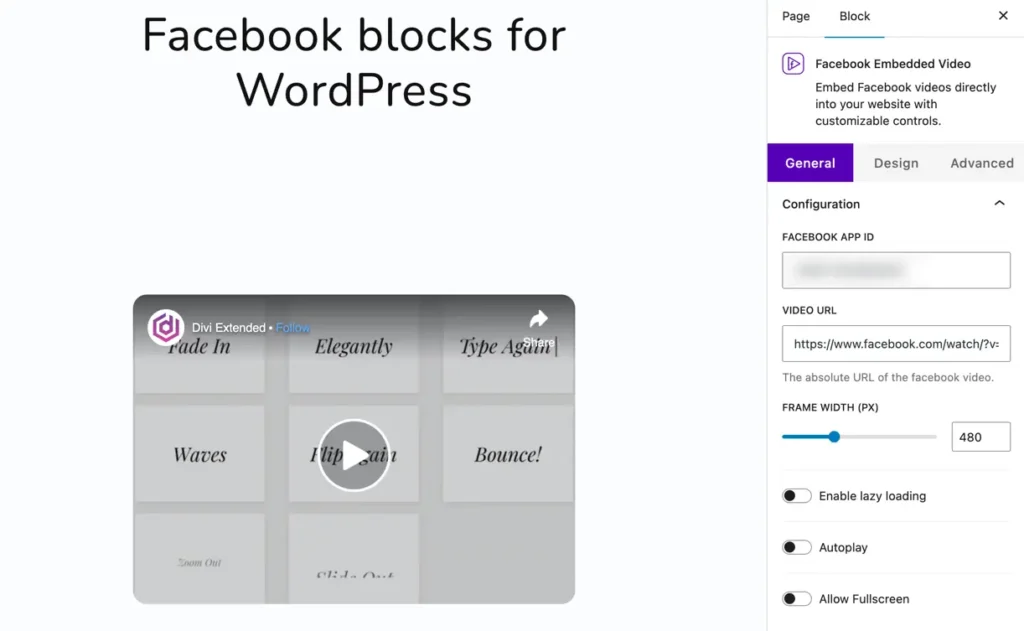
- Facebook App ID – Enter your Facebook App ID to connect and display videos properly.
- Video URL – Paste the full URL of the Facebook video.
- Frame Width (px) – Set the width of the video frame in pixels (e.g., 480px).
- Enable Lazy Loading – Improves page speed by loading the video only when it comes into view.
- Autoplay – Automatically start playing the video when the page loads.
- Allow Fullscreen – Allow users to view the video in fullscreen mode.
Display options#
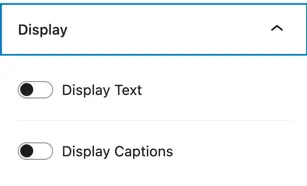
- Display Text – Show or hide text content linked with the video.
- Display Captions – Choose whether to display captions if they are available.
Design#
Video styling#
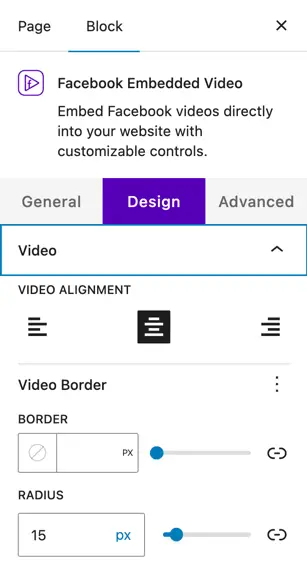
- Video Alignment – Align the video (left, center, or right) within the page or block.
- Video Border – Add a border around the video frame by setting thickness (in px).
- Radius – Adjust the corner roundness of the video frame (e.g., 15px).
Was this article helpful?
Thanks for the feedback. Need more help? Contact support.