See the Separator Block block live on the demo site (opens in a new tab)
Adding the block#
- Click the “+” (Block Inserter) button in the editor.
- Search for “Separator” and pick the WPMozo Separator block.
- Select the block to open its settings in the right sidebar.
Settings overview#
| Tab | What you control there |
|---|
| General | Separator type, line style, and whether it includes text, an icon, or an image |
| Design | Thickness, color, and styling for the text, icon, or image |
| Advanced | Background, spacing, transform, and CSS classes. See Common Advanced Settings |
General tab#
Separator Content#
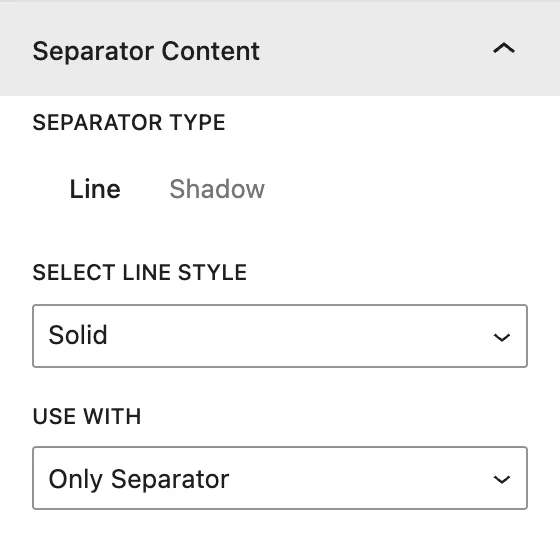
| Setting | Description |
|---|
| Separator Type | Line draws a straight divider. Shadow draws a soft curved shadow. |
| Select Line Style | (Line only)Solid, Dashed, Double, Dotted, Ridge, Groove, Inset, Outset, or None. |
| Use With | Adds something in the middle of the separator: Only Separator, Separator With Text, Separator With Icon, or Separator With Image. |
| Separator Text | Shown when Separator With Text is selected. The text sits in the middle of the line. |
| Icon | Shown when Separator With Icon is selected. Pick an icon from the library. |
| Image | Shown when Separator With Image is selected. Choose an image from the Media Library. |
Design tab#
Separator Styling#
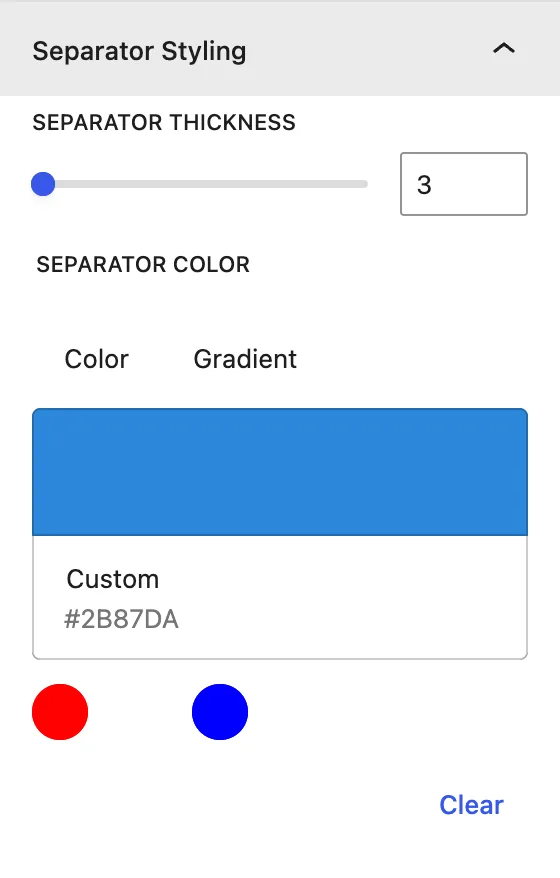
| Setting | Description |
|---|
| Separator Thickness | Thickness of the line, in px. |
| Separator Color | Color of the line or shadow. |
Text Styling (when “Separator With Text” is selected)#
| Setting | Description |
|---|
| Text Color | Color of the middle text. |
| Text Alignment | Where the text sits on the line: left, center, or right. |
| Typography | Font family, size, weight, letter spacing, and more. |
Icon Styling (when “Separator With Icon” is selected)#
| Setting | Description |
|---|
| Icon Color / Icon Size | Color and size of the icon. |
| Style Icon | Puts the icon inside a shape. |
| Shape | Square, Circle, or Hexagon. |
| Shape Background | Fill color of the shape. |
Image Styling (when “Separator With Image” is selected)#
| Setting | Description |
|---|
| Image Width | Width of the middle image. |
Advanced tab#
See Common Advanced Settings.
Tips#
- A Shadow separator with a light color works well between full-width sections.
- Separator With Text is a quick way to make section labels like “Our Services”.
