Team Slider
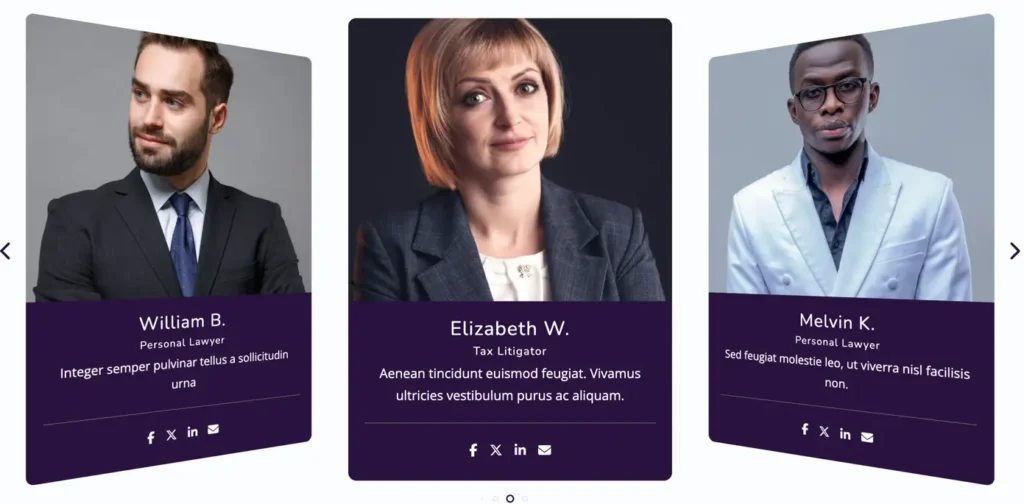
The Team Slider Block helps you showcase team members in an attractive slider layout. With multiple slider effects and display controls, you can easily highlight team profiles, roles, skills, and social links. This is a free block, designed to work smoothly without any technical setup.
Adding the block
To add the block:
- Click the “+” button to add a new block.
- Search for “Team Slider” and select it.
Layout settings
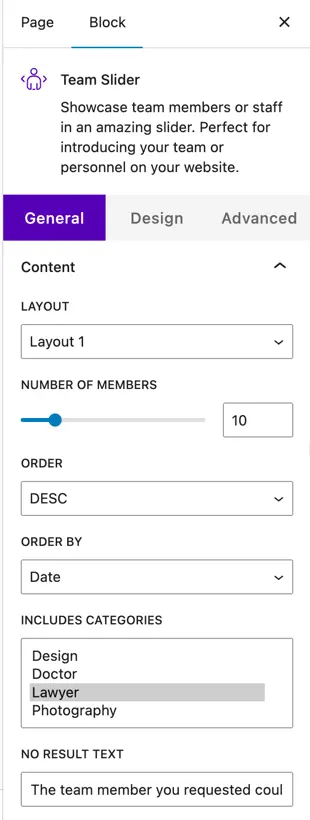
Layout options
This block offers 2 layout options.
You can choose the layout that best matches your website design.
Number of members
Use this option to define how many team members you want to display in the slider.
Order
Choose the display order of team members:
- Ascending
- Descending
Order by
Select how team members should be sorted:
- Date
- ID
- Slug
Include categories
Here, you can select the categories of team members you want to display in the slider.
No result text
Set a custom message to show when no team members are found.
Display settings
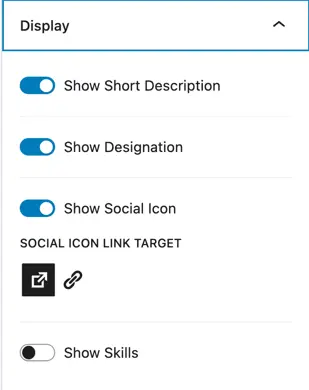
Show description
Enable this toggle to display the member description or bio.
Show designation
Turn on this option to show the designation or role of the team member.
Show social icons
Enable this toggle to display social media icons for team members.
Social icon link target
Choose how social links should open:
- Same tab
- New tab
Show skills
Enable this option to display skills or expertise of team members.
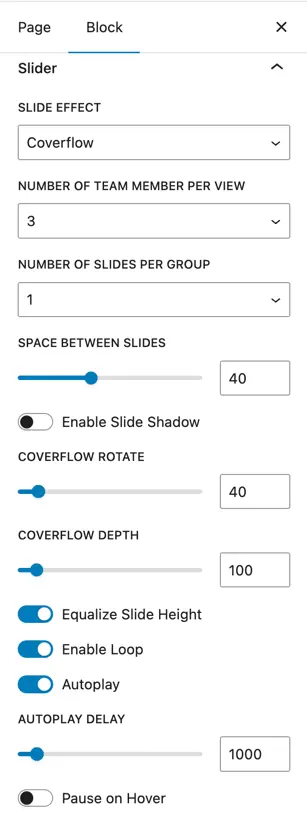
Slider settings
Slider effect
Choose the slider animation effect:
- Slide
- Cube
- Flip
- Fade
- Coverflow
Number of team members per view
Set how many team members are visible at one time in the slider.
Slides per group
Control how many slides move together during navigation.
Space between slides
Adjust the spacing between each slide.
Enable slide shadow
Turn this toggle on to add a shadow effect to slider items.
Effect-specific settings
Additional settings will appear based on the slider effect you choose, allowing further customization.
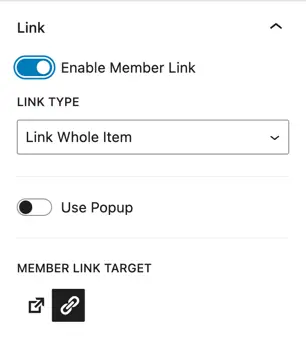
Link settings
Enable member link
Enable this toggle to make team members clickable.
Link type
Choose how the link should work:
- Link whole item
Button settings
Show button
Enable this option to display a button on each team member slide.