
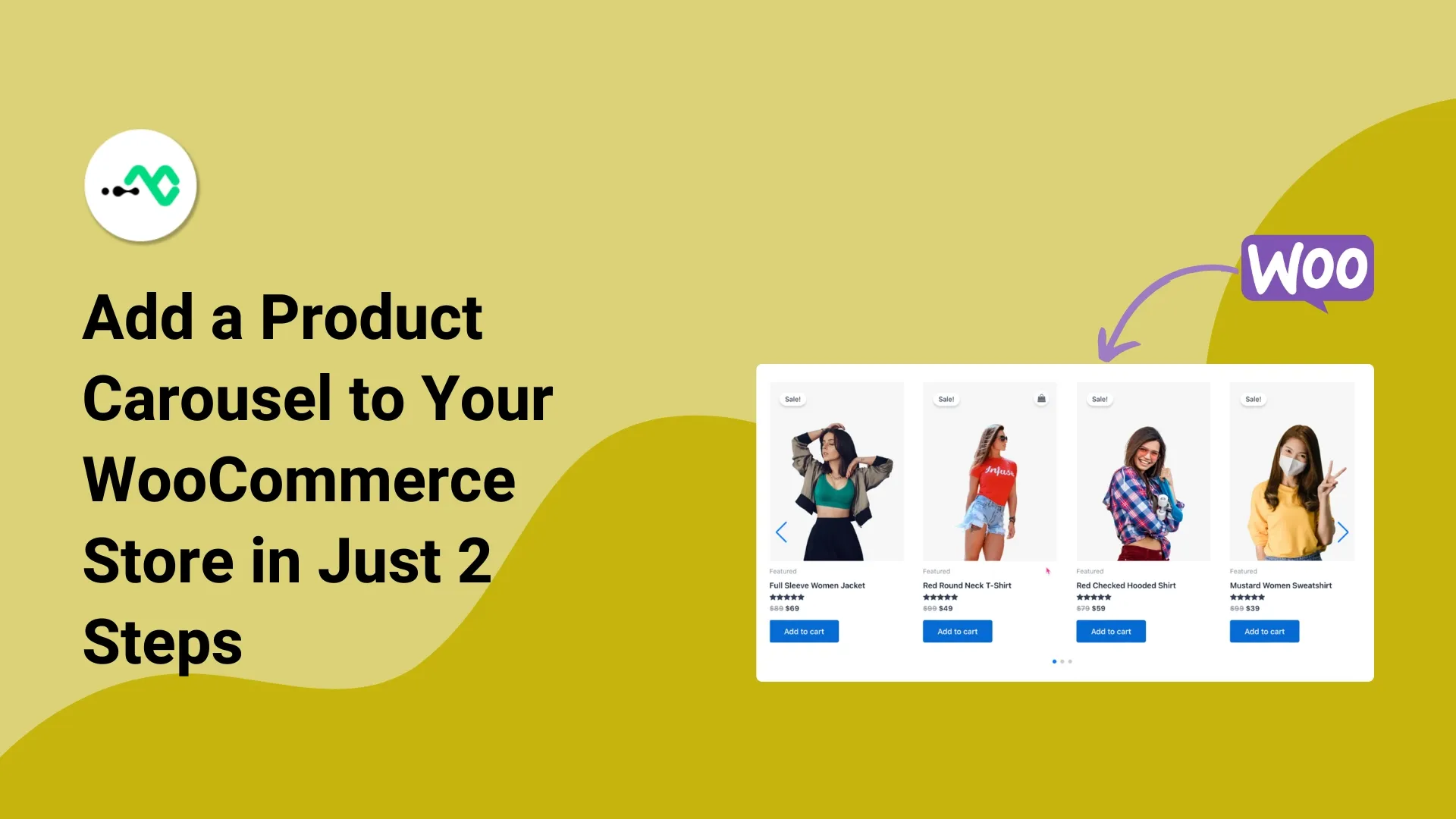
A WooCommerce product carousel displays your best-selling products in a sliding motion.
These elements can improve user experience and keep your site looking clean and organized. With a carousel, many products are displayed at once, encouraging more interaction and sales.
2 Steps to Add Product Carousel in WooCommerce Site
Below, we’ll cover how to add a product carousel to your WooCommerce store.
Step 1: Install and Activate the WPMozo Product Carousel
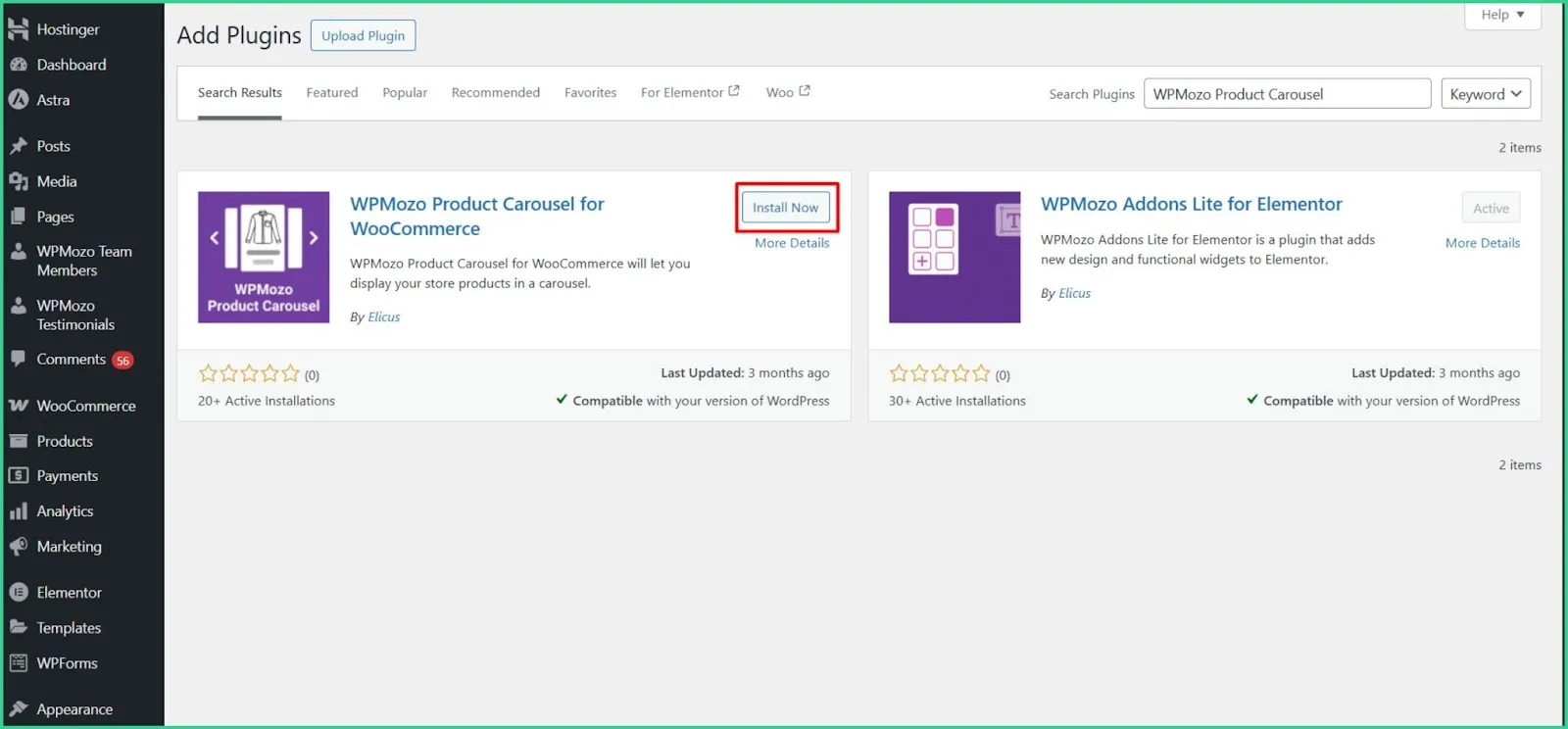
Make sure WooCommerce is active. From Plugins, click on Add New Plugin and search for the plugin WPMozo Product Carousel for WooCommerce. Now, install and activate the plugin.
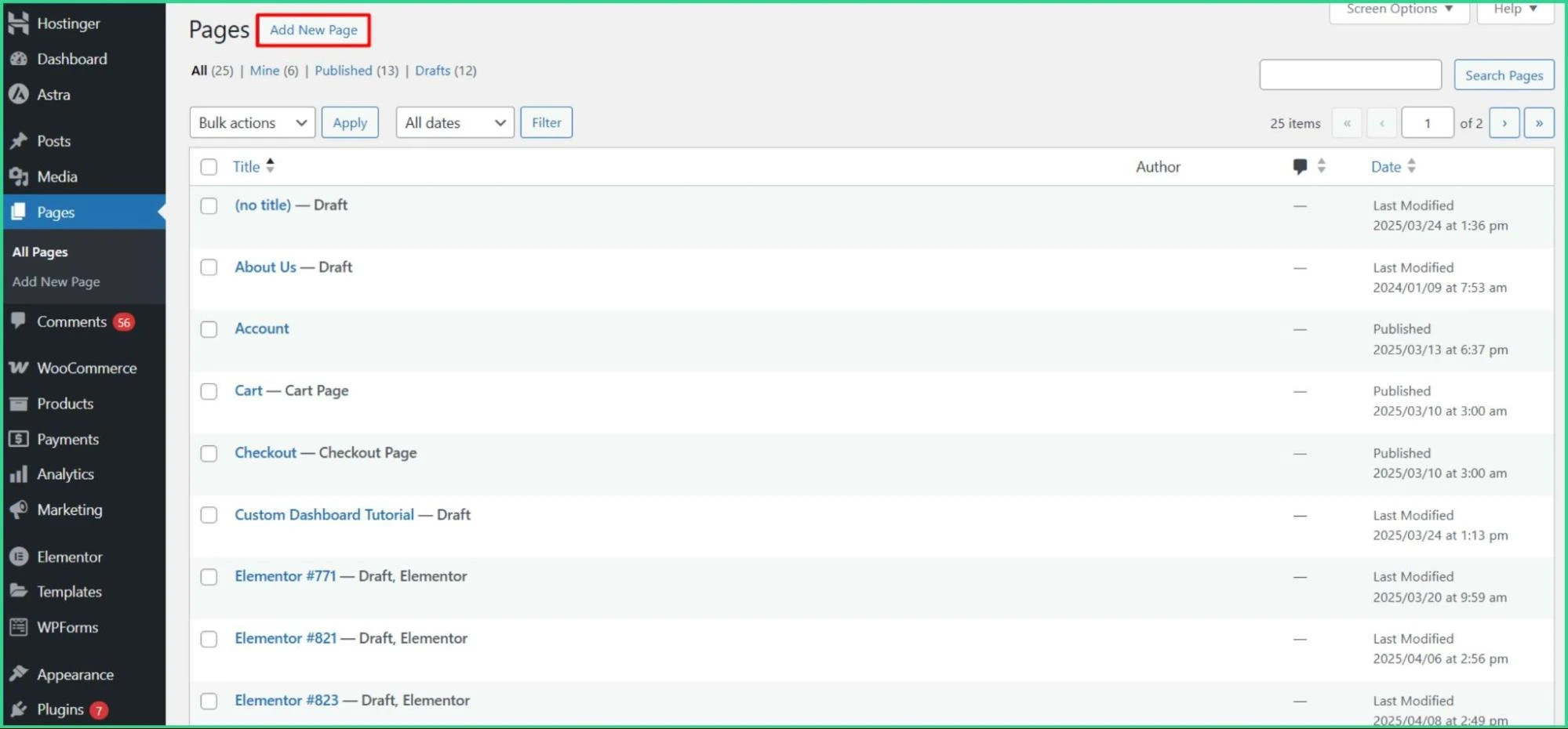
Navigate to Pages > Add New Page.
Step 2: Add the Product Carousel and Final Result
Write the Title and click on the Plus ‘+’ sign. Then search for WPMozo Product Carousel. Your products in a grid layout will appear.
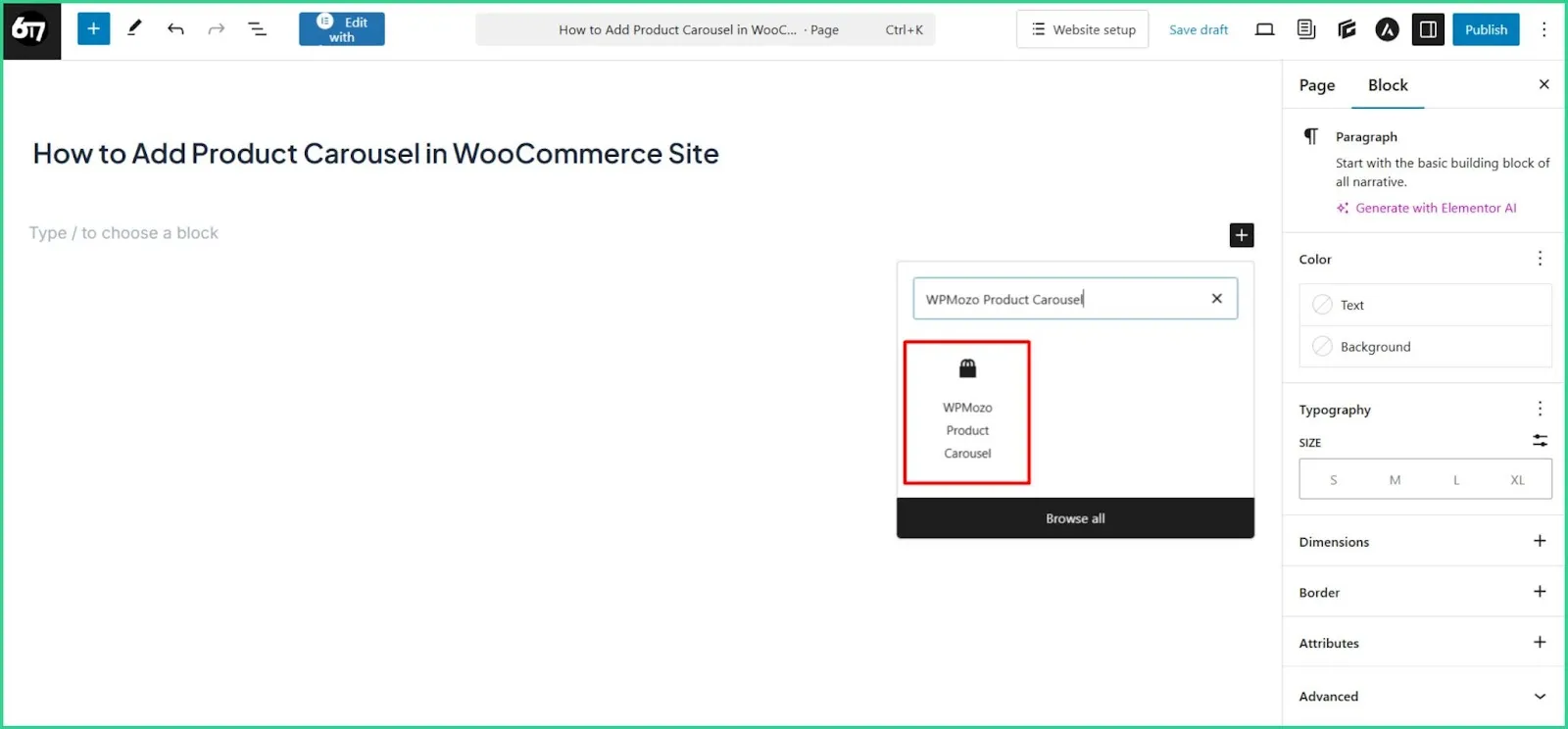
You added WPMozo Product Carousel.
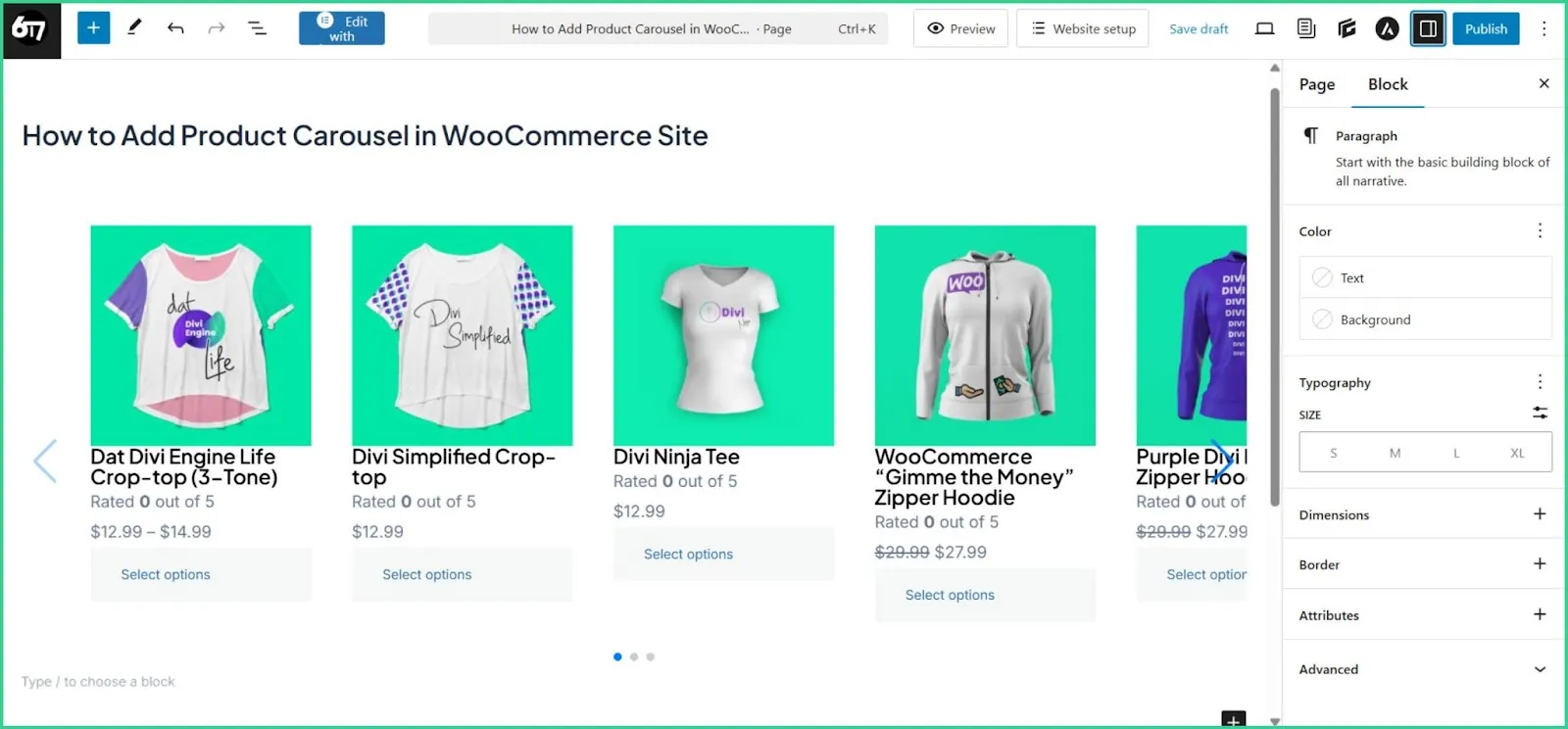
We added the Headline “How to Add Product Carousel in WooCommerce Site” for simplicity.
Why Product Carousels are Crucial for Your Website’s Overall Look?
Product carousels work great when you want to add multiple products in a row. Your product page will look slick while keeping your audience engaged on the first page.
Drag-and-Drop Simplicity
WPMozo Product Carousel is designed for ease of use. You don’t need to be a developer or know any code; simply drag the carousel block into your page or use the “+” sign on the right side of WordPress blocks.
From there, you can add products, adjust settings, or modify any other visual elements of the product carousel. It’s intuitive and beginner-friendly, perfect for WooCommerce store owners who want complete control.
Responsive Design for All Screen Sizes
More than half of online shopping happens on mobile devices. That’s why WPMozo carousel is fully responsive. With the carousel, visitors can browse on any screen size, such as a smartphone, tablet, or desktop.
Across all devices, your products remain at the forefront, images remain clear, and layouts remain tidy.
Fully Customizable
Want your carousel to match your brand? You can do that easily.
| WPMozo gives you complete control over layout, number of visible products, navigation style, and design elements. |
Choose whether to show prices, ratings, sale tags, or buttons. Customize spacing, colors, typography, and more. Your products will look great when they match your website’s look.
Lightweight and Performance-Friendly Addon
Heavy plugins can slow down your site, but not this one. WPMozo Product Carousel is optimized for speed and performance.
It’s built using modern coding standards, loads quickly, and doesn’t bloat your site with unnecessary scripts. That means faster load times, better SEO, and a smoother experience.
Seamless Integration with WooCommerce
This addon works perfectly with the latest version of WooCommerce and WordPress. It respects WordPress standards and integrates tightly with WooCommerce product data.
Meaning everything from pricing to inventory and product links will be updated automatically.
No conflicts, no compatibility issues, just smooth performance.
FAQs
Multiple products are displayed in a sliding row on a product carousel. Shoppers can scroll through items without leaving the page. It helps show more items in less space.
No, it won’t hurt your Elementor site. WPMozo is lightweight and well-coded. It works smoothly with Elementor and won’t slow your page down or cause errors.
You can choose up to 6 columns. Based on your design or screen size, you can control how many products show at once.
Give Your Product Page a Professional Look Using WPMozo Product Carousel
What if your product pages stood out and impressed your customers? A Product Carousel by WPMozo makes it easy to give your WooCommerce store a sleek, modern appearance.
Using drag-and-drop controls, full customization, and responsive design, this tool helps you display products beautifully.
Carousels keep your site clean and user-friendly, whether you’re highlighting bestsellers, new arrivals, or specific categories. Plus, they load fast and work perfectly with WordPress 6.8 and Elementor.
This add-on doesn’t have any drawbacks!




0 Comments