

WordPress has no popup block, so adding one to a page takes a small piece of code or a block from a plugin. This guide is for site owners who build in the block editor. By the end you will have a working popup, and you will know which trigger to use and what to check before it goes live.
The short answer
WordPress does not include a popup block. We checked all 116 core blocks in WordPress 7.1 and none of them is a popup or modal. That leaves two practical routes:
| Custom HTML block | WPMozo Modal Popup block | |
|---|---|---|
| Install anything? | No | WPMozo Blocks and Addons Pro |
| Edit content with blocks? | No, you edit HTML | Yes |
| Opens on click | Yes | Yes |
| Opens on page load or exit intent | Needs more code | Built in |
| Position and size controls | CSS | Settings panel |
| Keyboard focus | Moves into the popup | Stays on the page in Pro 1.0.0 |
| Esc closes it | Yes | Yes, when the setting is on |
If you need one simple popup and are comfortable pasting code, start with the first method. If you want to design popups with blocks or use timed triggers, use the second.
Choose the trigger first
The trigger decides whether a popup helps or annoys, so pick it before you build.
On click. The visitor asks for the popup by pressing a button or link. Use it for booking details, size guides, terms and anything else people choose to read. This is the safest choice, and it works the same on phones and computers.
On page load. The popup appears by itself shortly after the page opens. Use it sparingly, for something most visitors need to see, such as a closure notice.
On exit intent. The popup appears as the mouse pointer leaves the page. It depends on a mouse, so visitors on phones will not see it.
Method 1: add a popup with no plugin
Browsers have a built-in popup element called <dialog>. It has been widely available since March 2022, and it handles the difficult parts for you. When opened as a modal, the rest of the page stops responding, focus moves into the popup, and Esc closes it.
- Open your page in the block editor.
- Add a Custom HTML block where the button should appear.
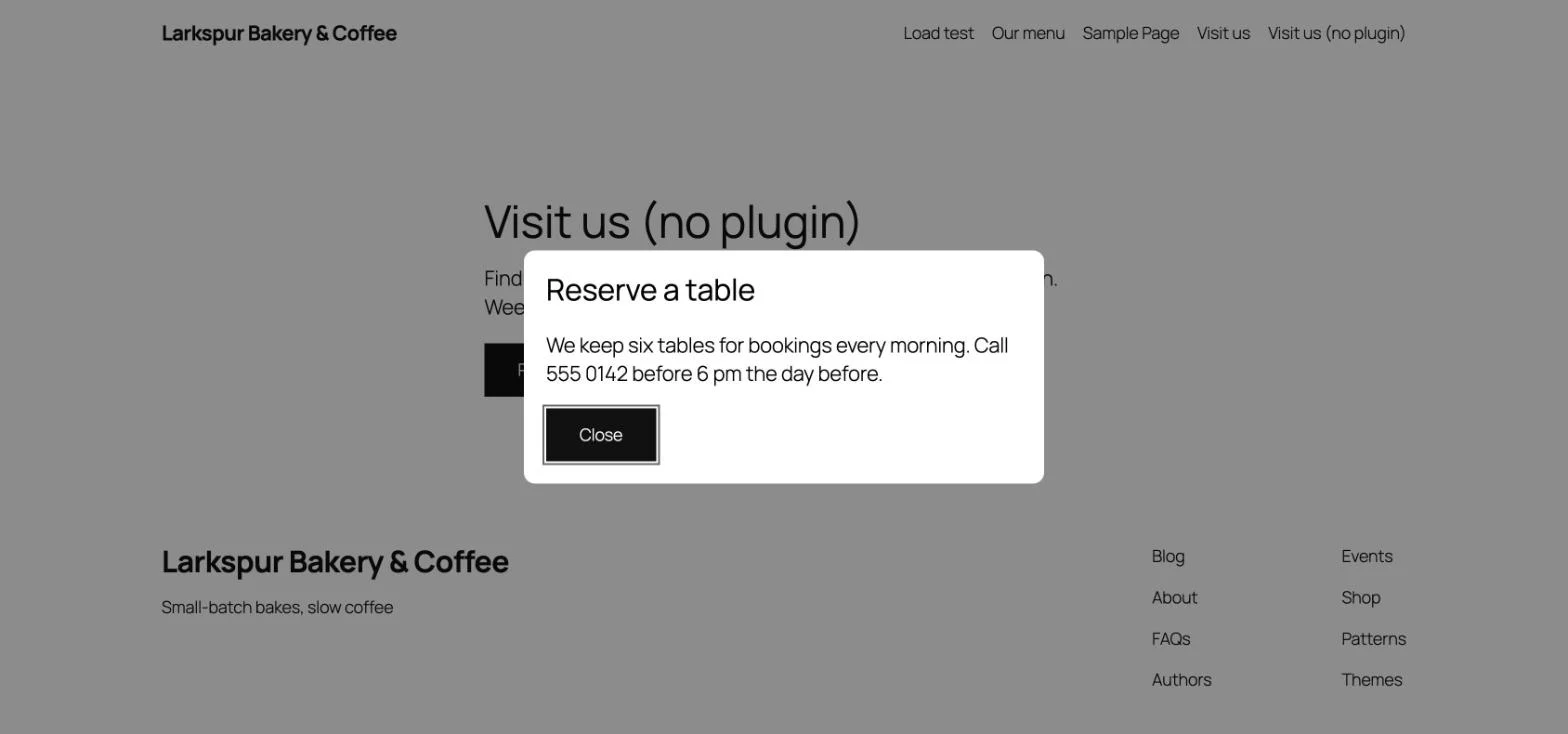
- Paste this code and change the text:
<button type="button" class="wp-element-button" onclick="document.getElementById('book').showModal()">Reserve a table</button>

<dialog id="book" aria-labelledby="book-title" style="max-width:32rem;margin:auto;border:0;border-radius:12px;padding:1.5rem">
  <h2 id="book-title" style="margin-top:0">Reserve a table</h2>
  <p>We keep six tables for bookings every morning. Call 555 0142 before 6 pm the day before.</p>
  <button type="button" class="wp-element-button" onclick="this.closest('dialog').close()">Close</button>
</dialog>

<style>#book::backdrop{background:rgb(0 0 0 / 45%)}</style>- Save the page and test it on the front end, not only in the editor preview.
A few details matter here:
wp-element-buttongives the buttons your theme’s button style.margin:autocentres the popup. Some themes reset the margin, which pushes it to the top of the screen.::backdropis the dimmed layer behind the popup. Change the last number to make it lighter or darker.idmust be unique. For a second popup on the same page, changebookeverywhere it appears.
This method has limits. You edit HTML rather than blocks, so anyone who updates the text needs to be comfortable with code. WordPress also removes scripts from Custom HTML for users without the unfiltered_html permission, and then the button does nothing. Timed triggers need extra JavaScript.
Method 2: add a popup with the Modal Popup block
The Modal Popup block comes with WPMozo Blocks and Addons Pro. The popup body is built from normal blocks, so you can add images and text the way you build a page.
- Add the Modal Popup block where the trigger should sit.
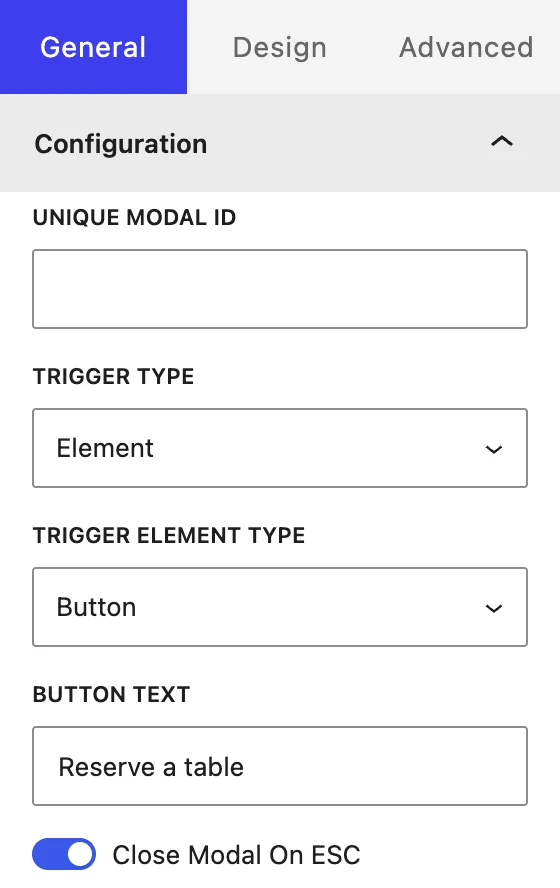
- In the General tab, set Trigger Type to Element, On Page Load or Exit Intent.
- For Element, choose a Trigger Element Type: button, image, icon or text. Then set its content.
- Add your blocks to the popup body.
- Turn on the header, title and close icon if you want them, and turn on Close Modal On ESC.
- Set the width, height and position. There are seven positions: the centre, and the left, middle or right of the top or bottom.
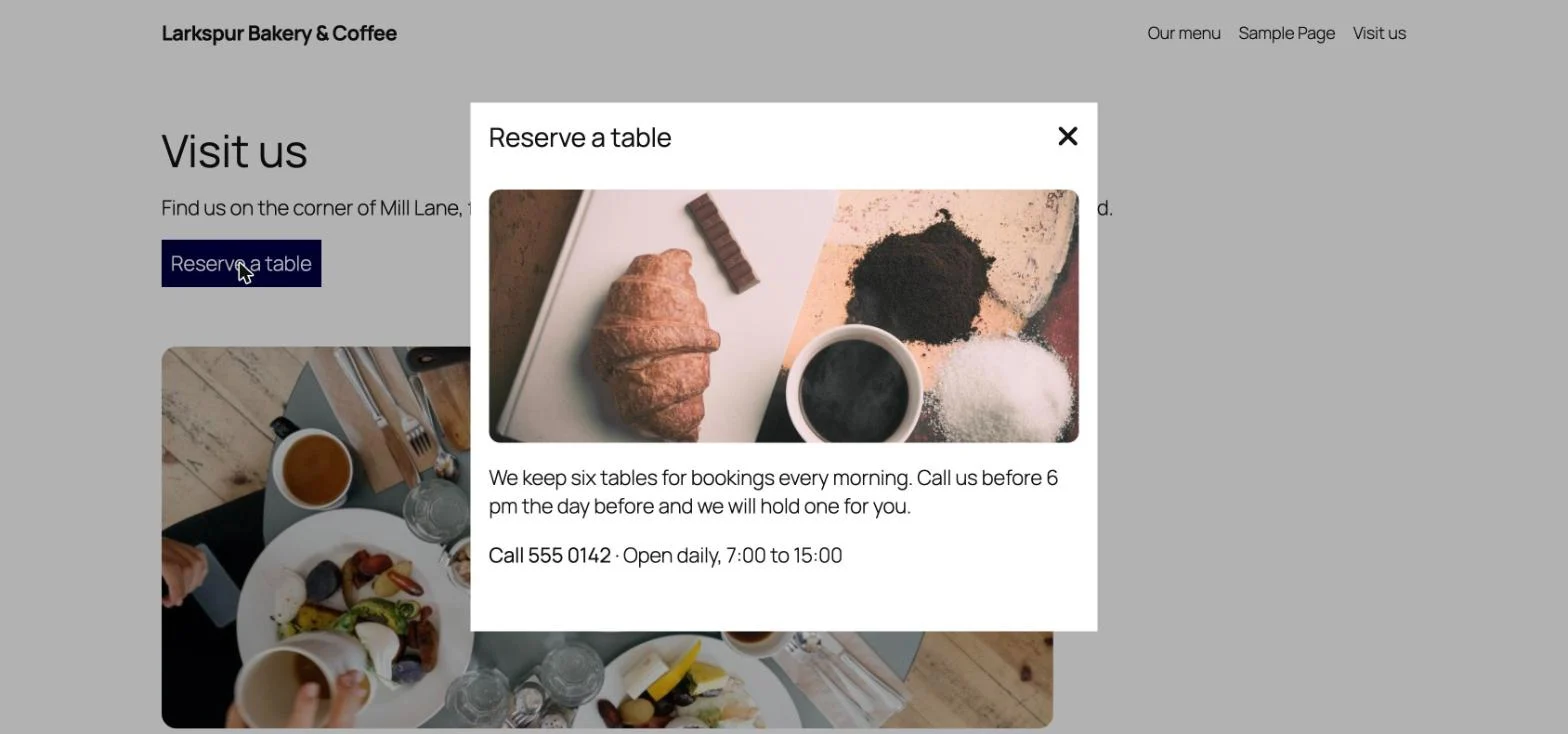
Here is the finished popup on a cafe page, opened from a button:
You can also stop the page behind from scrolling with Disable Website Scroll, which keeps the visitor’s place while the popup is open.
Two things to know in Pro 1.0.0. A page-load popup shows on every visit, so it does not suit offers that should appear only once. Keyboard focus also stays on the page when the popup opens, so a click trigger with Esc turned on is the better setup for now.
Popups, phones and Google
Google’s guidance on interstitials and dialogs (opens in a new tab) warns against page elements that block the view of the content, usually for promotion. It suggests small banners instead of full-screen overlays or large dialogs, and it treats legally required notices such as age gates differently.
The guidance does not separate popups by what opens them. Our reading is that a popup a visitor opens with a button is the lowest risk, because the content is in view until they ask for something else, and that a large popup covering the page on arrival is the highest, above all on a phone. To stay on the safe side:
- Prefer click triggers for anything promotional.
- Keep popups small on phones, and never cover the whole screen.
- Make the close button easy to see and easy to tap.
- Keep the main content on the page, not only inside a popup.
Check it with a keyboard
Many popup guides skip this step, and it takes under a minute:
- Reload the page and press Tab until you reach the trigger. You should see where you are.
- Press Enter to open the popup.
- Press Tab again and check where focus goes.
- Press Esc and check that the popup closes.
Give the popup a clear title, write the close button as a word where you can, and keep enough contrast between the text and the background.
How often should a popup appear?
A popup someone asks for can appear every time. An automatic popup should not. Seeing the same offer on every page view teaches people to close it without reading it, so keep automatic popups for messages that apply to everyone right now, and remove them when the message ends. If you need a popup that shows once per visitor, plan for that before you build, because neither method here does it for you.
If the popup does not work
The button does nothing. Check that the script is still in your Custom HTML block. If it has gone, your user account probably lacks unfiltered_html, so ask an administrator to add the code.
The popup sits at the top of the screen. Add margin:auto to the dialog.
An old version still shows. Clear your page cache and test in a private window.
It works in the editor but not on the page. Test the published page with your cache cleared, then check the browser console for script errors.
FAQ
Does WordPress have a built-in popup block?
No. The 116 core blocks in WordPress 7.1 include no popup or modal block. You need a Custom HTML block with some code, or a block from a plugin.
Can I add a popup without a plugin?
Yes. Paste the <dialog> code above into a Custom HTML block. It suits simple click-to-open popups, and you edit it as HTML.
Will a popup hurt my SEO?
Google’s guidance warns against overlays that block the content, usually for promotion, and suggests small banners instead. It does not say what opens them, but a popup a visitor opens with a button leaves the content in view until they ask, so we treat click triggers as the lowest risk.
Does exit intent work on phones?
Not with a trigger that follows the mouse pointer, which is how the Modal Popup block’s exit intent works. Use a button or link for visitors on phones.
Can I put a form in a popup?
In the Modal Popup block the body is built from blocks, so you can add the block your form plugin provides. Test it on the front end before you publish.
Next step
If a single popup is all you need, copy the code above. If you want to build popups from blocks and choose how they open, see the Modal Popup block and try it on the live demo (opens in a new tab). For design advice, read Designing Non-Intrusive Popups.

Leave a Reply