
Widgets
Masonry Gallery
On this page
- Content settings
- Images
- Image resolution
- Columns
- Columns spacing
- Elements
- Title toggle
- Show Title In
- Caption toggle
- Show Caption In
- Overlay on hover
- Overlay icon
- Image styling
- Border type
- Border radius
- Box shadow
- Lightbox settings
- Background color
- Exit icon color
- Arrow color
- Arrow border color
- Title and Caption background color
The Elementor Masonry Gallery widget lets you create beautiful image galleries with flexible layouts and lightbox support. You can control image resolution, columns, spacing, overlays, titles, captions, borders, shadows, and lightbox styling for a fully customized gallery experience.
Content settings#
Images#
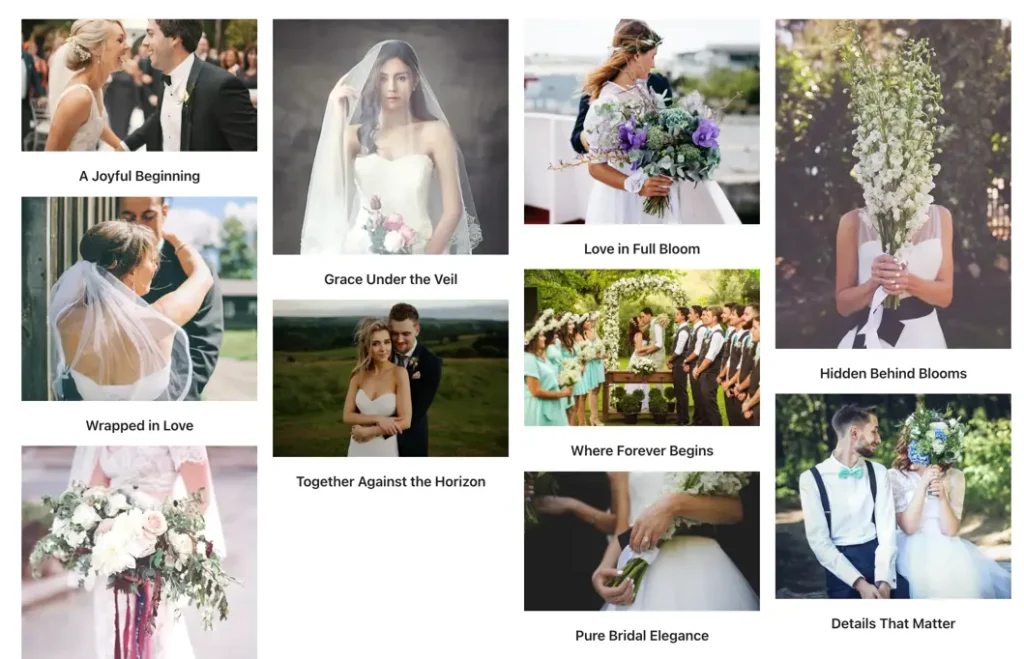
Select one or multiple images from the Media Library to include in your gallery.
Image resolution#
Choose the resolution/size for gallery images to ensure they display crisply on all devices.
Columns#
Select the number of columns for the gallery layout supports up to 10 columns for flexible grid designs.
Columns spacing#
Set the spacing (in px) between columns to increase or decrease visual gap between images.
Elements#
Title toggle#
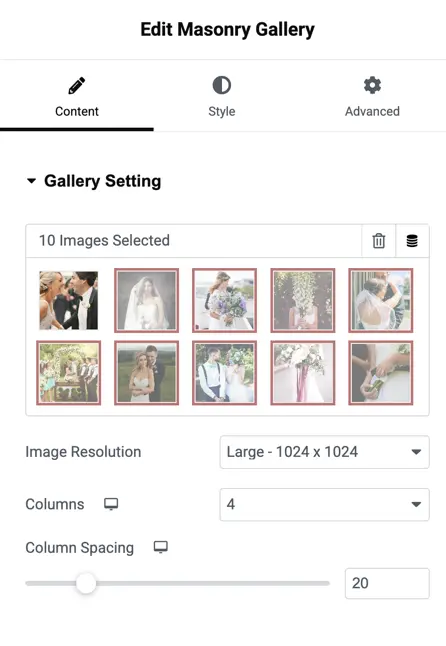
Enable to show or hide the title for each gallery image.
Show Title In#
Control where the title appears:
Gallery
Lightbox
Both
Caption toggle#
Enable to show or hide the caption for each image.
Show Caption In#
Choose where caption text appears:
Gallery
Lightbox
Both
Overlay on hover#
Toggle to enable overlay effects when the user hovers over an image.
Overlay icon#
Choose an icon to show as the overlay indicator during hover.
Image styling#
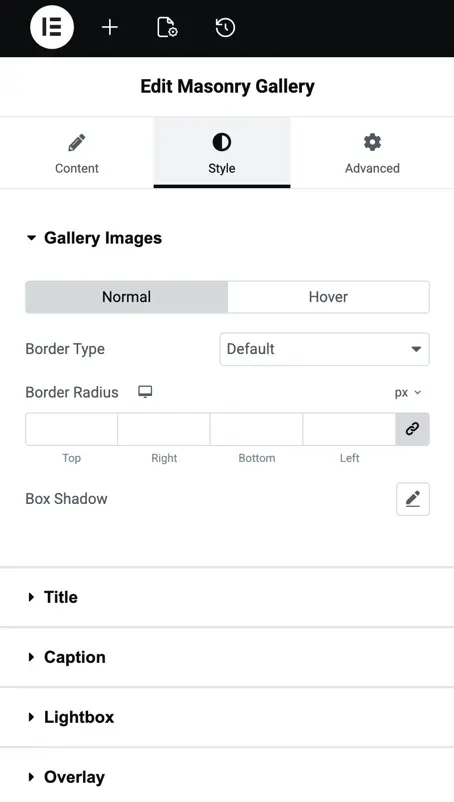
Border type#
Choose a border style for gallery images:
- None
- Solid
- Dashed
- Dotted
- Double
- Groove
- Etc.
Border radius#
Adjust how rounded the image corners appear.
Box shadow#
Add shadow below images to create depth and visual separation.
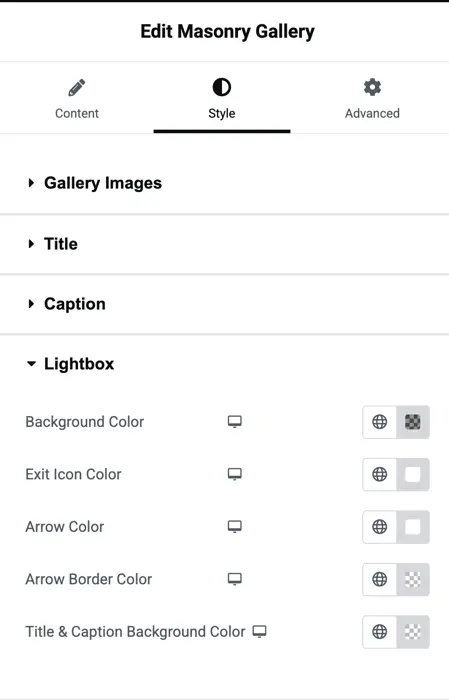
Lightbox settings#
Once an image is clicked, the Lightbox opens and it’s fully customizable:
Background color#
Set the lightbox overlay background color.
Exit icon color#
Customize the color of the close (X) icon.
Arrow color#
Choose the color of the navigation arrows inside the lightbox.
Arrow border color#
Set a border color for lightbox arrows if needed.
Title and Caption background color#
Define a background color behind titles and captions when viewing images in the lightbox.
Was this article helpful?
Thanks for the feedback. Need more help? Contact support.