
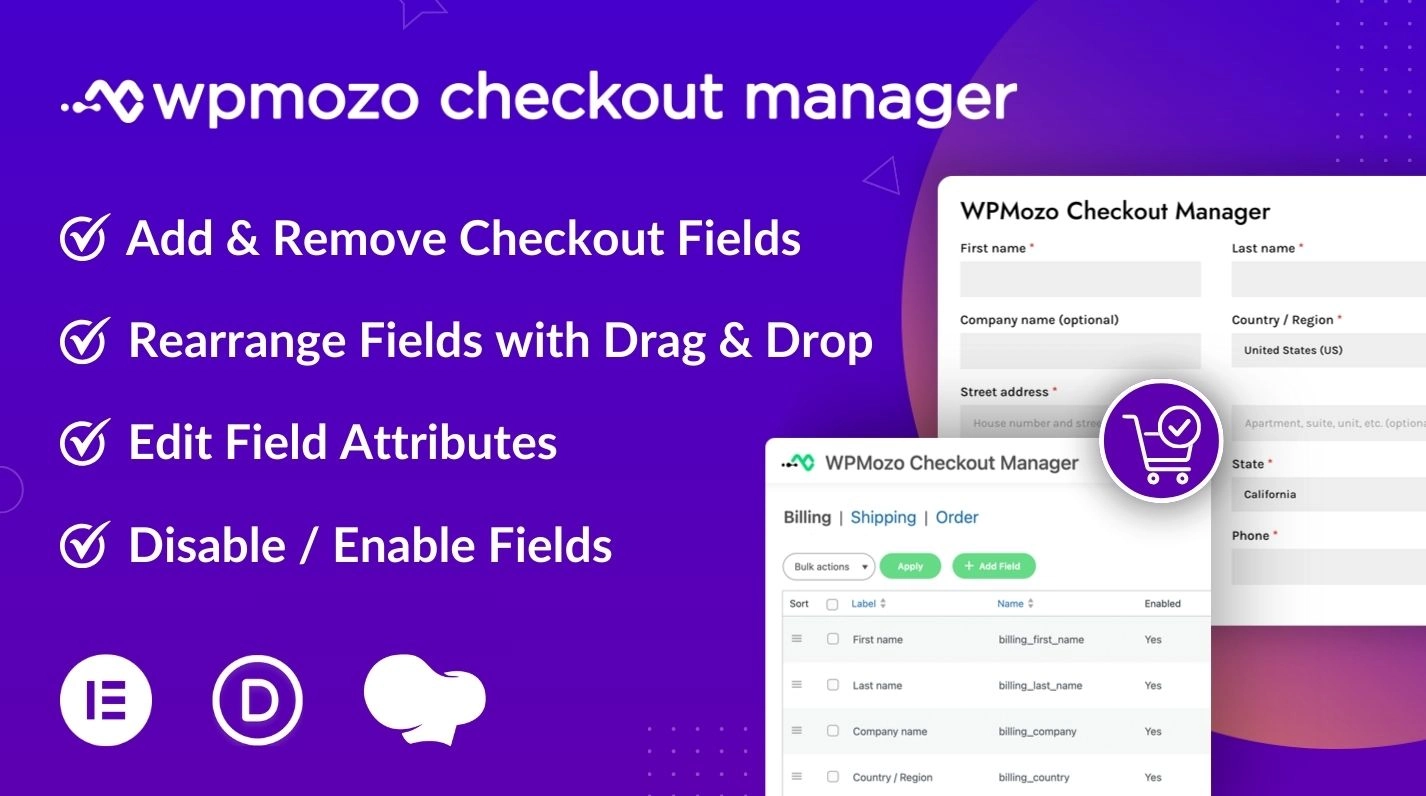
The default WooCommerce checkout works fine for basic stores, but most real WooCommerce businesses need more from their checkout. B2B stores need company and VAT fields. Restaurants need delivery time slots. Personalization stores need custom instructions. Subscription stores need referral source. International stores need region-specific compliance fields.
WPMozo Checkout Manager handles all of these. The plugin lets you:
- Add custom checkout fields of any type (text, select, radio, checkbox, date picker, email, number, file upload, and more)
- Remove default WooCommerce fields you don’t need
- Disable fields temporarily without losing their configuration
- Rearrange field order with drag and drop
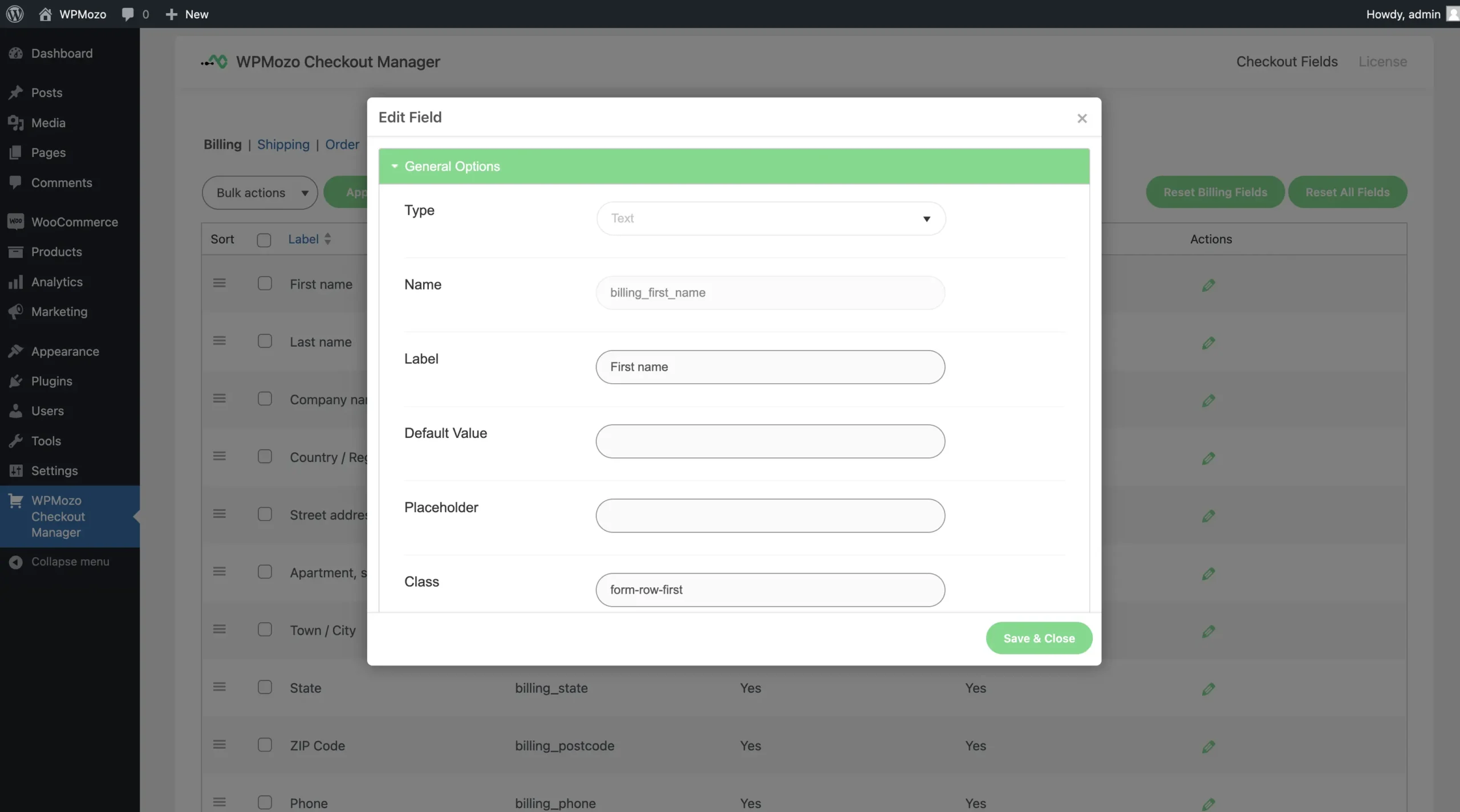
- Edit any field’s label, required status, default value, or validation rules
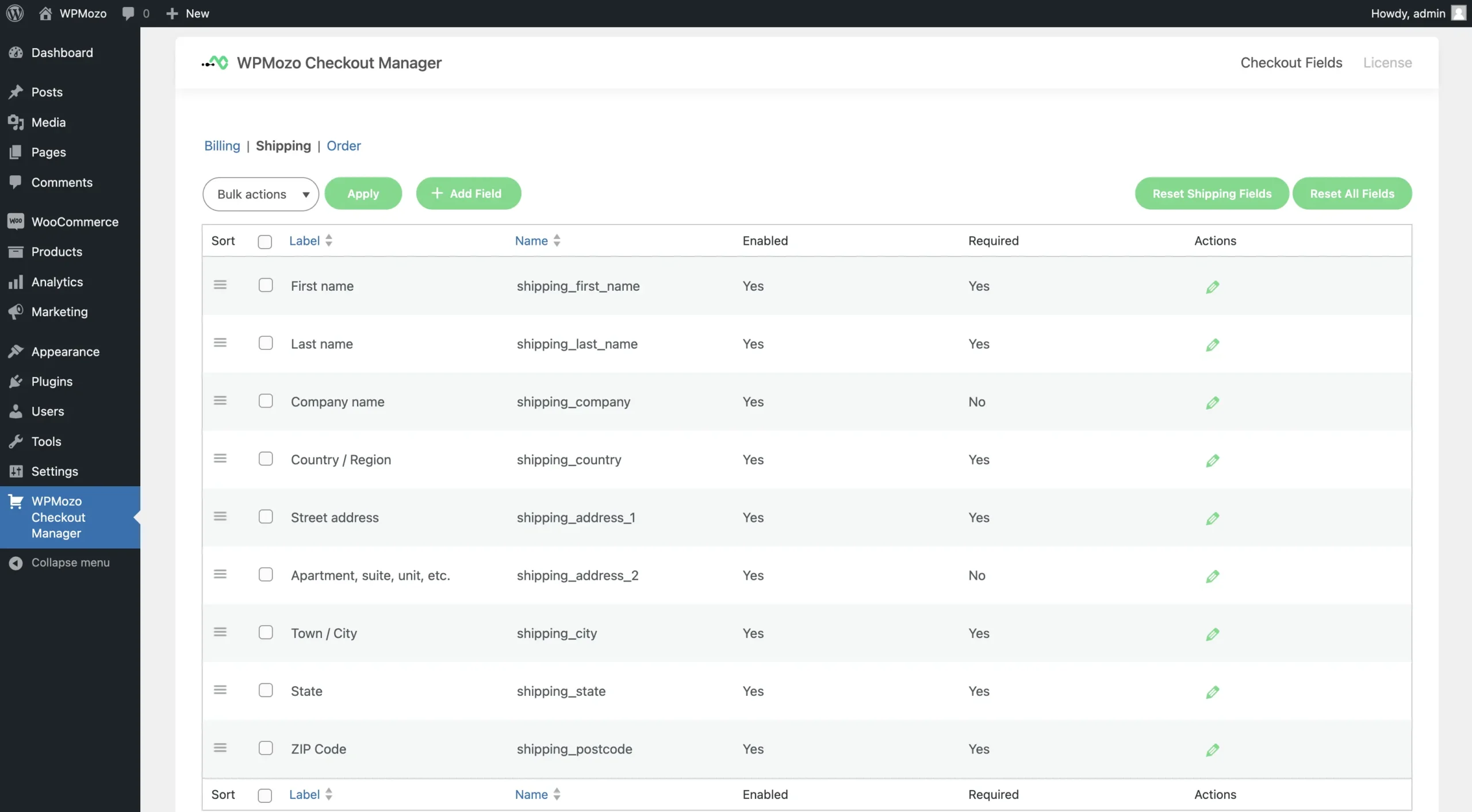
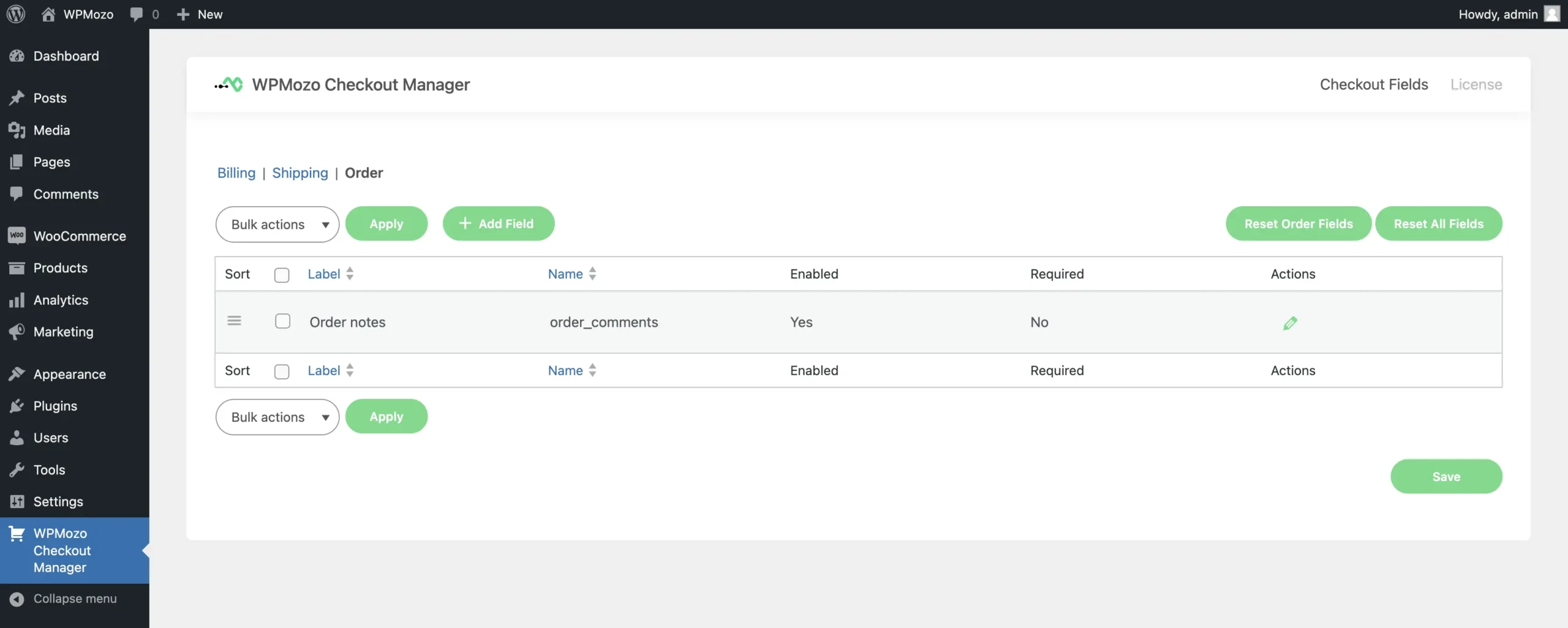
- Separate the configuration for billing, shipping, and order sections
Settings live in a clean admin panel with no code required. The plugin uses standard WooCommerce hooks, so it works with any WooCommerce-compatible theme and any payment gateway including Stripe and PayPal.
Built for agencies and store owners
WPMozo Checkout Manager is a single-license plugin. Buy once, use on every site you build. Most checkout field plugins charge per site, so agencies pay $200-400 per year to install on five client sites. With WPMozo, the same five sites cost $39 per year.
From Elicus, a WordPress company for over a decade and a top-selling author on the Elegant Themes Divi Marketplace. Our products, including Divi Extended, power 300,000+ websites worldwide.
Why customize the WooCommerce checkout
Most WooCommerce stores leave the default checkout as-is, then wonder why their conversion rate is below industry average. The default checkout was designed for a generic store. Your store is not generic.
The right checkout customization depends on what your store sells and how you fulfill orders:
Fewer fields equals fewer abandoned carts. If you’re a single-product digital store, you probably don’t need to collect a shipping address. Removing unnecessary fields reduces checkout friction.
More fields equals better customer data. B2B stores need company name and VAT. Subscription stores benefit from “how did you hear about us” data for marketing attribution.
Rearranged fields match your funnel logic. If your business prioritizes shipping speed, putting delivery options at the top of checkout signals priority. Order matters psychologically.
Custom validation prevents bad orders. If you need a 10-digit phone number specifically, adding that validation at checkout prevents customer service calls later.
WPMozo Checkout Manager lets you do all four without writing code. Settings persist across WooCommerce updates and don’t break with theme changes.
Add custom checkout fields for any business need
The checkout fields can be easily added to grab some specific piece of information depending on your business needs. You can easily add and optimize the attributes of the checkout fields such as the label and default values related to it. Whether it’s for personalized marketing or improving order fulfillment, adding new fields with this WooCommerce checkout manager plugin is a powerful way to adapt your checkout process to your unique business requirements.
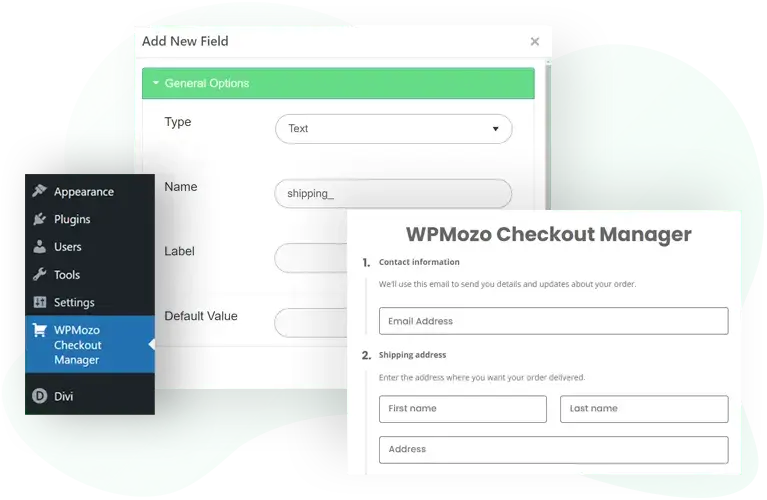
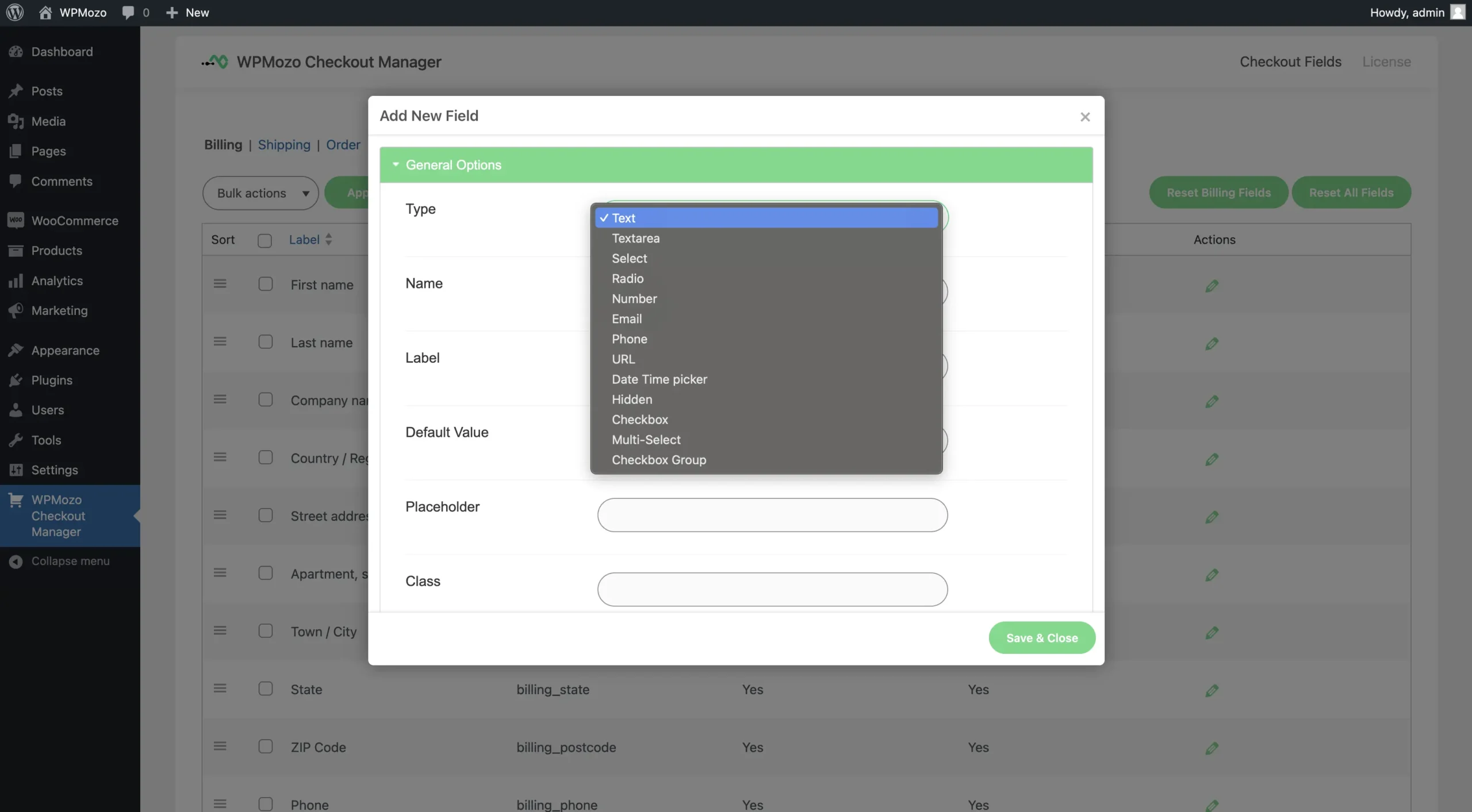
Multiple field types: text, select, radio, date, email, and more
WPMozo Checkout Manager offers multiple field types to accumulate different types of information from the customer. It offers text, select, radio, number, email, date time picker, checkbox, and many more field types to serve the needs of your checkout page. Just select the desired field type and that’s all.
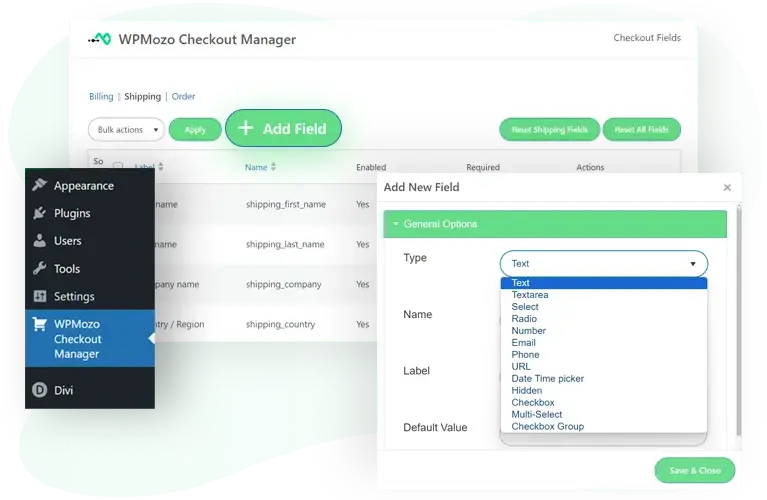
Enable, disable, and rearrange default checkout fields
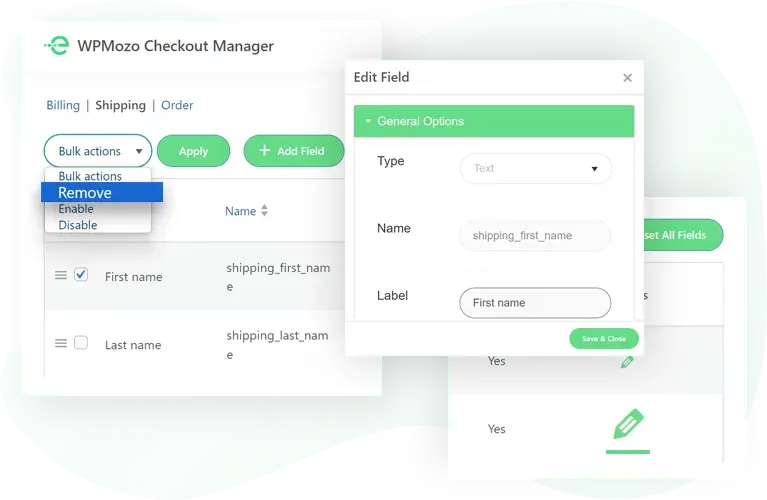
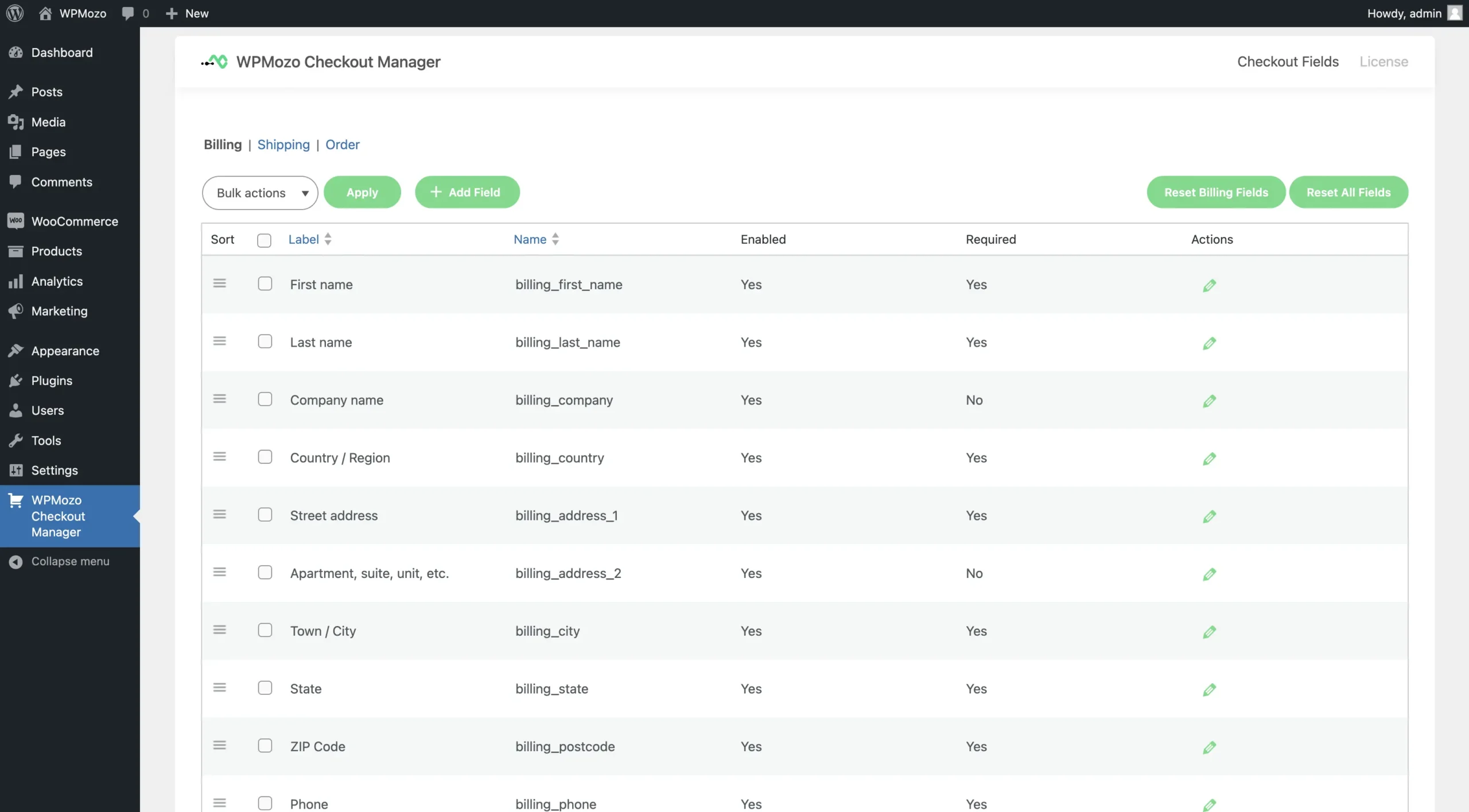
If you discover that any fields are currently unnecessary but may be needed in the future, you can easily disable them whenever you need with a few clicks and re-enable them when necessary. You can also rearrange fields easily with a simple drag-and-drop action in the order that best suits your business model, enhancing both the aesthetics and functionality of your checkout page.
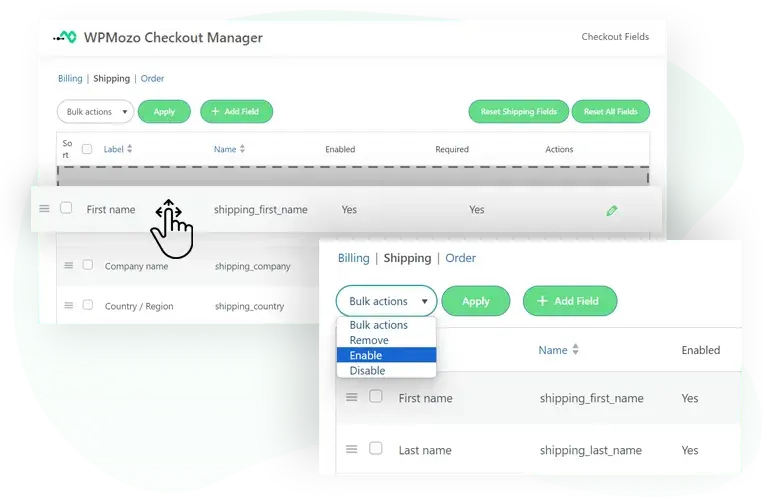
Remove or edit default WooCommerce checkout fields
WPMozo Checkout Manager for WooCommerce allows you to effortlessly remove and edit fields in the checkout form. If any fields are no longer required to appear on the checkout page simply remove them with a few clicks. You can also edit any field in the checkout form to match your business requirements with this WooCommerce checkout manager. This customization capability lets you refine the information you collect from customers, ensuring you gather only what’s necessary for your business.
Separate configuration for billing, shipping, and order fields
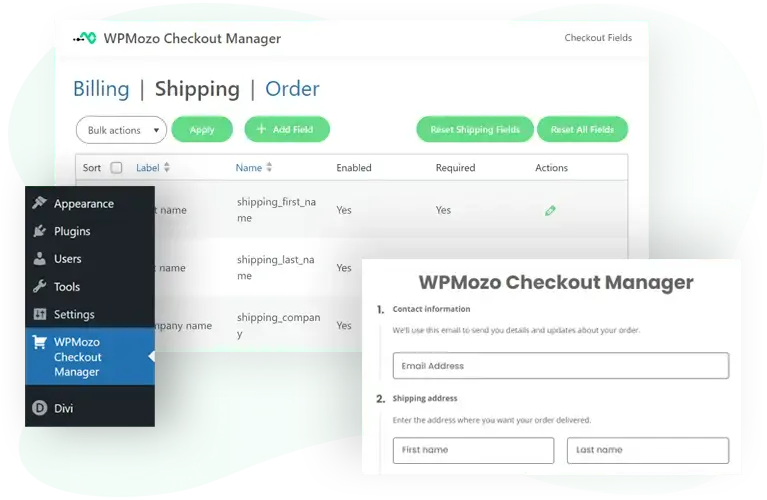
Separate options are provided to add, remove, and customize the checkout fields in the checkout form. This turns out to help segregate the customizations in the billing, shipping, and order sections of the checkout form. Tailor billing fields for payment accuracy, order fields to capture essential data, and shipping fields for precise delivery information with this WooCommerce checkout manager. The result is a checkout process that’s not only user-friendly but also optimized for efficiency and accuracy.
Common use cases
The plugin works for any WooCommerce store, but specific store types benefit from specific configurations.
B2B and wholesale stores. Add fields for company name, VAT/GST number, PO number, business reference, and authorized buyer contact. Make these required for business accounts and optional for retail. Recommended: text field for company, validated number field for VAT, optional notes field for PO number.
Restaurants and food delivery. Add delivery time slots, special instructions, contactless delivery preference, allergen notes. Make delivery time required and connect to your fulfillment system. Recommended: select field for time slots, textarea for instructions, checkbox for contactless.
Personalization and print-on-demand stores. Add fields for monogram text, gift wrapping preference, gift message, engraving instructions, color preference for accessories. These give customers a place to provide custom details without ordering external. Recommended: textarea for messages, color picker or select for design choices, checkbox for gift wrapping.
Subscription and membership stores. Add fields for plan reference, referral source, member ID, billing frequency preference. These help with retention and marketing attribution. Recommended: text field for referral source, select for billing preferences.
Multi-region and international stores. Add region-specific fields for tax compliance (UK VAT, EU GDPR consent, India GST, Australia ABN). Make fields conditionally required based on shipping region. Recommended: text fields for tax IDs, checkboxes for GDPR consent, with region-aware validation.
Service-based and booking stores. Add fields for appointment date and time, service preferences, location-specific data. Customers book their service through the checkout itself. Recommended: date and time pickers, select fields for service options.
Single-product digital download stores. Remove unnecessary fields entirely (shipping address, phone number, billing details beyond essentials). Streamline the checkout to two or three required fields total. Recommended: disable shipping section, hide unnecessary billing fields, simplify to email and name.
How WPMozo Checkout Manager compares
When choosing a WooCommerce checkout fields plugin, three points usually decide the winner. Here’s how WPMozo handles each.
✓ Single license, unlimited sites. Most checkout fields plugins charge per site, so agencies managing client stores pay $200-400 per year for the same plugin across five sites. WPMozo Checkout Manager is $39 per year for unlimited sites. For agencies and freelancers, this is the cost lever that matters.
✓ All field types in one license. Some checkout plugins charge extra for advanced field types like date pickers, file uploads, or conditional logic. WPMozo includes all field types (text, select, radio, checkbox, date, time, email, number, file upload, and more) in the base license.
✓ Lifetime license available. Most checkout plugins are subscription-only. WPMozo offers Lifetime at $199 one-time. For agencies building long-term client relationships, this breaks even after about 5 years of annual renewals.
What’s included with the license
Both Annual ($39/year) and Lifetime ($199 one-time) licenses include:
- All field types including text, select, radio, checkbox, date, time, email, number, file upload, and more
- Unlimited websites — install on every site you build, no per-site fees
- All updates during license period (Annual gets 1 year of updates; Lifetime gets all future updates forever)
- Email support direct to the development team
- 30-day money-back guarantee with no questions asked
- Future field types and features added during the license period are included automatically
The Annual license ($39/year) auto-renews. Cancel anytime before renewal; existing functionality continues working after the license expires.
The Lifetime license ($199 one-time) never renews and never expires. Best value for agencies and store owners planning long-term WooCommerce use.
For agencies managing multiple client sites, the WPMozo All Access Pass covers this plugin and every other WPMozo plugin in one license.
FAQs
This is a WordPress plugin that allows WooCommerce store owners to easily customize and manage the checkout fields on their store’s checkout page.
This plugin allows you to fully customize your checkout page by adding new fields, editing existing ones, or removing fields that are no longer needed.
Yes! The plugin provides a user-friendly drag-and-drop interface, allowing you to reorder the checkout fields according to your preference.
Yes, any checkout fields added or customized using the plugin will be fully responsive and optimized for all screen sizes and devices.
Yes, you can easily set any field as required or optional while creating or editing it in the plugin’s settings.
The plugin provides an option to restore WooCommerce’s default checkout fields, allowing you to reset any customizations.
Visit our support page for assistance and access to helpful resources.
Yes, the plugin will continue to work even if your license expires. However, you will no longer receive updates or support unless the license is renewed.
Yes, we offer a 30-day money-back guarantee. If you decide the plugin isn’t right for you within 30 days of purchase, we will happily refund your payment in full.
Yes, WPMozo Checkout Manager works with WooCommerce-compatible themes. If any issues arise, our support team is here to help.
No. WPMozo Checkout Manager uses standard WooCommerce hooks to modify checkout fields. It works with Stripe, PayPal, Razorpay, Authorize.net, and any other WooCommerce-compatible payment gateway. The plugin doesn’t process payments itself, so there’s no conflict.
No. The plugin operates on the checkout field display layer, while WooCommerce Subscriptions operates on the order/product layer. Both work simultaneously without conflict. The plugin is also compatible with WooCommerce Bookings, WooCommerce Memberships, and other Automattic extensions.
When you deactivate WPMozo Checkout Manager, the WooCommerce default checkout fields return to normal. Customer data already collected through custom fields stays in the order records. You don’t lose order history. If you reactivate the plugin, your custom field configuration returns exactly as you left it.
No. WPMozo Checkout Manager adds minimal CSS and JavaScript only on the checkout page itself. Other pages don’t load the plugin code. On a typical WooCommerce store, the plugin adds less than 30KB to the initial checkout page load, which is well within acceptable limits.
No. The plugin has a drag-and-drop interface for adding, removing, and rearranging fields. Editing field attributes (labels, validation rules, default values) happens through a clean settings form. No code is required for any built-in functionality.
Yes. Click “Try It Yourself” on the product page to launch a live admin demo where you can test all features hands-on. No signup required. The demo runs in your browser without affecting your own site.
WPMozo is part of the Elicus product family. Elicus has been a WordPress company for over a decade and is a top-selling author on the Elegant Themes Divi Marketplace. Our products, including Divi Extended, power 300,000+ websites worldwide. Checkout Manager is one of our newer products, but it’s built on the same standards as our established product line.
The plugin uses standard WordPress user capabilities. Anyone with the appropriate WordPress admin role (Editor or Administrator) can configure checkout fields. There’s no built-in collaboration feature for simultaneous editing, but multiple admins can work on the form at different times.
WPMozo Checkout Manager primarily works with the classic WooCommerce checkout shortcode. Compatibility with the new WooCommerce Cart and Checkout Blocks is being added. Existing classic checkout setups continue to work as expected.
Get WPMozo Checkout Manager for WooCommerce
Customize your WooCommerce checkout with custom fields, removed defaults, and rearranged layouts. Single license, unlimited websites, 30-day money-back guarantee.

Reviews