
Elementor widgets / Fancy Heading
Free widget Elementor
Fancy Heading widget for Elementor
Build a heading from three parts, each with its own style, in one widget, free in Elementor.

What the WPMozo Fancy Heading Widget Does
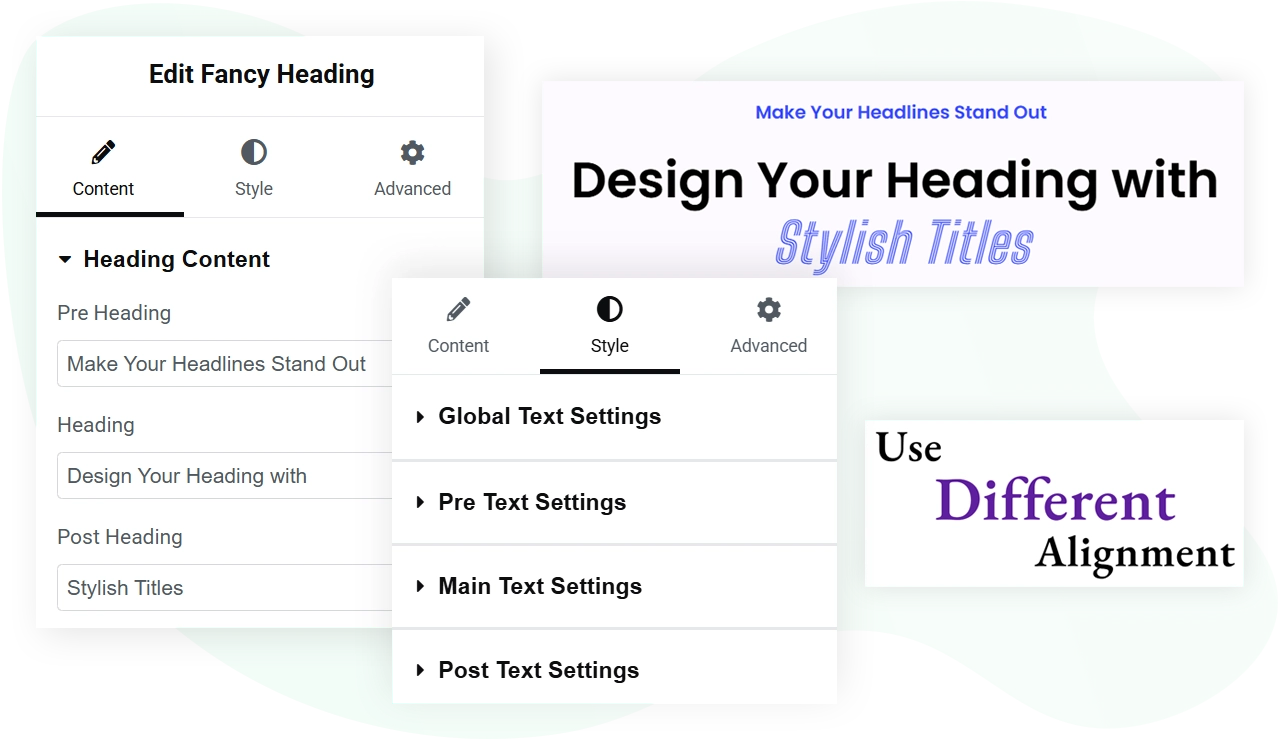
Three text fields in one widget, each with its own styling. A title like “Introducing the New Service” can show “Introducing” small and “the New Service” large and bold, with a subtitle below, instead of three separate widgets.
Pre text
The small line that leads in, such as “Introducing”.
Main text
The part that carries the message.
Post text
The line that follows, such as a subtitle.
3heading parts in one widget
2layouts: inline or stacked
H1-H6heading level
Freeno paid plan needed
Key Features
Structure
- Pre, main and post text
- Inline or stacked display
- One heading level for the widget
- Alignment settings
Style
- Typography for each part
- Colours for each part
- Text shadow
- Transition duration
Works with
- Background behind the heading
- Tablet and mobile settings
- Elementor and Elementor Pro
- No code needed
Layout Options: Inline and Stacked
Turn on Display In Stack to switch between them.
Inline layout
All three parts sit on the same line: pre, main, then post. It reads as one phrase.
Best for: short qualifiers such as “New” or “Free” around a main term.
Stacked layout
Each part sits on its own line. The main heading stands out, with smaller text above and below.
Best for: hero titles, page intros and editorial headers.
Styling Options per Heading Segment
Each part has its own controls under the Style tab.
Typography
Set the font, size, weight, line height and letter spacing for each part, so the pre text can use a different font from the main heading.
Colour
Give each part its own colour.
Text shadow
Add a text shadow for extra depth.
Heading level
Set the HTML heading level for the widget. Inner pages usually use H2 or H3.
Background Options for the Heading Container
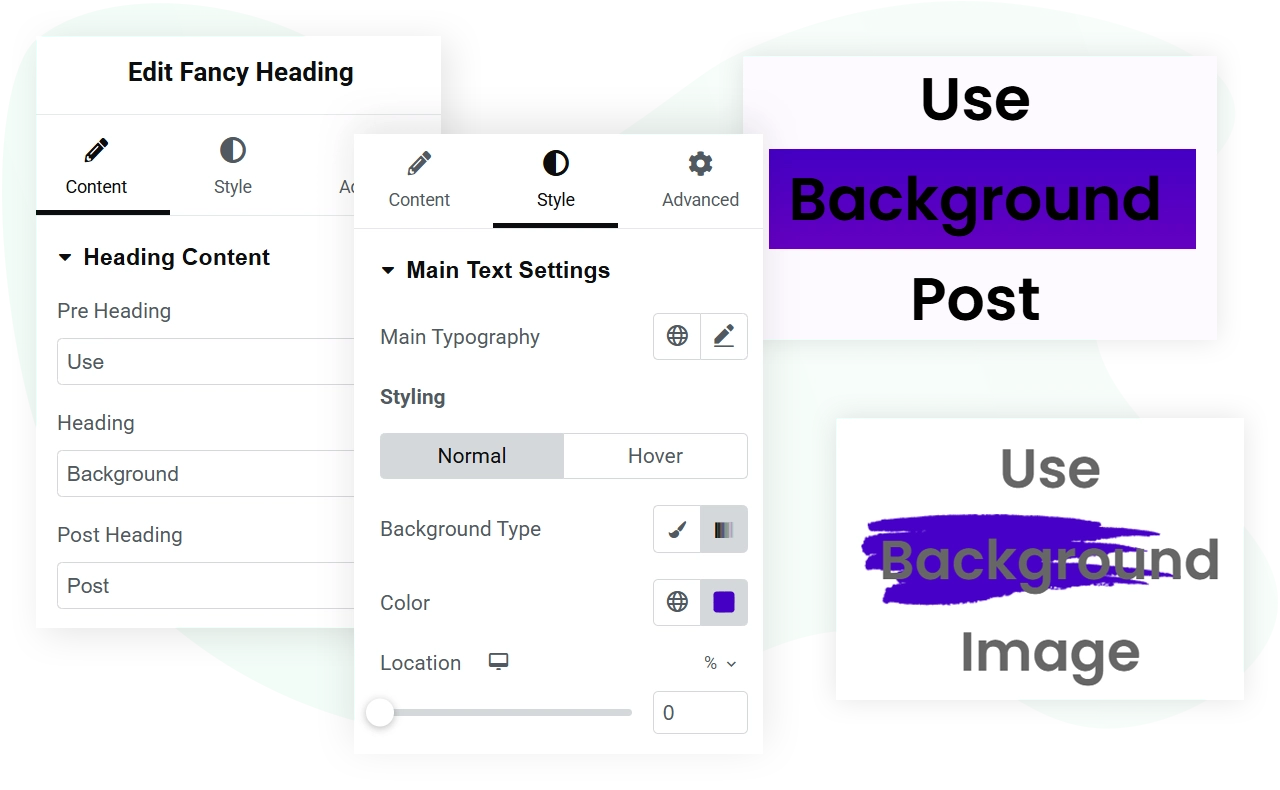
Add a background behind the heading, useful for hero sections where it sits in a visual container, not on the plain page.
Use padding to set the space between the edge of the background and the text.
Common Use Cases
Ideas for the three parts.
Hero section titles
Pre: “New release”. Main: your message. Post: a one-line subtitle.
Section intros
Pre: “Chapter 02”. Main: the chapter title. Post: a one-line summary.
Pricing headers
Pre: the plan name. Main: the price. Post: the billing period.
Editorial titles
Pre: “Tutorial”. Main: the post title. Post: author and date.
Requirements
What you need before you start.
| Plugin | WPMozo Addons for Elementor. This is one of the free widgets. |
|---|---|
| Elementor | Elementor. It also works with Elementor Pro. |
| WordPress | 5.3 or above |
| PHP | 5.6 or above |
Related Resources
Read the documentation
Setup steps and settings for WPMozo plugins.
Fancy Heading block
Building in the block editor? Use the block version.
Browse all widgets
See every widget for Elementor.
Free
Get the Fancy Heading Widget
The Fancy Heading widget comes with WPMozo Addons for Elementor, alongside 84 other widgets.
Related widgets

Fancy Text
Free
Text filled with gradient colours or an image.
Image Card
Free
A card with an image and its details.
Timeline
Pro
Events with dates on a vertical line.