
Features
Every feature running live
Each strip below is a real WPMozo Product Ticker reading products, prices and stock from this demo store. Free features come first, then Pro.
Free
Build it, style it, place it
Everything in this part ships in the free plugin. Design a ticker once in the block editor, then place it with the block or a shortcode.
Highlight featured products
Set the source to Featured and the ticker shows only the products you’ve starred in WooCommerce. This one uses the Portrait layout with the sale badge turned off.
✓ Portrait layout
✓ Featured source
✓ WooCommerce sale prices
 Black Full Sleeve Tshirt$49.00
 Advanced All-In-One VR Headset Original price was: $99.00.$79.00Current price is: $79.00.
 Funky Half Sleeve Shirt$40.00
 Red Checked Hooded Shirt$79.00
 Mustard Women Sweatshirt$99.00
 Men's Cotton Bath Robe$89.00
 Boy's Olive Green Jacket$49.00
 Red Hooded Sweatshirt$99.00
 Red Round Neck T-Shirt$99.00
 Full Sleeve Women Jacket$89.00
 Black Sleeveless Mini Dress Price range: $29.00 through $39.00
 Casual Sleeveless Solid Brown Top Price range: $29.00 through $39.00
Filter by category
Narrow a ticker to one category or several. Pick them from a searchable list in the block editor, or pass the slugs in the shortcode.
✓ One or many categories
✓ Left or right direction
✓ Pause on hover









 Advanced All-In-One VR Headset Original price was: $99.00.$79.00Current price is: $79.00.-20%
 Off-White Wireless XR Headphones Original price was: $99.00.$79.00Current price is: $79.00.-20%
 Programmable Drone with Camera Original price was: $399.00.$299.00Current price is: $299.00.-25%
 Vintage Camera Dual Lens Original price was: $99.00.$49.00Current price is: $49.00.-51%
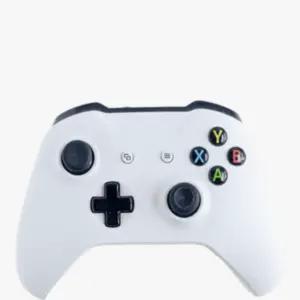 DualSense Wireless Gaming Controller Original price was: $49.00.$39.00Current price is: $39.00.-20%
 13-Inch Grey Laptop Original price was: $1,099.00.$999.00Current price is: $999.00.-9%
 Black 32 Inch Curved LED TV Original price was: $299.00.$249.00Current price is: $249.00.-17%
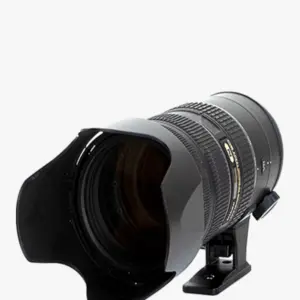 Mirrorless Digital SLR Camera Original price was: $299.00.$249.00Current price is: $249.00.-17%Black Full Sleeve Tshirt$49.00
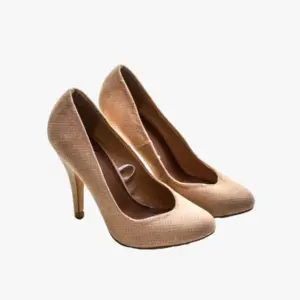 Beige Stiletto Original price was: $99.00.$79.00Current price is: $79.00.-20%
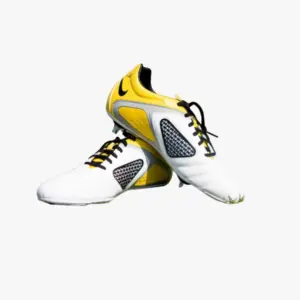 White Soccer Shoes Original price was: $49.00.$40.00Current price is: $40.00.-18%
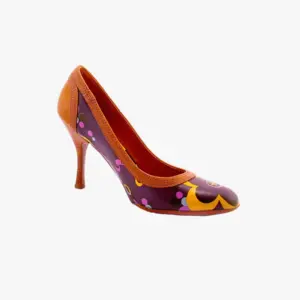 High Heeled Shoes Original price was: $49.00.$39.00Current price is: $39.00.-20%
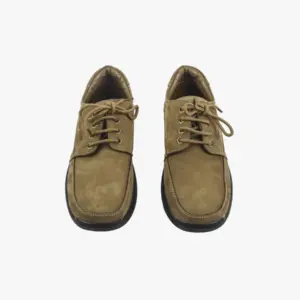 Men Leather Shoes Original price was: $99.00.$79.00Current price is: $79.00.-20%Funky Half Sleeve Shirt$40.00Red Round Neck T-Shirt$99.00Full Sleeve Women Jacket$89.00Red Checked Hooded Shirt$79.00Mustard Women Sweatshirt$99.00Men's Cotton Bath Robe$89.00Red Hooded Sweatshirt$99.00
A ticker arrow on sale prices
Switch the sale badge from a “-20%” pill to a “▼20%” arrow. Same discount, worked out from the WooCommerce price, set per ticker.
✓ Pill or arrow
✓ Discount worked out for you
 Shatterproof Glass Flower Vase Original price was: $15.00.$12.00Current price is: $12.00.20%
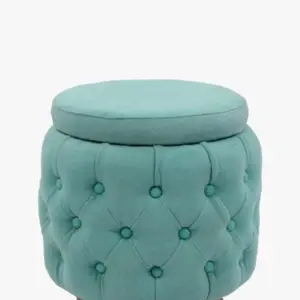 Puffy Sea Green Stool Original price was: $49.00.$39.00Current price is: $39.00.20%
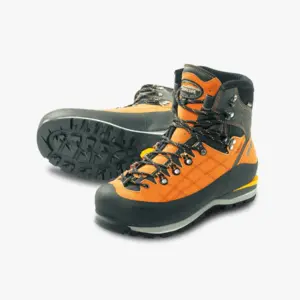 Hiking Shoes Original price was: $49.00.$39.00Current price is: $39.00.20%
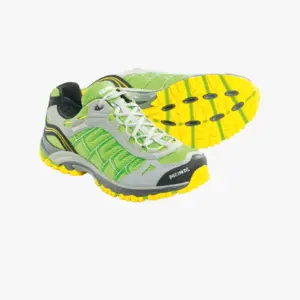 Trail Running Shoes Original price was: $40.00.$29.00Current price is: $29.00.28%
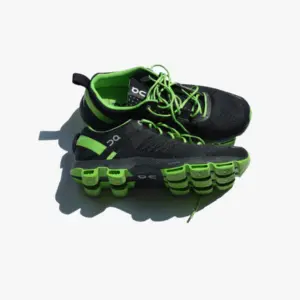 Athletic Shoes Original price was: $39.00.$29.00Current price is: $29.00.26%
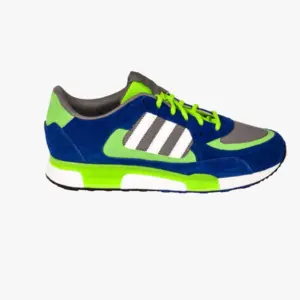 Tennis Shoes Original price was: $49.00.$39.00Current price is: $39.00.20%Beige Stiletto Original price was: $99.00.$79.00Current price is: $79.00.20%White Soccer Shoes Original price was: $49.00.$40.00Current price is: $40.00.18%High Heeled Shoes Original price was: $49.00.$39.00Current price is: $39.00.20%Men Leather Shoes Original price was: $99.00.$79.00Current price is: $79.00.20%
 Decorative Marble Round Shape Vase Original price was: $59.00.$39.00Current price is: $39.00.34%
 Pale Green Flower Vase Original price was: $40.00.$20.00Current price is: $20.00.50%
Keep long product names tidy
Cap the title at a width between 40 and 600 pixels and trim the rest with an ellipsis, on one line or two. Hover a product to read its full name.
✓ Max title width
✓ One or two lines
✓ Full name on hover
 Blueberry$7.49Decorative Marble Round Shape Vase Original price was: $59.00.$39.00Current price is: $39.00.-34%White Soccer Shoes Original price was: $49.00.$40.00Current price is: $40.00.-18%Pale Green Flower Vase Original price was: $40.00.$20.00Current price is: $20.00.-50%
 Off-white Jar Ceramic Pot Original price was: $49.00.$39.00Current price is: $39.00.-20%Blueberry$7.49Decorative Marble Round Shape Vase Original price was: $59.00.$39.00Current price is: $39.00.-34%White Soccer Shoes Original price was: $49.00.$40.00Current price is: $40.00.-18%Pale Green Flower Vase Original price was: $40.00.$20.00Current price is: $20.00.-50%Off-white Jar Ceramic Pot Original price was: $49.00.$39.00Current price is: $39.00.-20%
Sticky announcement bars
Pin any saved ticker to the top or bottom of every page, with no block or shortcode. Stack several bars on one edge, let visitors close them, and show each one on all devices, desktop only or mobile only.
✓ Top or bottom edge
✓ Closable
✓ Desktop or mobile only
Shatterproof Glass Flower Vase Original price was: $15.00.$12.00Current price is: $12.00.20%Puffy Sea Green Stool Original price was: $49.00.$39.00Current price is: $39.00.20%Hiking Shoes Original price was: $49.00.$39.00Current price is: $39.00.20%Trail Running Shoes Original price was: $40.00.$29.00Current price is: $29.00.28%Athletic Shoes Original price was: $39.00.$29.00Current price is: $29.00.26%Tennis Shoes Original price was: $49.00.$39.00Current price is: $39.00.20%Beige Stiletto Original price was: $99.00.$79.00Current price is: $79.00.20%White Soccer Shoes Original price was: $49.00.$40.00Current price is: $40.00.18%High Heeled Shoes Original price was: $49.00.$39.00Current price is: $39.00.20%Men Leather Shoes Original price was: $99.00.$79.00Current price is: $79.00.20%Decorative Marble Round Shape Vase Original price was: $59.00.$39.00Current price is: $39.00.34%Pale Green Flower Vase Original price was: $40.00.$20.00Current price is: $20.00.50%Pro
Make the ticker live
Pro is an add-on to the free plugin, $29 a year or $199 lifetime. Each chip below reads real store data: stock, today’s orders and your sale dates.
Live stock urgency
Products at or below your threshold show “Only N left”. The threshold is each product’s WooCommerce low-stock amount, or one number you set. Turn on live refresh and the count updates while the page is open.
✓ WooCommerce stock
✓ Custom threshold
✓ Optional live refresh
Only 3 leftBlack Full Sleeve Tshirt$49.00Only 5 leftAdvanced All-In-One VR Headset Original price was: $99.00.$79.00Current price is: $79.00.-20%Only 4 leftFunky Half Sleeve Shirt$40.00Only 2 leftRed Checked Hooded Shirt$79.00Only 4 leftMustard Women Sweatshirt$99.00Only 5 leftMen's Cotton Bath Robe$89.00Only 1 leftBoy's Olive Green Jacket$49.00Only 3 leftRed Hooded Sweatshirt$99.00Only 4 leftRed Round Neck T-Shirt$99.00Only 1 leftFull Sleeve Women Jacket$89.00Only 1 leftBlack Sleeveless Mini Dress Price range: $29.00 through $39.00SaleOnly 1 leftCasual Sleeveless Solid Brown Top Price range: $29.00 through $39.00Sale“N sold today” from real orders
Counts units in processing, on-hold and completed orders since the store’s local midnight, so your best sellers show their numbers.
✓ Real order data
✓ Resets at midnight
Black Full Sleeve Tshirt$49.00Hiking Shoes Original price was: $49.00.$39.00Current price is: $39.00.Trail Running Shoes Original price was: $40.00.$29.00Current price is: $29.00.Funky Half Sleeve Shirt$40.00Athletic Shoes Original price was: $39.00.$29.00Current price is: $29.00.Tennis Shoes Original price was: $49.00.$39.00Current price is: $39.00.Red Round Neck T-Shirt$99.0017 sold todayFull Sleeve Women Jacket$89.0010 sold todayRed Checked Hooded Shirt$79.008 sold todayMustard Women Sweatshirt$99.0012 sold todayBoy's Olive Green Jacket$49.0015 sold today Red Round Neck T-Shirt Original price was: $49.00.$39.00Current price is: $39.00.
Countdown to the sale end
Reads the sale end date from WooCommerce and counts down in the browser. When the sale ends, hide the countdown, show “Sale ended”, or drop the product from the ticker.
✓ Uses your sale schedule
✓ Three end-of-sale options
Advanced All-In-One VR Headset Original price was: $99.00.$79.00Current price is: $79.00.-20%Sale ends 2:38:59Off-White Wireless XR Headphones Original price was: $99.00.$79.00Current price is: $79.00.-20%Sale ends 1:51:48Programmable Drone with Camera Original price was: $399.00.$299.00Current price is: $299.00.-25%Sale ends 22:03:47Vintage Camera Dual Lens Original price was: $99.00.$49.00Current price is: $49.00.-51%Sale ends 10:15:46DualSense Wireless Gaming Controller Original price was: $49.00.$39.00Current price is: $39.00.-20%Sale ends 5:27:4513-Inch Grey Laptop Original price was: $1,099.00.$999.00Current price is: $999.00.-9%Sale ends 1d 10:39:44Black 32 Inch Curved LED TV Original price was: $299.00.$249.00Current price is: $249.00.-17%Sale ends 51:43Mirrorless Digital SLR Camera Original price was: $299.00.$249.00Current price is: $249.00.-17%Sale ends 8:39:49“Price drop by $N” when a sale starts
When a sale begins, scheduled or typed in by hand, the chip shows the amount off. It stays up for the number of hours you choose, from 1 to 168.
✓ Amount off in your currency
✓ Manual and scheduled sales
Advanced All-In-One VR Headset Original price was: $99.00.$79.00Current price is: $79.00.Price drop by $20.00Off-White Wireless XR Headphones Original price was: $99.00.$79.00Current price is: $79.00.Price drop by $20.00Programmable Drone with Camera Original price was: $399.00.$299.00Current price is: $299.00.Price drop by $100.00Vintage Camera Dual Lens Original price was: $99.00.$49.00Current price is: $49.00.Price drop by $50.00DualSense Wireless Gaming Controller Original price was: $49.00.$39.00Current price is: $39.00.Price drop by $10.0013-Inch Grey Laptop Original price was: $1,099.00.$999.00Current price is: $999.00.Price drop by $100.00Black 32 Inch Curved LED TV Original price was: $299.00.$249.00Current price is: $249.00.Price drop by $50.00Mirrorless Digital SLR Camera Original price was: $299.00.$249.00Current price is: $249.00.Price drop by $50.00Pin a hero product
Keep one product fixed at the start of the ticker while the rest scroll past it. Give it its own background and a width of 20 to 60 percent of the bar. Use it for a deal of the day.
✓ Pinned product
✓ Own background and width
✓ Keeps its chips
Shatterproof Glass Flower Vase Original price was: $15.00.$12.00Current price is: $12.00.20%Puffy Sea Green Stool Original price was: $49.00.$39.00Current price is: $39.00.20%Hiking Shoes Original price was: $49.00.$39.00Current price is: $39.00.20%Trail Running Shoes Original price was: $40.00.$29.00Current price is: $29.00.28%Athletic Shoes Original price was: $39.00.$29.00Current price is: $29.00.26%Tennis Shoes Original price was: $49.00.$39.00Current price is: $39.00.20%Beige Stiletto Original price was: $99.00.$79.00Current price is: $79.00.20%White Soccer Shoes Original price was: $49.00.$40.00Current price is: $40.00.18%High Heeled Shoes Original price was: $49.00.$39.00Current price is: $39.00.20%Men Leather Shoes Original price was: $99.00.$79.00Current price is: $79.00.20%Decorative Marble Round Shape Vase Original price was: $59.00.$39.00Current price is: $39.00.34%Off-White Wireless XR Headphones Original price was: $99.00.$79.00Current price is: $79.00.20%Sale ends 1:51:48Cards and Compact layouts
Cards puts each product on its own raised card. Compact trims each item to a slim row for a header or footer bar.
✓ Cards layout
✓ Compact layout
Black Full Sleeve Tshirt$49.00White Soccer Shoes Original price was: $49.00.$40.00Current price is: $40.00.-18%High Heeled Shoes Original price was: $49.00.$39.00Current price is: $39.00.-20%Men Leather Shoes Original price was: $99.00.$79.00Current price is: $79.00.-20%Hiking Shoes Original price was: $49.00.$39.00Current price is: $39.00.-20%Trail Running Shoes Original price was: $40.00.$29.00Current price is: $29.00.-28%Funky Half Sleeve Shirt$40.00Athletic Shoes Original price was: $39.00.$29.00Current price is: $29.00.-26%Tennis Shoes Original price was: $49.00.$39.00Current price is: $39.00.-20%Beige Stiletto Original price was: $99.00.$79.00Current price is: $79.00.-20%Red Round Neck T-Shirt$99.00Full Sleeve Women Jacket$89.00Advanced All-In-One VR Headset Original price was: $99.00.$79.00Current price is: $79.00.-20%Black 32 Inch Curved LED TV Original price was: $299.00.$249.00Current price is: $249.00.-17%Vintage Camera Dual Lens Original price was: $99.00.$49.00Current price is: $49.00.-51%Off-White Wireless XR Headphones Original price was: $99.00.$79.00Current price is: $79.00.-20%Programmable Drone with Camera Original price was: $399.00.$299.00Current price is: $299.00.-25%DualSense Wireless Gaming Controller Original price was: $49.00.$39.00Current price is: $39.00.-20%13-Inch Grey Laptop Original price was: $1,099.00.$999.00Current price is: $999.00.-9%Mirrorless Digital SLR Camera Original price was: $299.00.$249.00Current price is: $249.00.-17%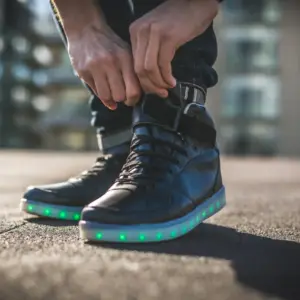 USB charging Luminous LED Leather Shoes Price range: $59.00 through $69.00Sale
 Denim Shirt with Pocket Square Price range: $59.00 through $69.00Sale
Sticky bar targeting and scheduling
Show each bar only on chosen pages or product categories, to logged-out visitors, logged-in users or chosen roles, above or below a cart subtotal, and between a start and end time.
✓ Pages and categories
✓ Visitors and roles
✓ Cart subtotal
✓ Start and end time
Put your best deals on the move
The free plugin needs WooCommerce 8.0 or newer. Pro is $29 a year or $199 lifetime, for unlimited websites.

