
See the WooCommerce Product Ticker running live
Every ticker below is the real plugin, not a video. Watch it, then build the same thing in a few minutes.
Demo 1: Classic sale strip
An auto-scrolling row of on-sale products. Each item carries its own sale badge with the discount worked out from the WooCommerce price. Hover to pause.
 Black Full Sleeve Tshirt Original price was: $49.00.$39.00Current price is: $39.00.-20%
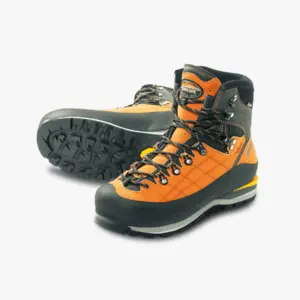 Hiking Shoes Original price was: $49.00.$39.00Current price is: $39.00.-20%
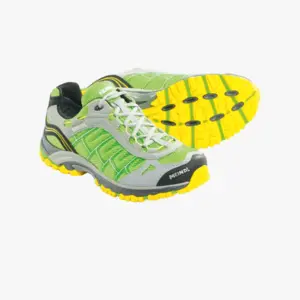 Trail Running Shoes Original price was: $40.00.$29.00Current price is: $29.00.-28%
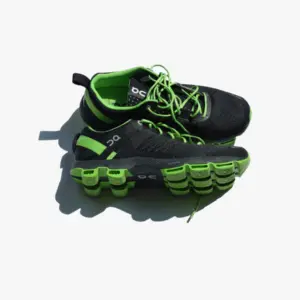 Athletic Shoes Original price was: $39.00.$29.00Current price is: $29.00.-26%
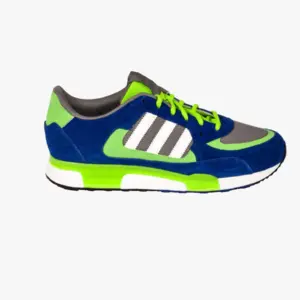 Tennis Shoes Original price was: $49.00.$39.00Current price is: $39.00.-20%
 Beige Stiletto Original price was: $99.00.$79.00Current price is: $79.00.-20%
 White Soccer Shoes Original price was: $49.00.$40.00Current price is: $40.00.-18%
 High Heeled Shoes Original price was: $49.00.$39.00Current price is: $39.00.-20%
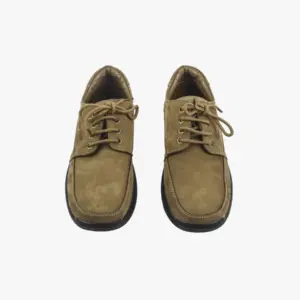 Men Leather Shoes Original price was: $99.00.$79.00Current price is: $79.00.-20%
 Funky Half Sleeve Shirt Original price was: $40.00.$30.00Current price is: $30.00.-25%
 Tomato$5.99
 Broccoli$1.97
- Source: On sale
- Layout: Classic
- Shown: sale badge, price
Demo 2: Portrait best sellers
The Portrait layout stacks the image above the name and price, so it fits a sidebar or a narrow column.
 Modern Round Leather Chair Original price was: $99.00.$79.00Current price is: $79.00.
 White Crop Printed Hoodie Price range: $29.00 through $39.00Athletic Shoes Original price was: $39.00.$29.00Current price is: $29.00.
 Red Round Neck T-Shirt Original price was: $49.00.$39.00Current price is: $39.00.
 Modern Leather Bench Beige Original price was: $99.00.$89.00Current price is: $89.00.
 Denim Shirt with Pocket Square Price range: $59.00 through $69.00Tennis Shoes Original price was: $49.00.$39.00Current price is: $39.00.
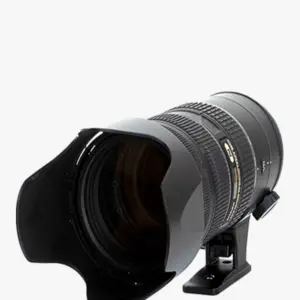 Mirrorless Digital SLR Camera Original price was: $299.00.$249.00Current price is: $249.00.
 Metal Chain Hanging Pot Original price was: $49.00.$39.00Current price is: $39.00.
 Estonished Black Cotton Shirt Price range: $59.00 through $69.00Beige Stiletto Original price was: $99.00.$79.00Current price is: $79.00.
 Off-White Wireless XR Headphones Original price was: $99.00.$79.00Current price is: $79.00.
- Source: Best selling
- Layout: Portrait
- Shown: price, promo flag
Demo 3: Pro live ticker (Cards)
This strip runs the Pro chips. The numbers move because the store moves: stock drops as items sell, “sold today” counts real orders since midnight, and the countdown ticks to the end of a scheduled sale.
Black Full Sleeve TshirtOnly 3 left Original price was: $49.00.$39.00Current price is: $39.00.Sale ends 10d 12:37:36Funky Half Sleeve ShirtOnly 4 left Original price was: $40.00.$30.00Current price is: $30.00.Sale ends 10d 12:37:36 Red Round Neck T-ShirtOnly 4 left Original price was: $99.00.$49.00Current price is: $49.00.12 sold todaySale ends 10d 12:37:36
 Full Sleeve Women JacketOnly 1 left Original price was: $89.00.$69.00Current price is: $69.00.8 sold todaySale ends 10d 12:37:36
 Red Checked Hooded ShirtOnly 2 left Original price was: $79.00.$59.00Current price is: $59.00.6 sold todaySale ends 10d 12:37:36
 Mustard Women SweatshirtOnly 4 left Original price was: $99.00.$39.00Current price is: $39.00.9 sold todaySale ends 10d 12:37:36
 Men's Cotton Bath RobeOnly 5 left Original price was: $89.00.$59.00Current price is: $59.00.Sale ends 10d 12:37:36
 Boy's Olive Green JacketOnly 1 left Original price was: $49.00.$39.00Current price is: $39.00.10 sold todaySale ends 10d 12:37:36
 Red Hooded SweatshirtOnly 3 left Original price was: $99.00.$59.00Current price is: $59.00.Sale ends 10d 12:37:36
 Black Sleeveless Mini DressOnly 1 left Price range: $29.00 through $39.00
 Casual Sleeveless Solid Brown TopOnly 1 left Price range: $29.00 through $39.005 sold today
- Source: Featured
- Layout: Cards (Pro)
- Shown: live stock, sold today, sale countdown, price drop
Demo 4: Compact category ticker
A thin, dense strip built from a single product category, good for a header or an announcement bar.
 Advanced All-In-One VR Headset Original price was: $99.00.$79.00Current price is: $79.00.-20%
 Vintage Camera Dual Lens Original price was: $99.00.$49.00Current price is: $49.00.-51%Off-White Wireless XR Headphones Original price was: $99.00.$79.00Current price is: $79.00.-20%
 Programmable Drone with Camera Original price was: $399.00.$299.00Current price is: $299.00.-25%
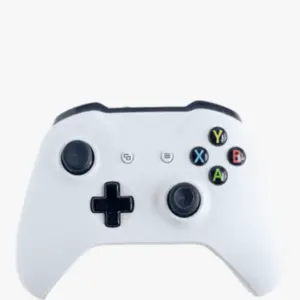 DualSense Wireless Gaming Controller Original price was: $49.00.$39.00Current price is: $39.00.-20%
 13-Inch Grey Laptop Original price was: $1,099.00.$999.00Current price is: $999.00.-9%
 Black 32 Inch Curved LED TV Original price was: $299.00.$249.00Current price is: $249.00.-17%Mirrorless Digital SLR Camera Original price was: $299.00.$249.00Current price is: $249.00.-17%
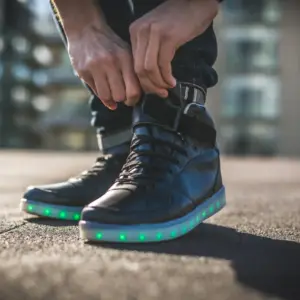 USB charging Luminous LED Leather Shoes Price range: $59.00 through $69.00SaleDenim Shirt with Pocket Square Price range: $59.00 through $69.00Sale
- Source: Category
- Layout: Compact (Pro)
Pro turns on the live chips and the Cards and Compact layouts. Annual is $29, Lifetime is $199.
Build the same ticker
Three steps from install to a scrolling product strip on your store.
1
Install the free plugin
Upload it from the WordPress plugin screen. WooCommerce is required for product data.
2
Add the block and publish
Insert the Product Ticker block, pick a source and a layout, and publish. Or use the shortcode.
[wpmozo_product_ticker]3
Add Pro for live chips
Upload the Pro add-on to turn on real-time stock, sold-today, countdown, and price-drop chips, plus the Cards and Compact layouts.