
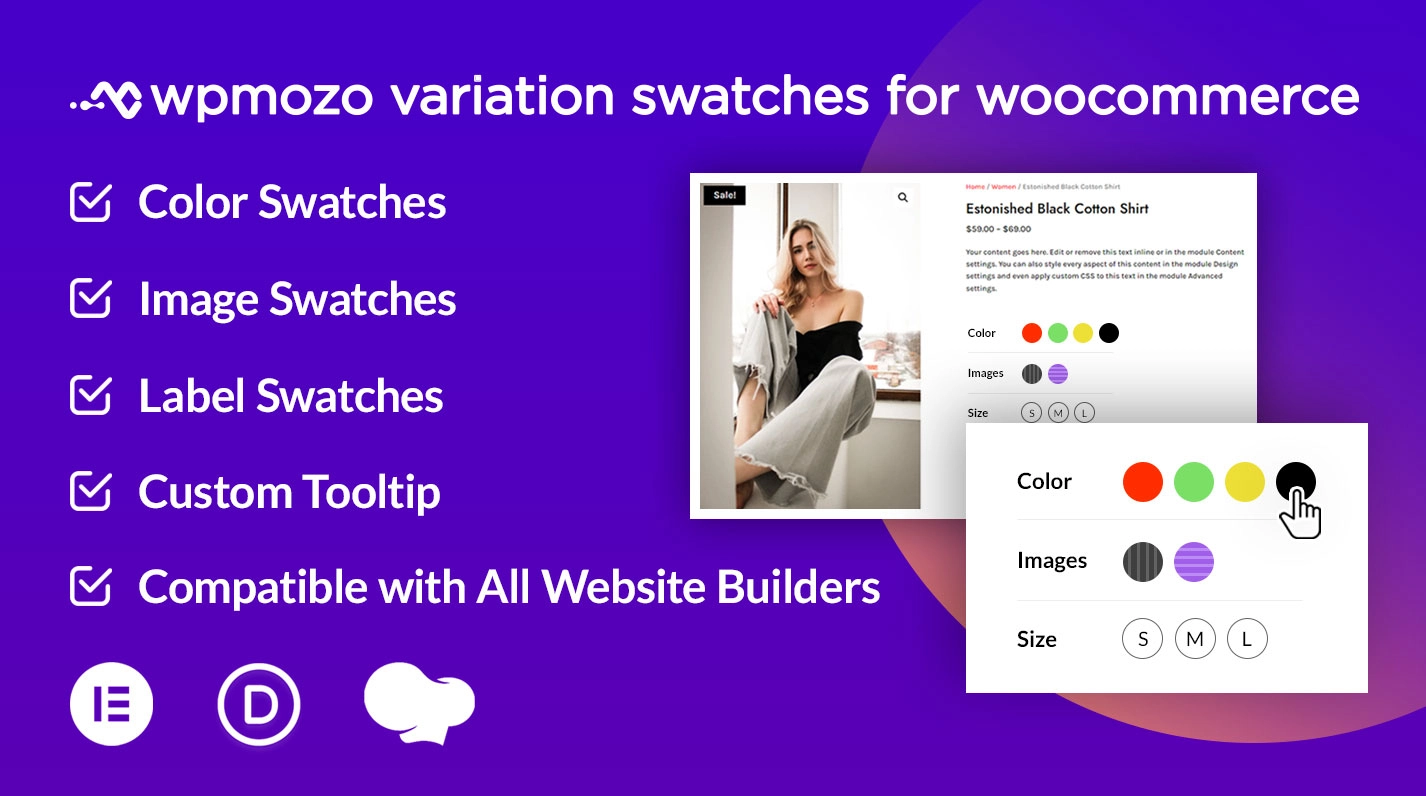
What WPMozo Variation Swatches Does
WooCommerce displays variable product options as dropdowns by default. The dropdown forces customers to click each option one at a time to see what they look like, which adds friction at the moment of decision. WPMozo Variation Swatches replaces those dropdowns with visual swatches customers can see, hover, and click in one motion.
The plugin includes:
- Color swatches for product variations with custom hex colors
- Image swatches that display product photos for each variation
- Label swatches with custom text for size, weight, material, or other text-based options
- Hover tooltips showing additional text and images on each swatch
- Stock-aware swatches with blur, hide, or cross-out options for unavailable variations
- Two shapes (square and round) and two layouts (inline and stacked)
- Position controls for placing swatches before or after the Add to Cart button
- Mobile-responsive on all swatch types and themes
Why Variation Swatches Matter for Conversion Rate
The default WooCommerce dropdown for product variations is functional but slow. Customers see “Choose an option” labels they have to expand, then read text descriptions, then close the dropdown to see if the result looks right. For products with multiple variations (color + size, for example), they repeat this for each attribute.
Variation swatches collapse this multi-step decision into one glance. Customers see all available colors at once. They hover to see size availability. They click directly without expanding a dropdown.
Online retailers using variation swatches typically see:
- Lower cart abandonment because customers don’t lose interest navigating dropdowns
- Higher confidence at decision moment because the visual choice is what they’re buying
- Better mobile conversion because dropdowns are particularly cramped on small screens, while swatches scale naturally
- Faster product browsing which means more products viewed per session
The plugin doesn’t change how WooCommerce processes variations behind the scenes; it changes how customers see and select them on the front end.
Common Use Cases
The plugin works for any product with multiple variations, but specific store types benefit most.
Apparel and fashion stores. Color swatches for clothing colors, image swatches for patterns and prints, label swatches for sizes. Most fashion stores combine all three: color for color, label for size, image for pattern. Best configuration: square swatches for size labels, round swatches for colors, image swatches for fabric or pattern options.
Cosmetics and beauty stores. Color swatches for lipstick shades, foundation tones, eyeshadow palettes. Customers compare shades visually rather than guessing from product names. Best configuration: round color swatches with hover tooltips showing shade names and undertones.
Furniture and home goods. Image swatches for upholstery patterns and finishes. Label swatches for material types (oak, walnut, fabric, leather). Best configuration: image swatches for visual finishes, label swatches for material categories, stacked layout for clarity.
Electronics and accessories. Label swatches for technical specifications (memory size, color variant, storage capacity). Best configuration: square label swatches inline, with stock-aware display showing customers which configurations are available.
Print-on-demand and personalization stores. Image swatches for print designs, color swatches for product base colors, label swatches for size and style. Best configuration: image swatches for designs, color swatches for product colors, separate inline rows for each attribute type.
Jewelry and watches. Image swatches showing metal finishes (gold, silver, rose gold), color swatches for gemstone colors, label swatches for sizes. Best configuration: image swatches for metal finish, color swatches for stone, label swatches for ring size or band length.
How WPMozo Variation Swatches Compares
When choosing a WooCommerce variation swatches plugin, three points usually decide the winner. Here’s how WPMozo handles each.
✓ All swatch types in one plugin. Many variation swatch plugins focus on a single swatch type (color only, or image only). WPMozo includes color, image, and label swatches together, plus hover tooltips, in one license.
✓ Stock-aware display options. Showing customers which variations are out of stock is important for trust. WPMozo provides three options for out-of-stock variations: blur, cross-out, or hide entirely. Many competitor plugins offer only one approach or require code customization.
✓ Lifetime license available. Most variation swatch plugins are subscription-only with annual renewals. WPMozo offers Lifetime licensing at $199 one-time. For stores planning long-term WooCommerce use, this breaks even after about 5 years of annual renewals.
What’s Included with the License
Both Annual ($39/year) and Lifetime ($199 one-time) licenses include:
- All swatch types: Color, Image, Label, with hover tooltips
- Unlimited websites: Install on every site you build, no per-site fees
- All updates during license period: Annual gets 1 year of updates; Lifetime gets all future updates forever
- Email support: Direct access to the development team for installation, configuration, and bug reports
- 30-day money-back guarantee: Full refund within 30 days of purchase, no questions asked
- Future swatch features: Additional features added to the plugin during the license period are included automatically
The Annual license ($39/year) auto-renews. Cancel anytime before renewal to avoid future charges; existing functionality continues working after the license expires.
The Lifetime license ($199 one-time) never renews and never expires. Best value for agencies, freelancers, and stores planning long-term WooCommerce use.
For agencies and freelancers managing multiple client sites, the WPMozo All Access Pass covers this plugin and every other WPMozo plugin in one license.
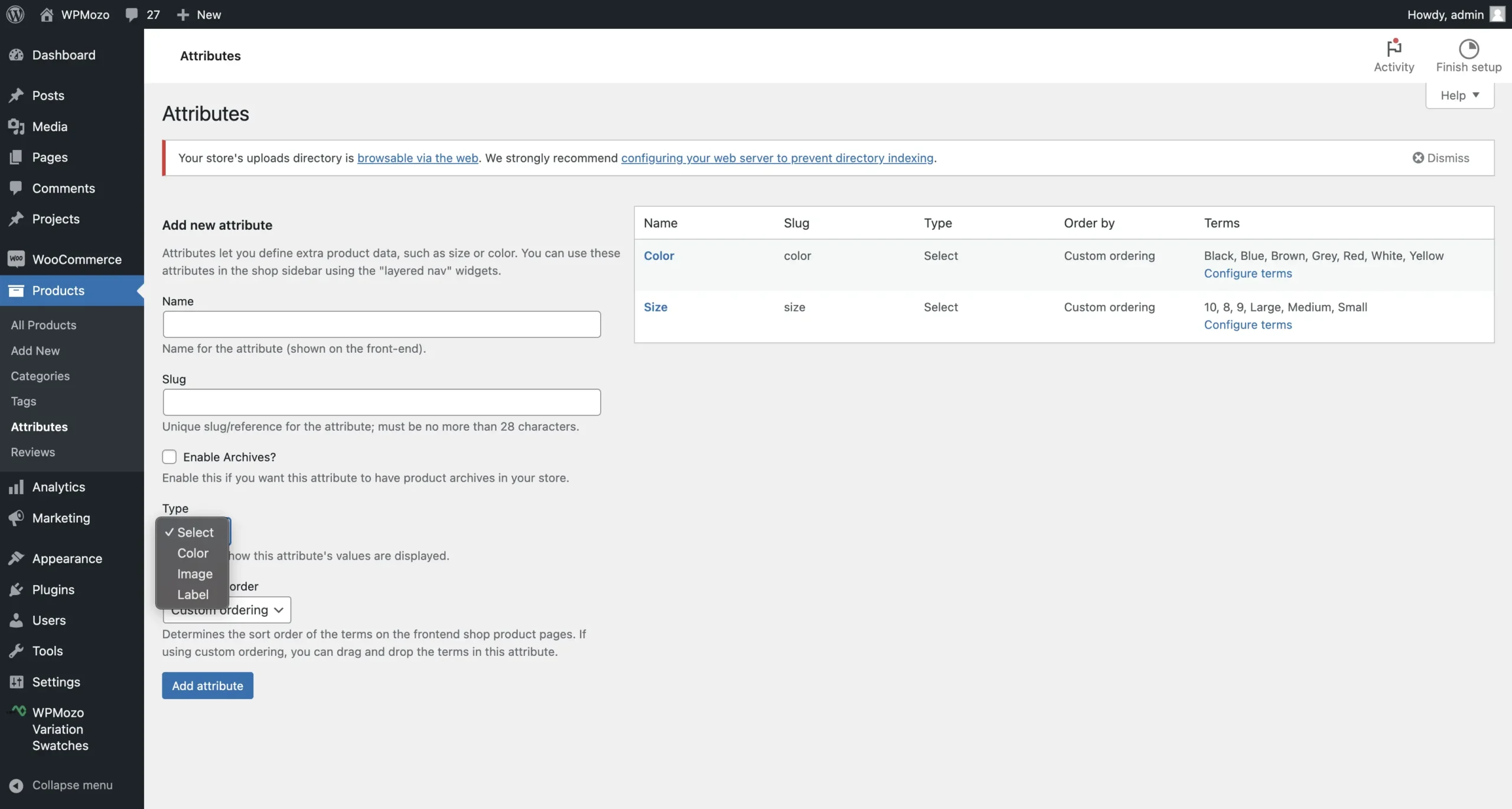
Color Swatches for Product Variations
Display available color variations of your product using the color swatches. These WooCommerce color swatches can be displayed on both the shop pages and the product pages.
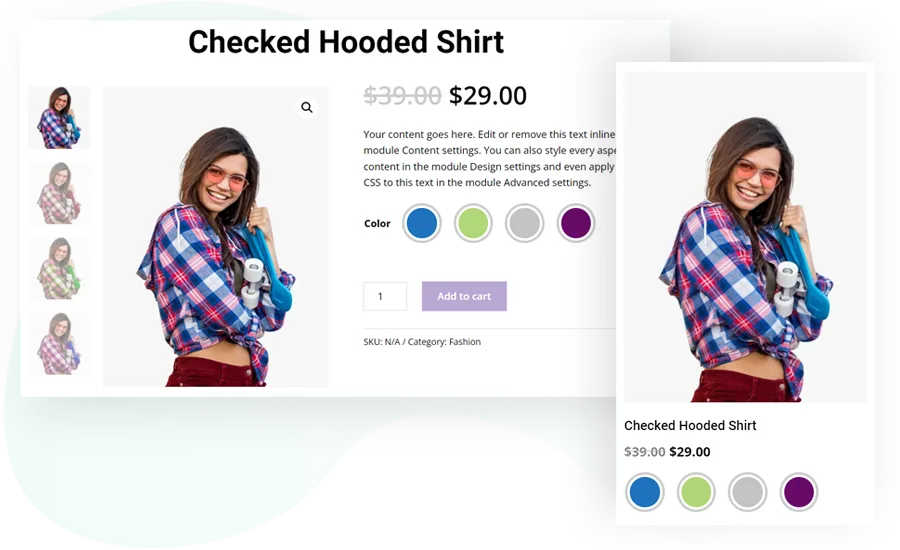
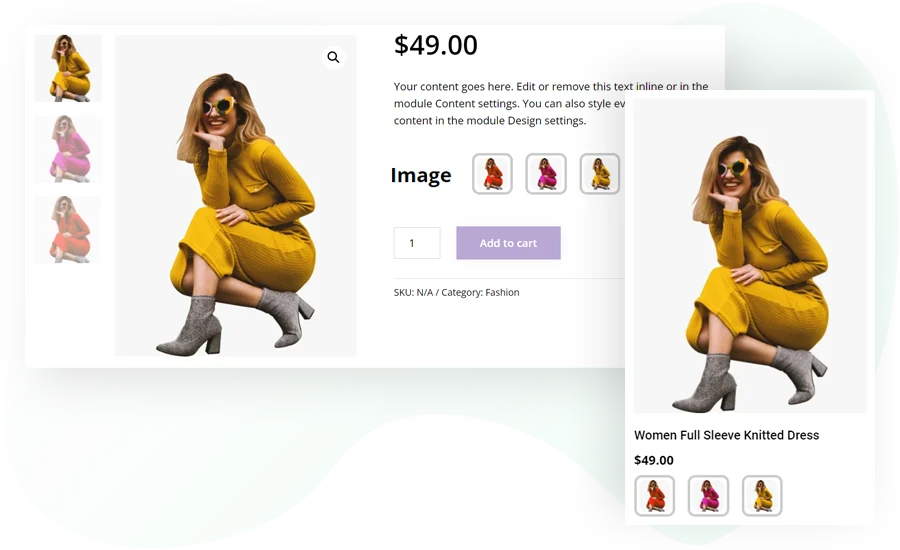
Image Swatches for Visual Variations
Image swatches let you showcase the different pictures of your variable products. With Image swatches, various designs and colors of a product can be visualized easily.
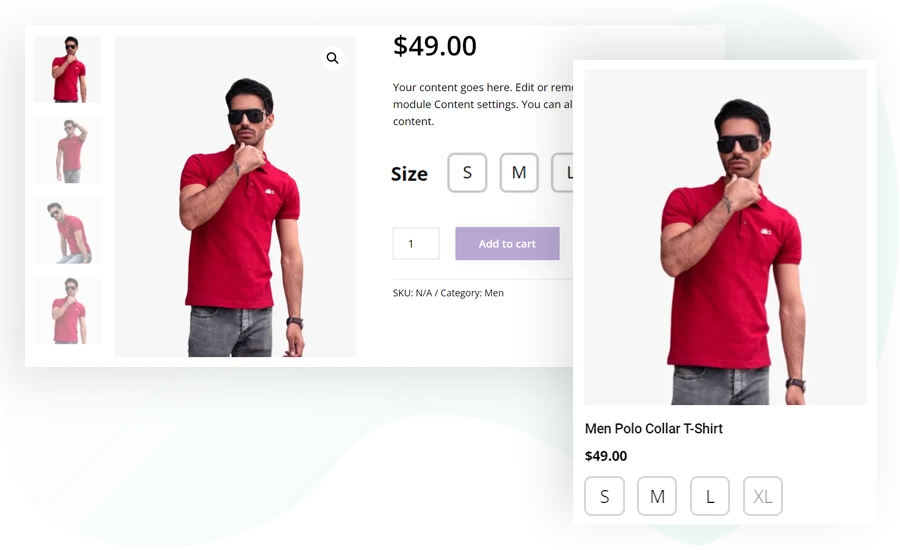
Label Swatches for Size and Text Options
Label swatches provide a convenient way to display text information related to a product in the form of text labels. Display size, pattern, shape, and any other similar details on both shop and product pages using label swatches.
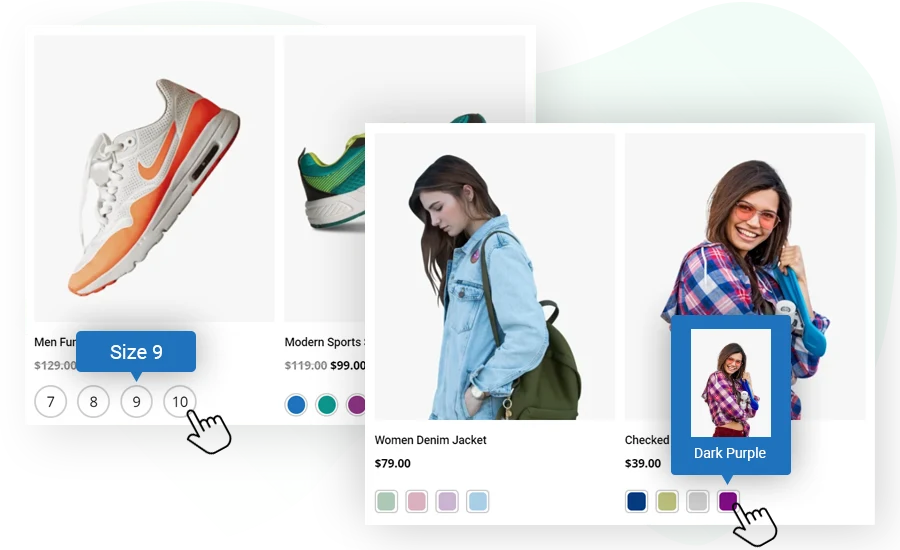
Hover Tooltips with Images and Text
Tooltips provide you with an intelligent method of displaying text and images that appear upon hover. You can display tooltips on both the shop and the product page.
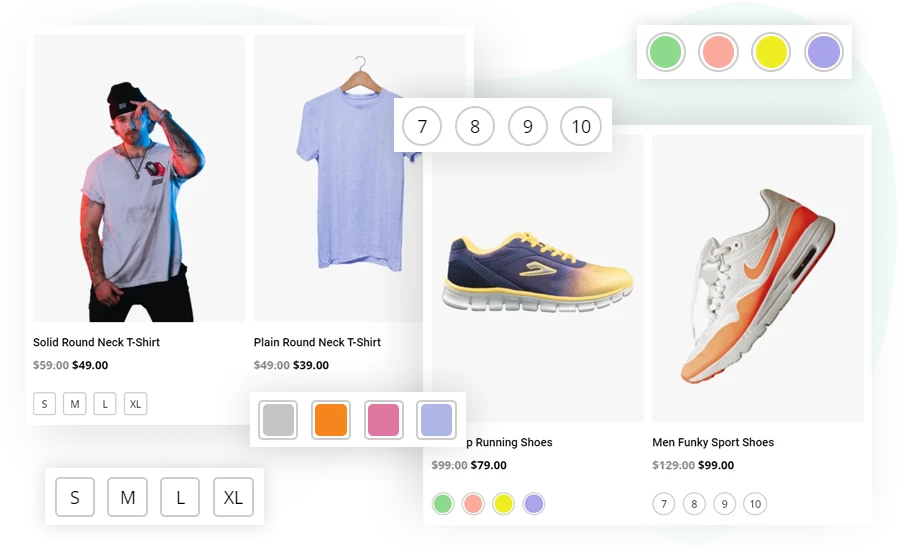
Square and Round Swatch Shapes
Swatches can be arranged in square and round shapes. Use round shapes for color, material, and texture variations. A square shape can be preferred for size variations.
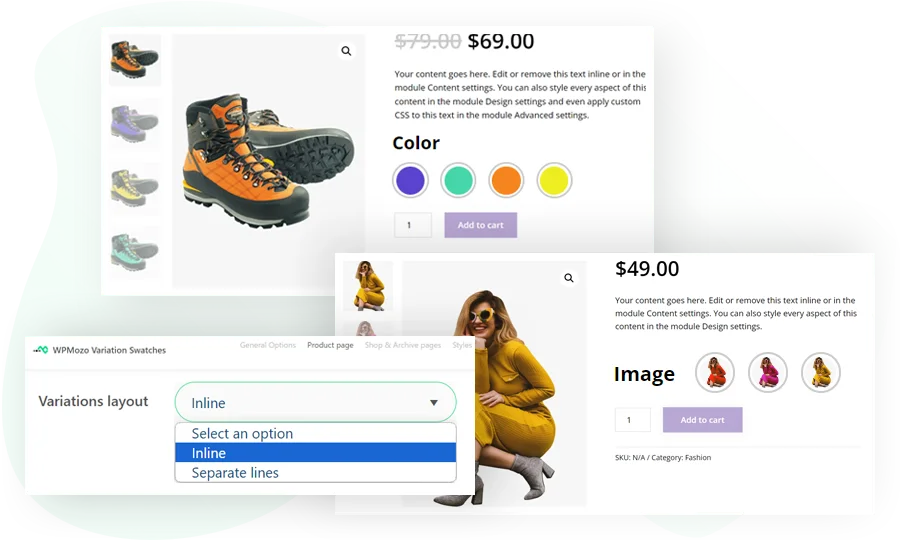
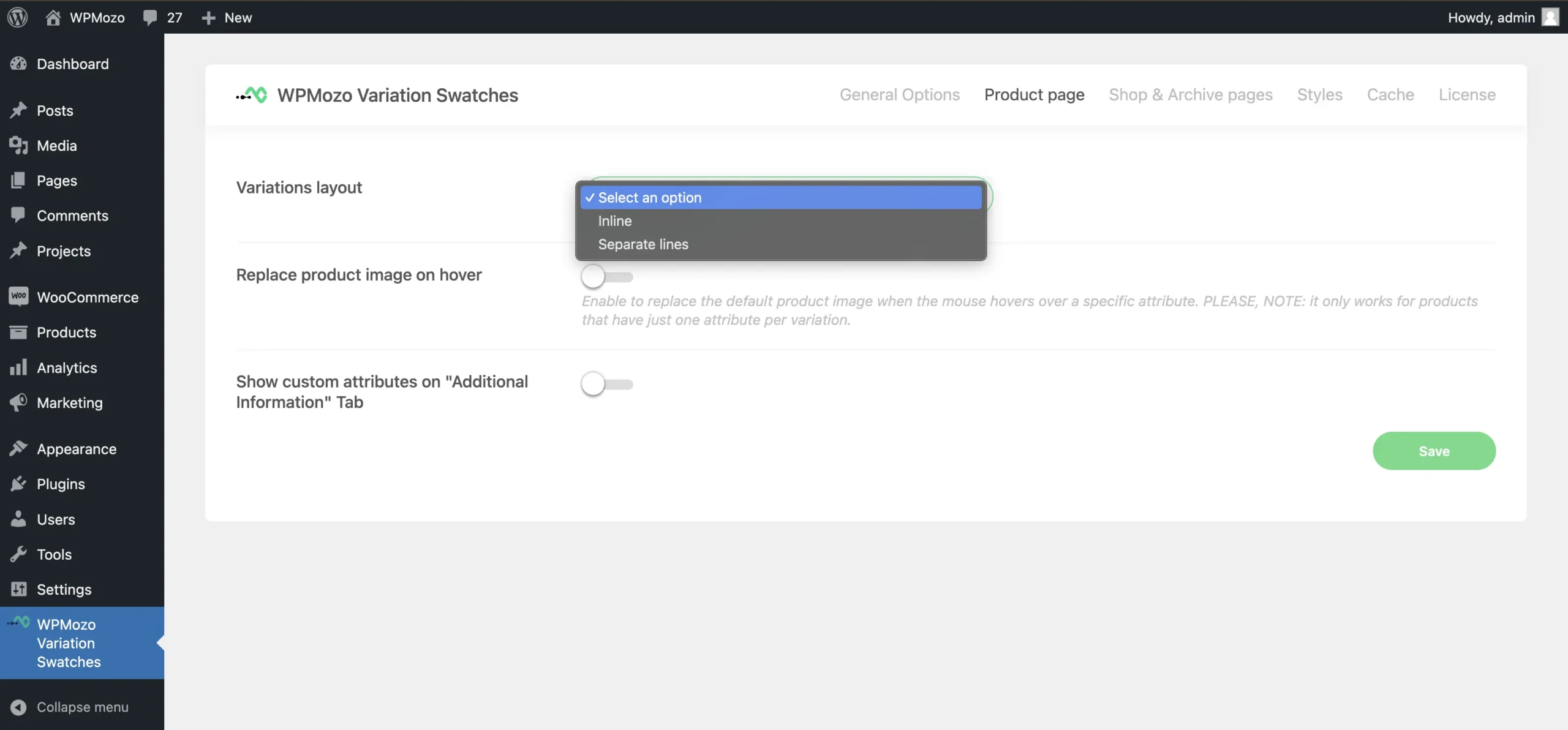
Inline and Stacked Layout Options
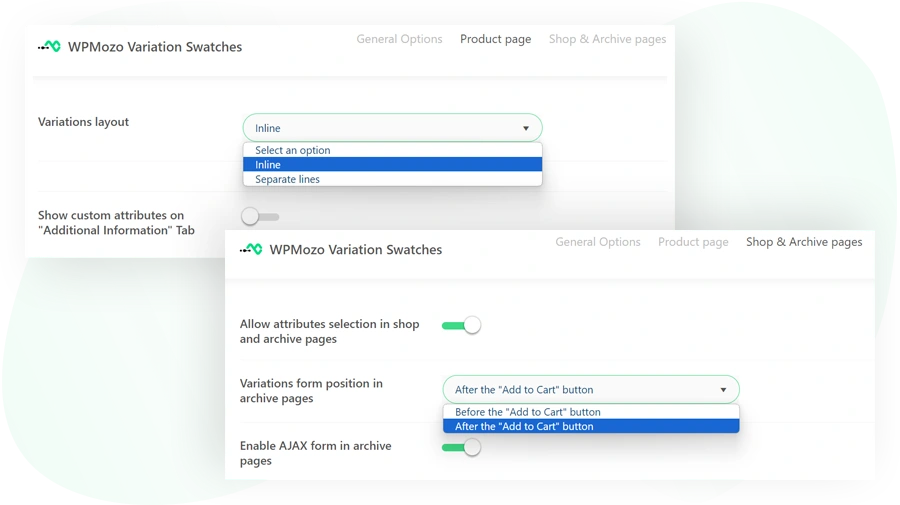
Multiple swatches can be shown in a single or separate line, depending on your preference. Either inline one variation swatches with the other or stack them one over the other.
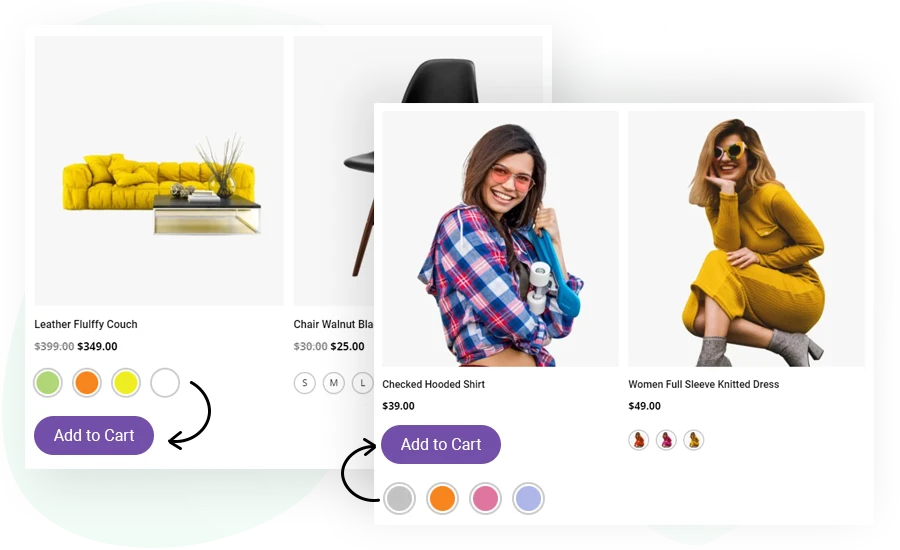
Swatch Position: Before or After the Add to Cart Button
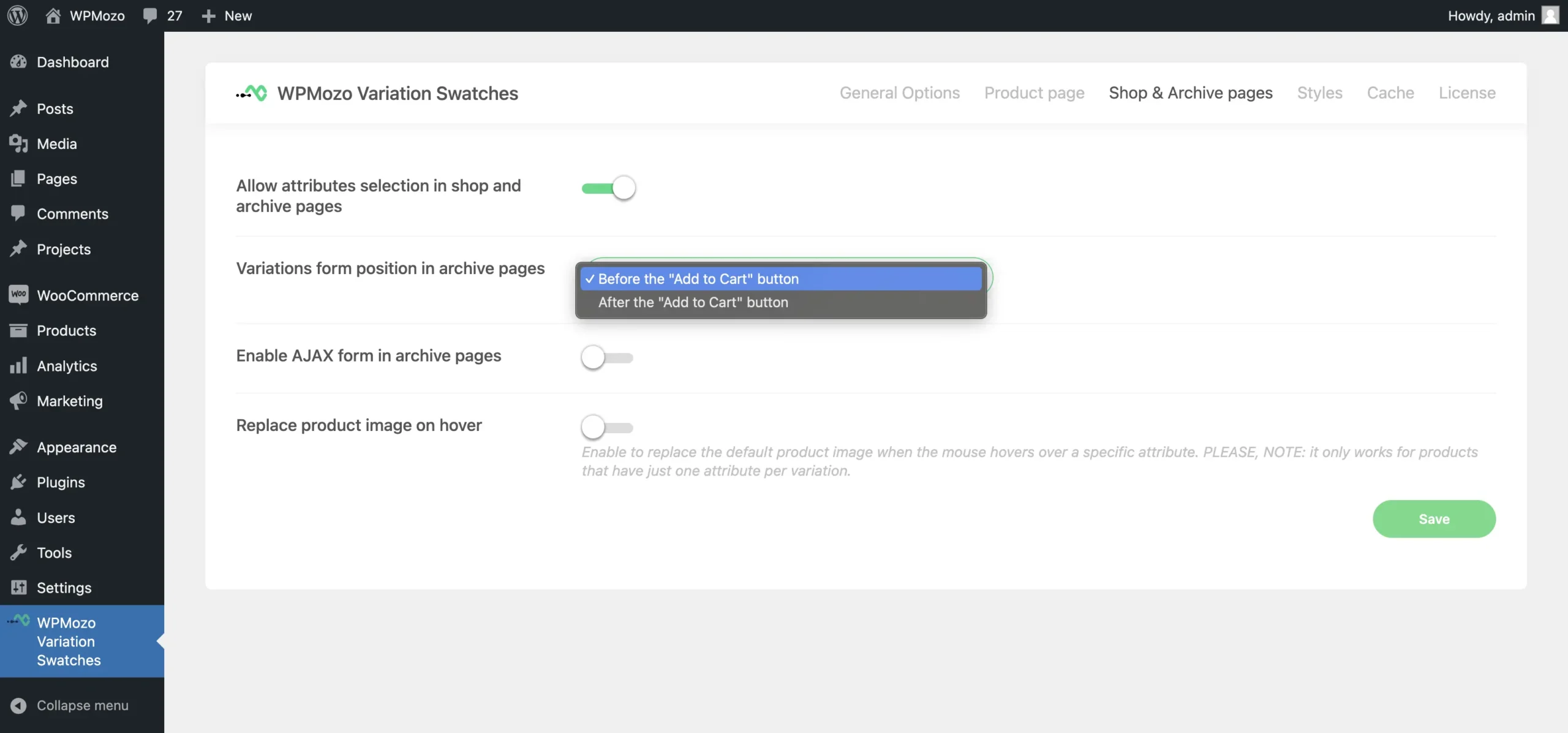
The swatches are normally shown before the “add to cart” button, but if necessary, you can show them after that.
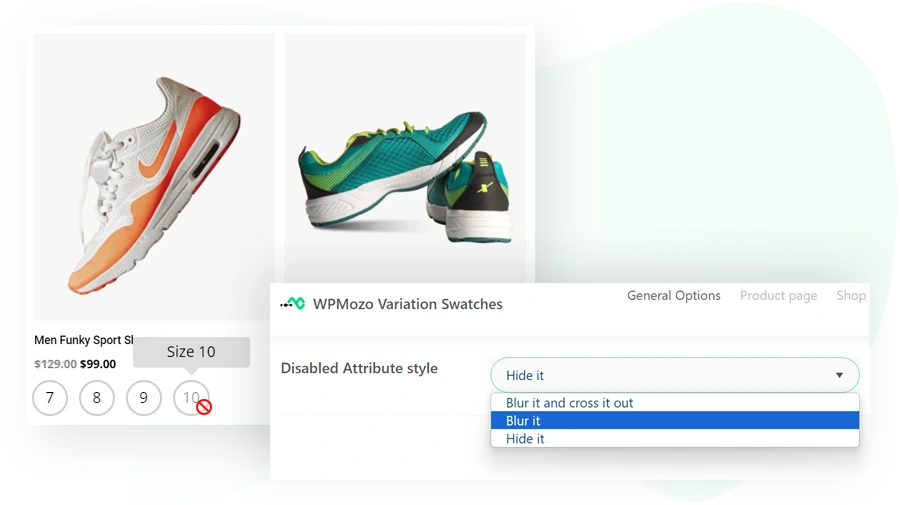
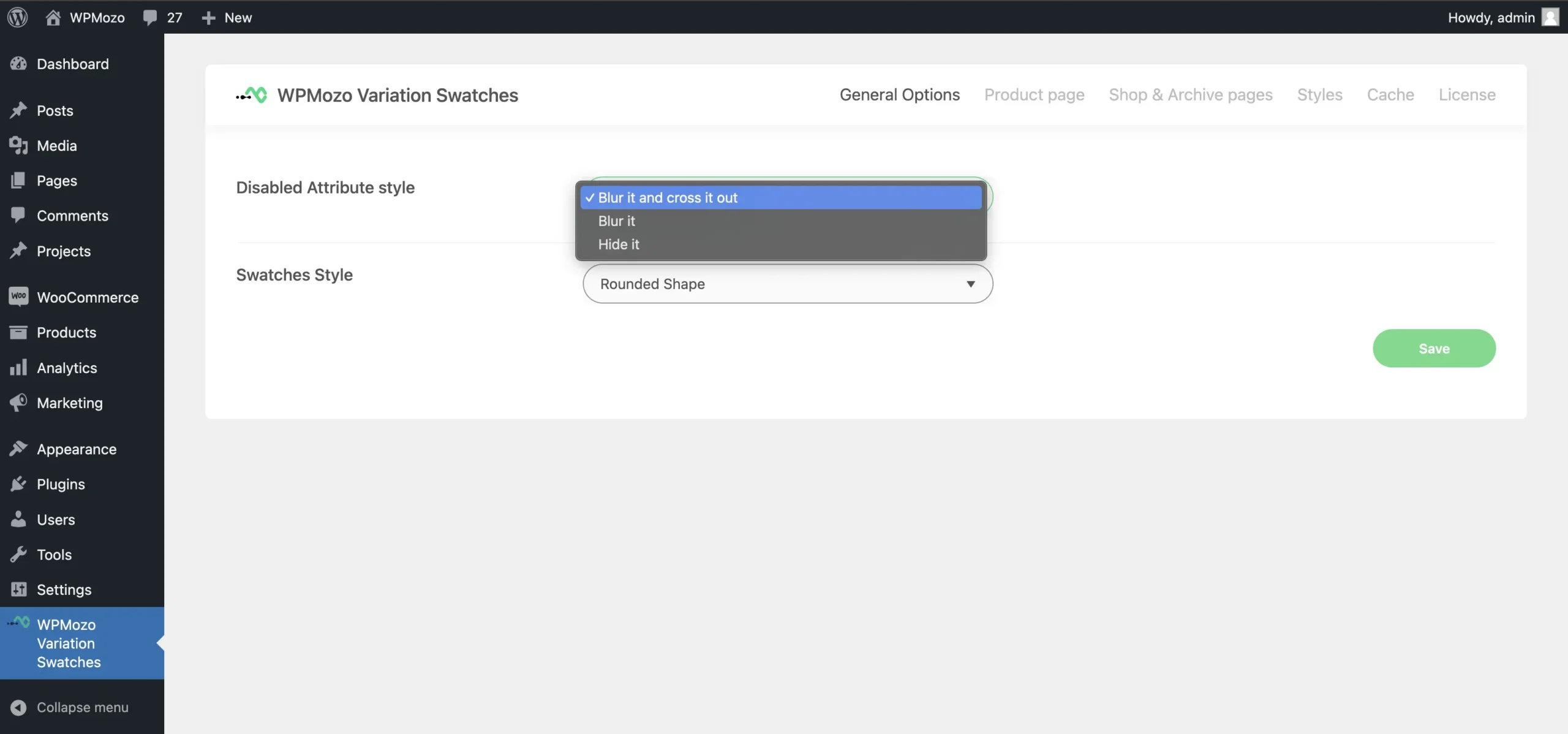
Blur, cross, and hide option
Utilize the blur, hide, and cross options to disable the variation swatches. This is helpful in notifying customers about unavailable or out-of-stock products.
Configuration Without Code
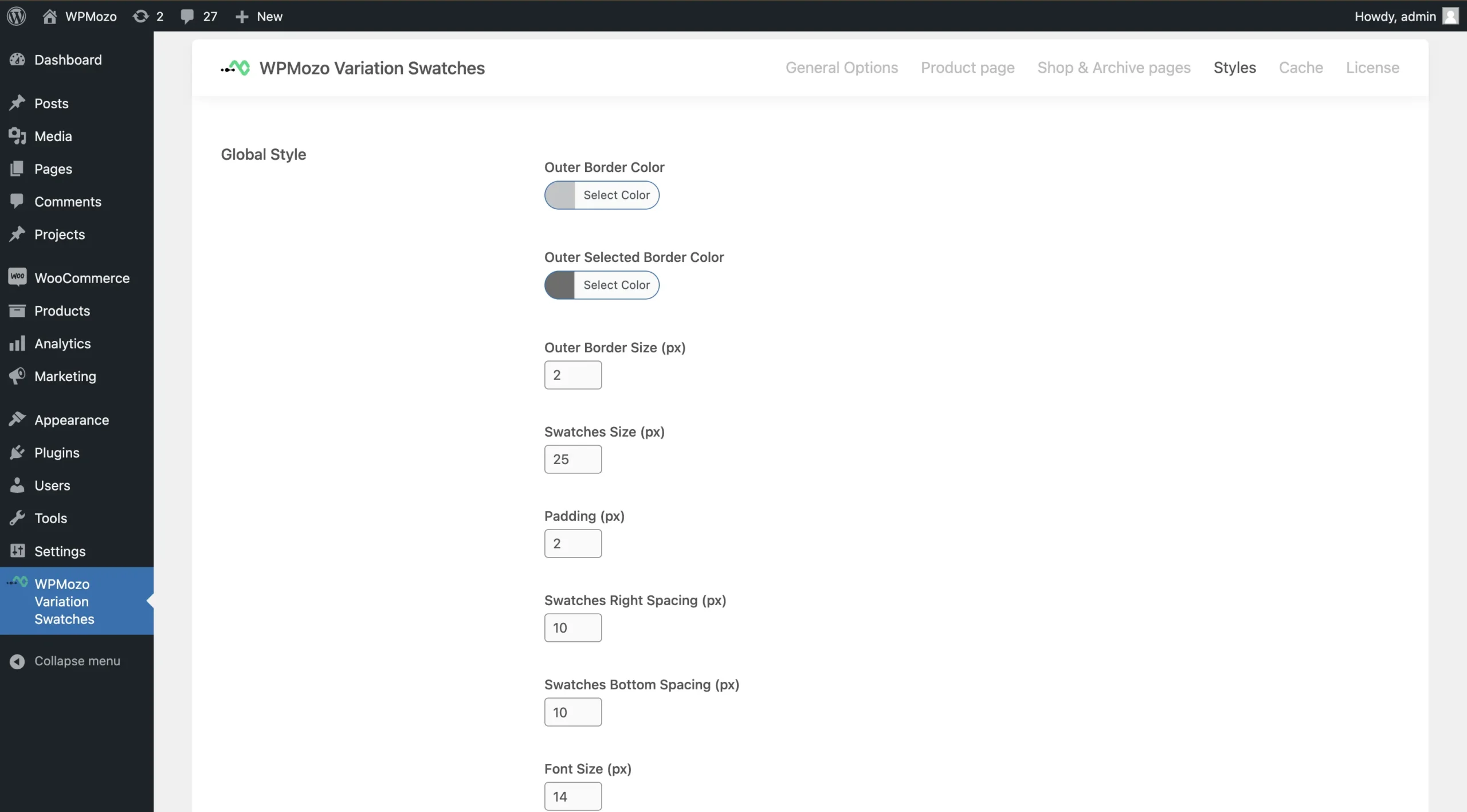
The customization panel of WPMozo variation swatches is very simple and easy to use. There are settings to configure swatches on the product, shop, and archive pages. A separate styling section is offered to personalize WooCommerce variation swatches the way you want.
Get WPMozo Variation Swatches for WooCommerce
Replace WooCommerce variation dropdowns with visual swatches today. Single license, unlimited websites, 30-day money-back guarantee.
FAQs
This is a plugin that enhances your WooCommerce product variations by replacing dropdowns with visually appealing color, image, and label swatches for easier selection.
Yes, you can enable variation swatches to display on shop or archive pages, making it easier for customers to select product options before viewing the single product page.
Yes, tooltips can be enabled to display attribute names when customers hover over the swatches for better clarity.
Yes, the plugin allows you to display or hide out-of-stock variations by either graying them out or removing them entirely.
Yes, the swatches are fully responsive and will look great on all screen sizes, including mobile and tablets.
Yes, the plugin offers several customization options, allowing you to adjust the size, shape and border of the swatches to match your store’s design.
No, WPMozo Variation Swatches is user-friendly and does not require any coding skills. You can easily set up and customize swatches from the product settings panel.
We do not offer a free trial, but the plugin comes with a 30-day money-back guarantee. If it doesn’t meet your expectations, you can request a full refund within 30 days of purchase.
Yes, along with color and image swatches, you can use text-based labels for variations that require specific size, weight, or other descriptions.
Yes, WPMozo Variation Swatches is compatible with any well-coded WooCommerce theme. If you face compatibility issues, our support team can assist you.
Yes, the plugin comes with one year of updates and support. After the first year, you can renew the license to continue receiving updates and support.
Yes. WPMozo Variation Swatches works with WooCommerce’s standard variable products. You don’t need to convert products to a different format. The plugin replaces only the front-end display of variation options; the back-end variation system stays unchanged.
On a single product, you can have color swatches for the “Color” attribute, label swatches for the “Size” attribute, and image swatches for the “Style” attribute. Each attribute is configured independently.
The plugin adds minimal CSS for swatch styling and lightweight JavaScript for hover tooltips and out-of-stock display. Both are loaded only on pages with variable products. Performance impact on a typical WooCommerce store is under 30KB on the initial page load.
WPMozo Variation Swatches is compatible with block themes and the WooCommerce Block-based cart and checkout. The plugin uses standard WooCommerce variation hooks, so it works in any theme that follows WooCommerce conventions.
The plugin continues working with the features you have. You lose access to new updates and email support after the license expires. To continue receiving these, renew the Annual license. Existing functionality is not deactivated.
Reviews