
Wavy Gallery
The Wavy Gallery widget in WPMozo Gallery for Elementor lets you display images in a smooth, wave-style layout. It enhances the visual look of your page and includes lightbox support, allowing visitors to view images more clearly in an engaging way.
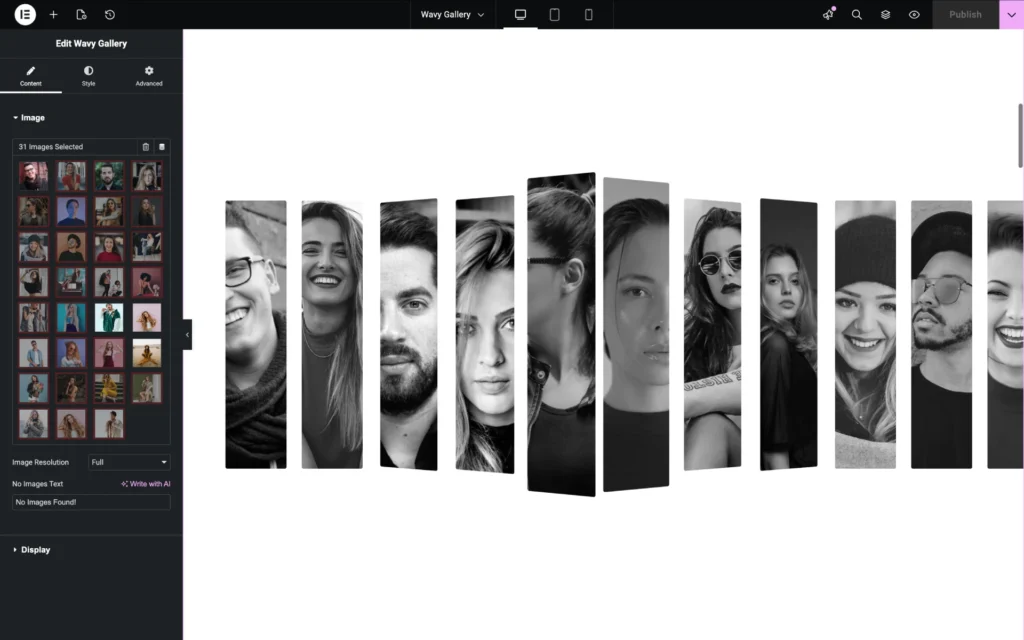
Content Settings
Images
Select Images
Choose one or multiple images from the Media Library to display them in the wavy gallery layout.
Image Resolution
Select the image size to be used for the gallery. Choosing a higher resolution improves image quality, while smaller sizes can help with faster loading.
No Images Text Found
Enter custom text to be displayed when no images are selected or available in the gallery.
Display
Images Gap
Adjust the spacing between the images in the gallery layout.
Lightbox Images Gap
Set the spacing between images when they are viewed inside the lightbox mode.