
WPMozo Addons for Elementor Documentation
Search for answers or browse our knowledge base.
Instagram Feed Carousel
Display your Instagram posts in a beautiful, interactive carousel that automatically updates with your latest content. Showcase your social presence directly on your website.
Once the WPMozo Addons plugin is activated, it introduces several widgets to the Elementor builder. To add the Instagram Feed Carousel widget, follow these steps:
- Open or edit a page or post that uses the Elementor builder.
- Create or edit a container.
- In the widget search bar, type “Instagram Feed Carousel” under WPMozo.
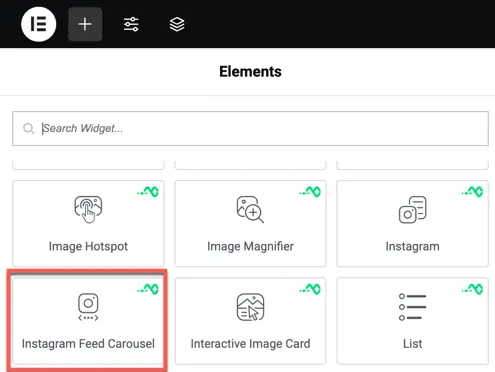
Overview
Integrating social media proof is a great way to build trust. This widget allows you to showcase your Instagram feed in a professional carousel layout with full control over the display settings.
Content settings
- Instagram Settings: Connect your Instagram account or use a specific Username/Tag to pull the feed.
- Carousel Settings: Enable Autoplay, set scroll speed, and choose between Arrows or Dots for navigation.
- Number of Posts: Control exactly how many recent posts should be fetched and displayed in the carousel.
Style settings
Carousel styling
- Arrow Styling: Customize the color, size, and background of the navigation arrows.
- Post Overlay: Add a custom overlay color and icon that appears when hovering over a post.
- Padding & Margin: Adjust the internal and external spacing of the carousel container.