
WPMozo Addons for Elementor Documentation
Search for answers or browse our knowledge base.
Facebook Share
The Facebook Share widget enables users to quickly share your website content on their Facebook timeline, helping increase visibility, drive traffic, and enhance social reach with just a single click.
This widget comes free with WPMozo Addons Lite. To use it, simply install and activate the free version of plugin.
https://wordpress.org/plugins/wpmozo-addons-lite-for-elementor
How to add widget on page
To add the Facebook Share widget, follow these steps.
- Create/edit a page/post that uses Elementor builder.
- Create/edit container.
- Search widget WPMozo Facebook Share under WPMozo.
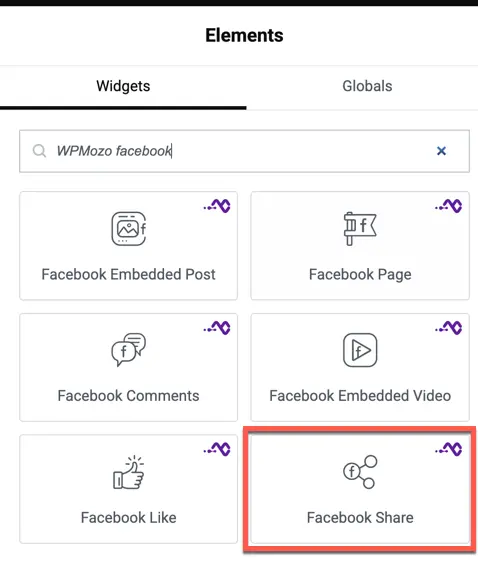
Overview
Increasing your website’s social reach is vital for growth. This widget provides a sleek, customizable share button that can be placed anywhere on your page to encourage social interaction.
Content settings
- Share URL: Choose between the current page URL or a custom URL to be shared.
- Button Layout: Select the button style: Icon only, Text only, or both Icon & Text.
- Show Share Count: Toggle to display the number of times the URL has been shared on Facebook.
Style settings
Button styling
- Button Color: Customize the background color of the share button.
- Icon Size: Adjust the size of the Facebook icon.
- Typography: Set the font, size, and weight for the button text.
- Border Radius: Control the roundness of the button corners.