Search for answers or browse our knowledge base.
Facebook Like
This widget comes free with WPMozo Addons Lite. To use it, simply install and activate the free version of plugin.
https://wordpress.org/plugins/wpmozo-addons-lite-for-elementor
How to add widget on page
To display facebook like addon, follow these steps:
- Open or edit a page or post that uses the Elementor builder.
- Create or edit a container.
- In the widget search bar, type “Facebook Like” under WPMozo.
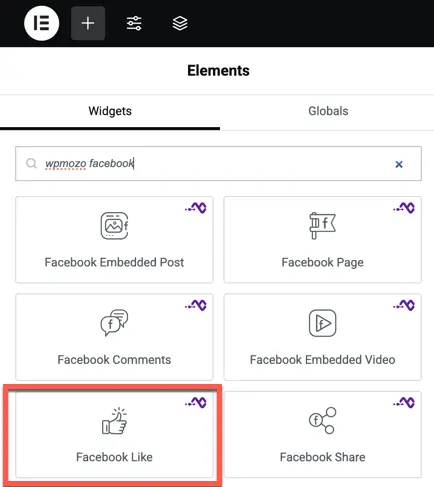
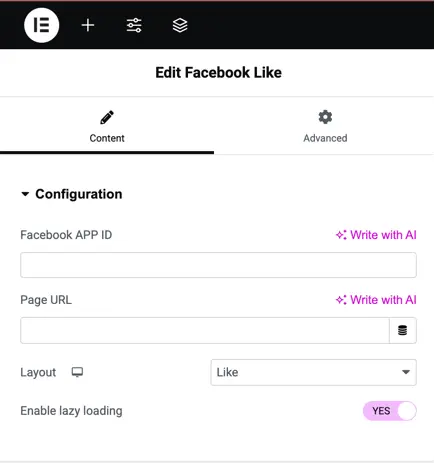
Configuration facebook like addon
Facebook APP ID: Input your Facebook App ID to authenticate the integration.
Page URL: Enter the URL of the Facebook page you want to be liked.
Layout: Choose the layout style for the Facebook Like button (e.g., standard, button, or box count).
Enable Lazy Loading: Enabling this option helps optimize page performance by loading the like button only when it’s about to come into the user’s view.
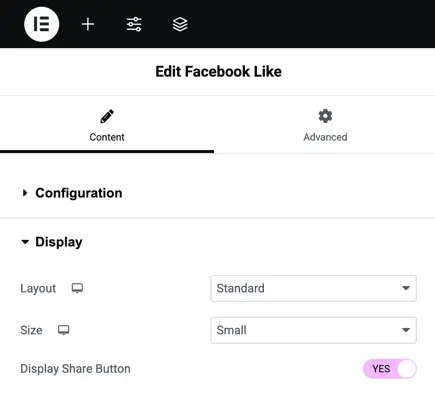
Display configuration of like button
Layout: Choose between different styles for the like button display (Standard, Button, etc.).
Size: Adjust the size of the button (Small or Large).
Display Share Button: Toggle this option to enable or disable a share button next to the like button, allowing users to share the page directly.