
Widgets
Team Slider
On this page
This widget comes free with WPMozo Addons Lite. To use it, simply install and activate the free version of plugin.
https://wordpress.org/plugins/wpmozo-addons-lite-for-elementor (opens in a new tab)
How to add widget on page#
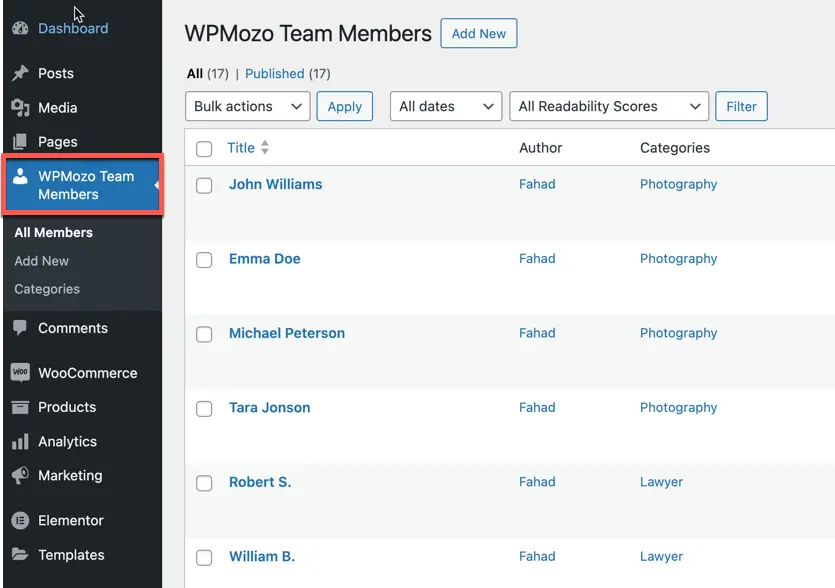
The Team Slider widget allows you to display your team members’ profiles on your webpage, making it easy to add and edit team members with just a few clicks. Once the WPMozo Addons plugin is installed, it adds a custom post type called WPMozo Team Members to the dashboard menu. Here, you can create categories and add team member information.
Adding a team member#
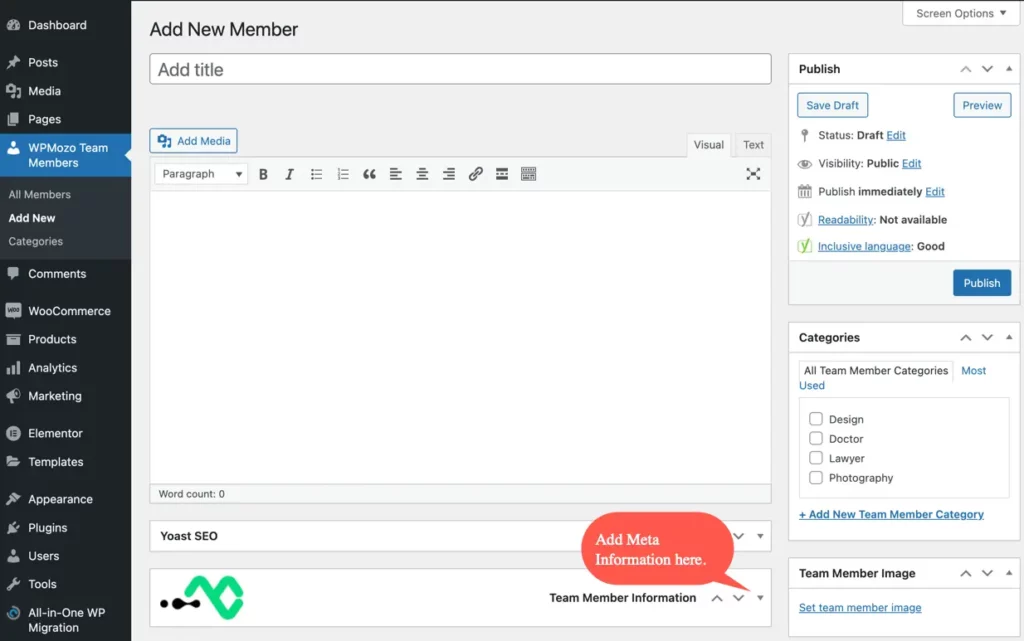
- Navigate to Add New: On your WordPress Dashboard, go to WPMozo Team Members and click Add New.
- Enter Member Details: Under Add New Member, input the team member’s name in the Add Title field.
- Create/Assign Category: In the DP Team Members Categories block, click Add New Team Member Category to create a new category, or assign an existing one.
- Set Team Member Image: In the Team Member Image block, set the team member’s image.
- Add Meta Information: In the Team Member Meta Fields block, add information about the team member such as a short description, designation, social links, and email.
- Add Skills: Go to Skill, input the skill name, and then set the Skill Value Between 0 to 100. Use the plus (+) button to add multiple skills, and the minus (-) button to remove any skill.
- Once all information is added, click Publish.
Creating team categories#
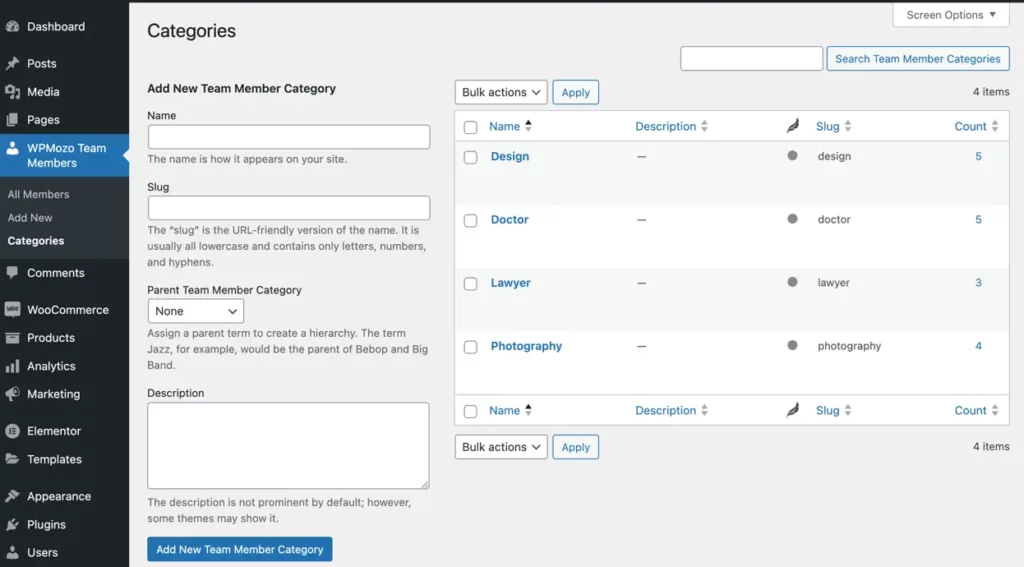
Creating team categories is optional but can help manage your team members more effectively. You can create categories while adding a team member (as shown in Step 3 above) or separately as follows:
- Navigate to Categories: Go to WPMozo Team Members and click Categories.
- Add New Category: Enter the required details under Add New Team Member Category.
- Edit Existing Category: To edit a previously created category, click Edit under the category name.
- Update Category: Make the necessary changes and click Update.
Adding the widget to a page#
- Create/edit a page/post that uses Elementor builder.
- Create/edit container.
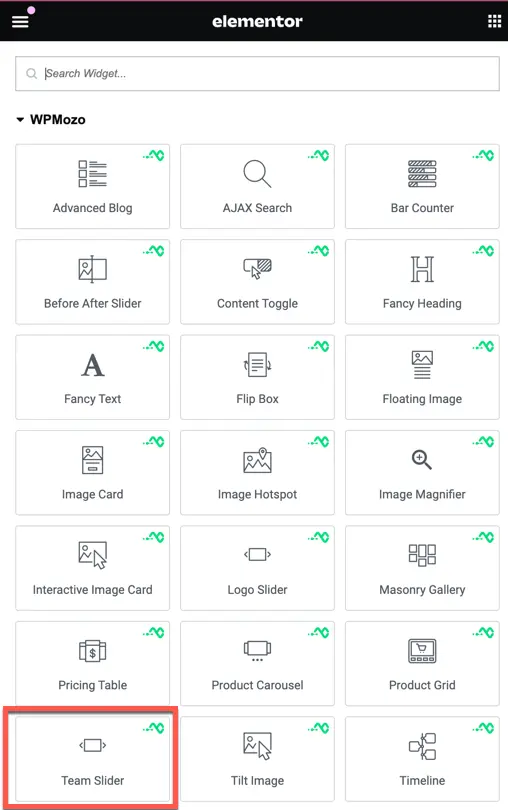
- Search widget Team Slider under WPMozo.
Was this article helpful?
Thanks for the feedback. Need more help? Contact support.