What the WPMozo Instagram Feed Widget Does
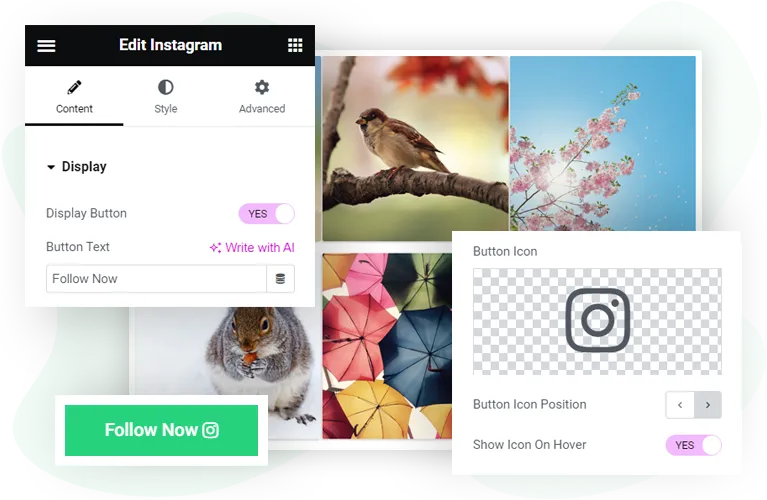
The widget renders posts using two layout options (grid and masonry), shows up to six columns, supports caption display with hover-state styling, and includes an optional follow button at the bottom of the feed. Every visual element including border, spacing, post link behavior, and follow button styling has dedicated controls inside the Elementor settings panel.
Once configured, the feed updates automatically as new posts go live on the connected Instagram account. There is no manual refresh, no separate upload step, and no third-party integration required beyond the standard Instagram API access token.

Key Features
- Two feed layouts: grid and masonry
- Up to six columns with adjustable spacing between posts
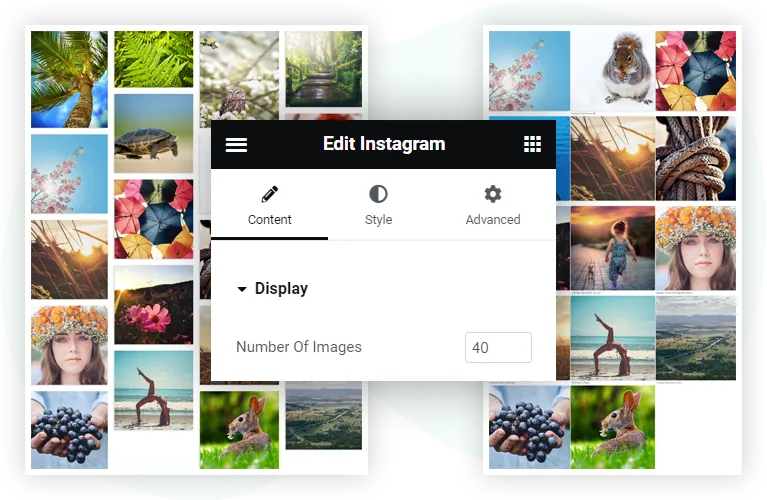
- Unlimited post count from the connected Instagram account
- Image post and reel thumbnail support
- Caption display with separate styling for normal and hover states
- Custom follow button with text, icon, position, and hover behavior controls
- Optional post-click redirect to the original Instagram post
- Typography control for captions and follow button (color, font family, size, weight, alignment)
- Box styling for individual posts (rounded corners, border, box shadow)
- Padding and margin controls for the feed container and individual posts
- Compatible with Elementor free and Elementor Pro
- Lightweight, no impact on page load beyond the Instagram API request
Layout Options: Grid and Masonry
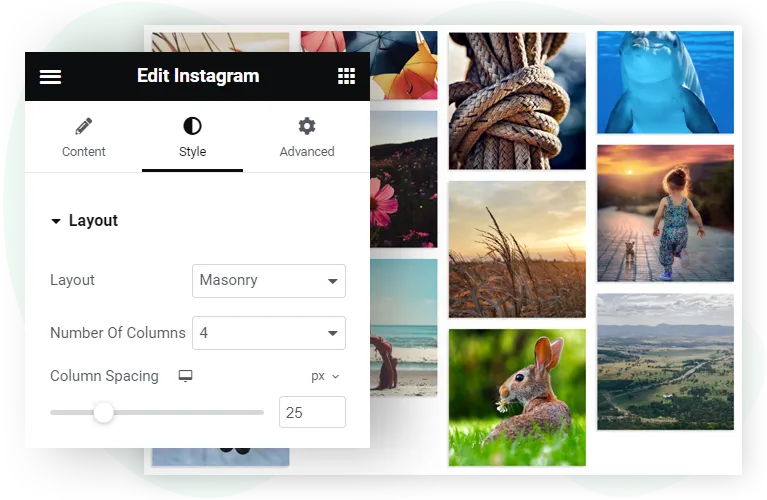
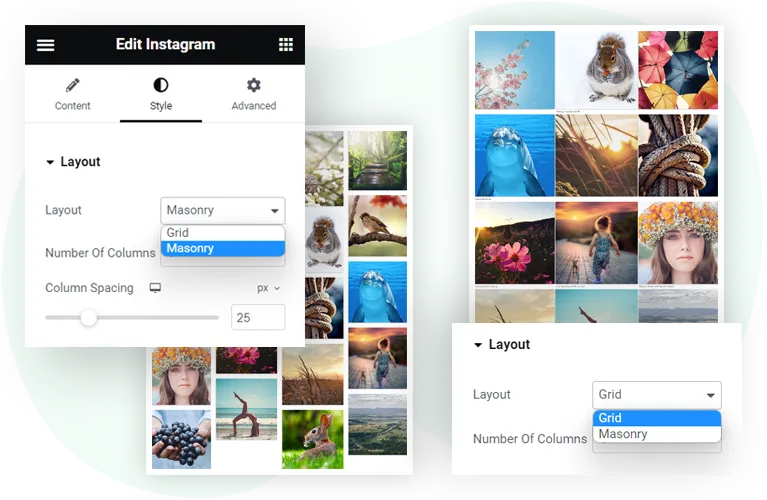
Grid layout. All posts render at the same height in a uniform grid. The widget crops post thumbnails to a square aspect ratio so each row aligns cleanly. Use grid when the source posts have inconsistent aspect ratios and you want a tidy, predictable feed. Common applications include product showcase feeds, brand identity feeds, and any context where visual consistency matters more than preserving original post proportions.
Masonry layout. Posts render at their native aspect ratios with no cropping. The feed organizes into a vertical-flowing layout where taller posts occupy more vertical space and shorter posts pack into available gaps. Use masonry when the original aspect ratios are part of the visual story, such as photography portfolios, mixed reel-and-image feeds, or design-focused accounts where the composition of each post matters.
Both layouts support the full set of styling controls. The choice between them is aesthetic, not functional. Switching between the two requires changing one dropdown setting in the Elementor panel.
Display Options: Posts, Columns, and Captions
Columns. Choose between one and six columns for the feed layout. The widget recalculates post sizing automatically so the feed always fills the container width. On responsive breakpoints (tablet and mobile), the widget collapses to fewer columns automatically. Custom column counts per breakpoint are available in the Elementor responsive controls.
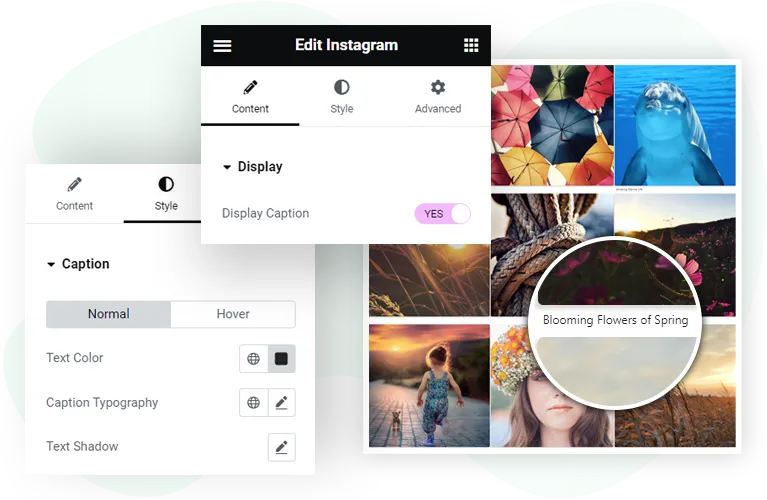
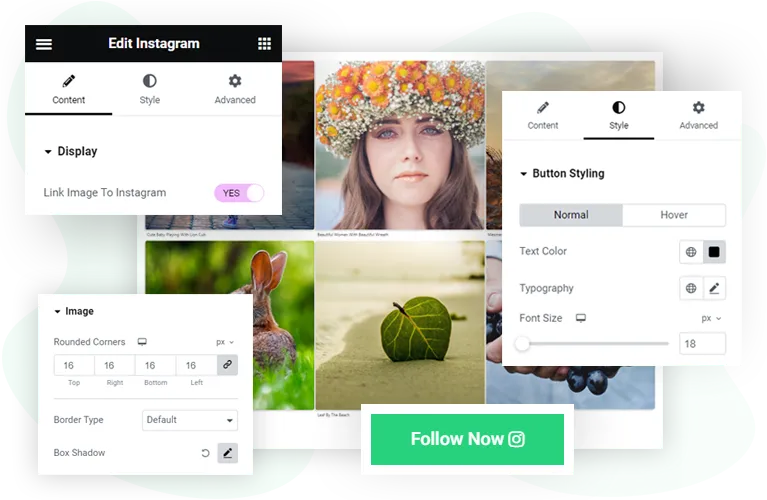
Captions. Toggle caption display on or off. When enabled, the post caption appears under each thumbnail with full typography control. Captions can also have a hover state that uses different styling, useful for showing the caption only when the user hovers over a post instead of displaying it permanently.
Post linking. Enable the “Link Post to Instagram” toggle to make each post clickable. When active, clicking a post opens the original Instagram post in a new tab. This is useful when the goal of the feed is to drive engagement on Instagram itself, not just on the website.
Follow button. Enable an optional follow button below the feed. The button supports custom text (default is “Follow on Instagram”), an icon on the left or right position, a hover-state icon, and full color and typography customization. Clicking the button opens the connected Instagram profile in a new tab.
Styling Options: Typography, Colors, and Borders
Post container styling. Each post has its own container that can be styled independently. Available controls include border type, border width, border color, border radius (rounded corners), box shadow, and padding inside the post box.
Caption typography. Font family, font size, font weight, line height, letter spacing, color, and alignment for the caption text. The hover-state styling overrides any of these values when the user hovers over a post.
Follow button styling. Background color, text color, typography, padding, border radius, box shadow, and hover-state versions of each of these. The button icon has separate size, color, and spacing controls.
Spacing. Two distinct spacing controls govern feed appearance: gap between posts (vertical and horizontal spacing within the grid or masonry layout) and outer padding (space around the entire feed container).
Responsive controls. Every styling setting has tablet and mobile variants in the Elementor responsive panel. This means font sizes, column counts, spacing, and visibility can all be tuned per breakpoint without writing custom CSS.
Image placement: existing styling image stays. Update alt text from generic “Elementor Instagram widget” to “Styling controls for posts and follow button in the Instagram Feed widget”
Requirements
Elementor version. Compatible with Elementor 3.0 and above. Works with both Elementor free and Elementor Pro.
WordPress version. WordPress 6.0 or above.
PHP version. PHP 7.4 or above (PHP 8.0 or higher recommended for performance).
Instagram requirements. A standard Instagram account (Business or Creator account is recommended for full API access). The widget requires an access token generated from the Meta for Developers platform. The token has an expiration period and may need to be refreshed periodically per Meta’s API rules.
Supported post types. Image posts and reel thumbnails. Video posts display the cover thumbnail with a play indicator. Story content is not supported because the Instagram API does not expose story data for third-party feeds.
Related Resources
- Setup tutorial. See the step-by-step guide on how to add an Instagram feed to Elementor for the full installation and access token workflow.
- Configuration reference. The WPMozo Instagram Feed documentation covers every setting in detail, including troubleshooting and access token refresh.
- Widget comparison. Read the comparison of top Elementor Instagram feed widgets to see how this widget stacks up against alternatives.