
Getting Started
File structure and download
Download from product page#
To download the WPMozo Product Carousel for WooCommerce plugin, visit the site https://wpmozo.com/product/wpmozo-product-carousel-for-woocommerce/. Once on the page, locate and click the download button to obtain the plugin file named wpmozo-product-carousel-for-woocommerce.x.x.x.zip.

Download from the WordPress Repository#
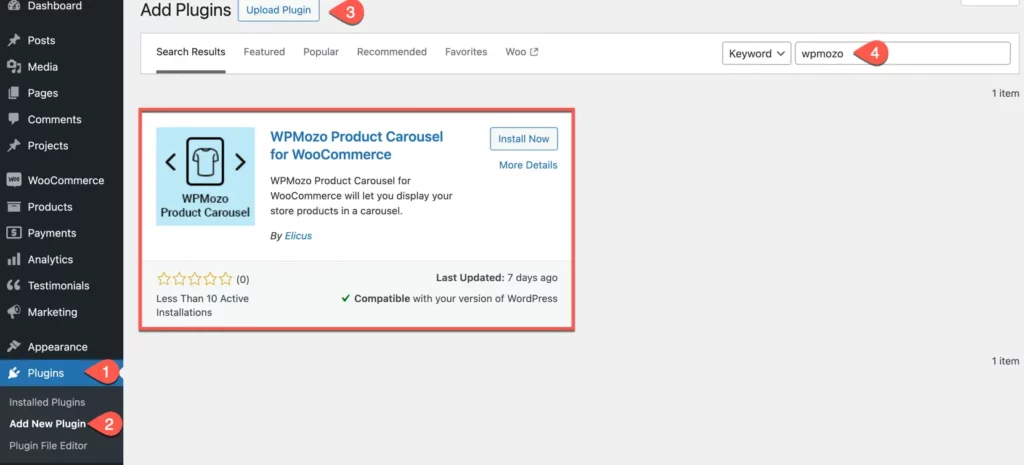
Navigate to your WordPress Dashboard. Go to the Plugins Page. Click on the “Add New” button. In the search bar, type wpmozo and press Enter. WPMozo Product Carousel for WooCommerce should appear among the search results.
Was this article helpful?
Thanks for the feedback. Need more help? Contact support.