
Widgets
Post Ticker
On this page
- How to add widget on page
- Content settings
- • Number of posts
- • Post type
- • Order by
- • Order
- • Ignore sticky posts
- • Exclude password-protected posts
- • Exclude posts by ID
- Display settings
- • Ticker label
- • Ticker effect
- • Separator type
- • Custom separator
- • Scroll effect Speed
- Style settings
- Normal & Hover
- Available Options
- Post item styling
- • Normal & hover
- Available options
- Separator styling
The Post Ticker widget lets you display your latest posts in a continuous ticker-style animation. It is perfect for highlighting breaking news, trending updates, or featured posts. You can fully customize the content source, animation effect, label, separator, speed, and design.
How to add widget on page#
Once the WPMozo Addons plugin is activated, it adds several widgets to the Elementor builder. To insert the Before After Slider widget, follow these steps.
- Create/edit a page/post that uses Elementor builder.
- Create/edit container.
- Search widget Post Ticker under WPMozo.
Content settings#
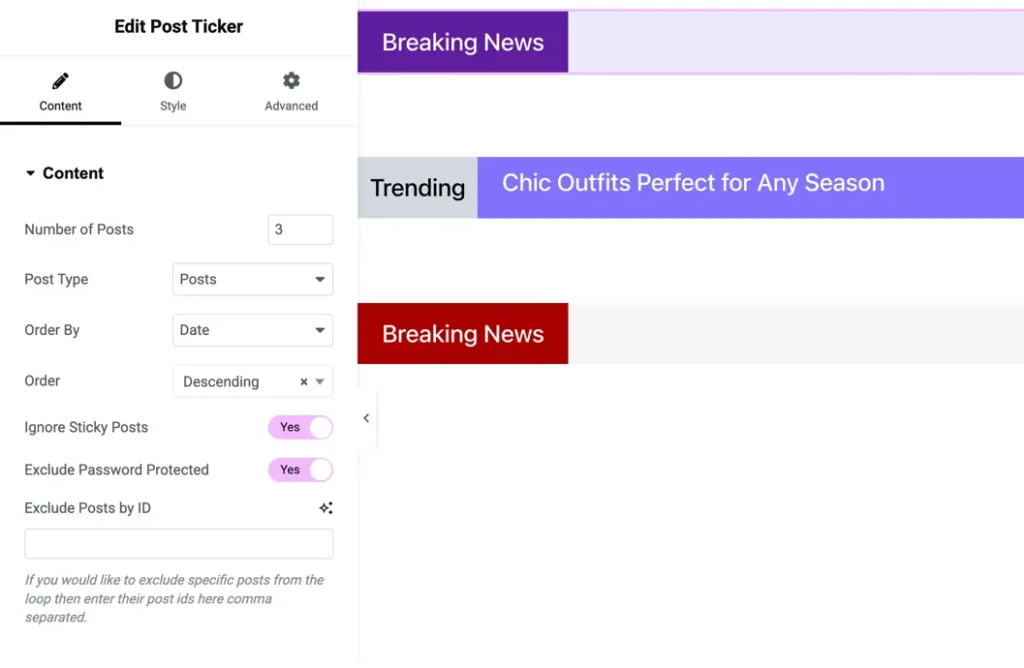
• Number of posts#
Set how many posts you want to display in the ticker.
Default: 3
• Post type#
Choose the post source from:
- Posts
- Pages
- Media
- Custom post types
• Order by#
Sort posts using multiple options:
- Post ID
- Post Author
- Title
- Date
- Last Modified Date
- Parent ID
- Random
- Comment Count
- Menu Order
• Order#
Choose:
- Ascending
- Descending
• Ignore sticky posts#
Enable to exclude sticky posts.
• Exclude password-protected posts#
Enable to avoid showing locked content.
• Exclude posts by ID#
Enter specific post IDs (comma-separated) to exclude them from the ticker loop.
Display settings#
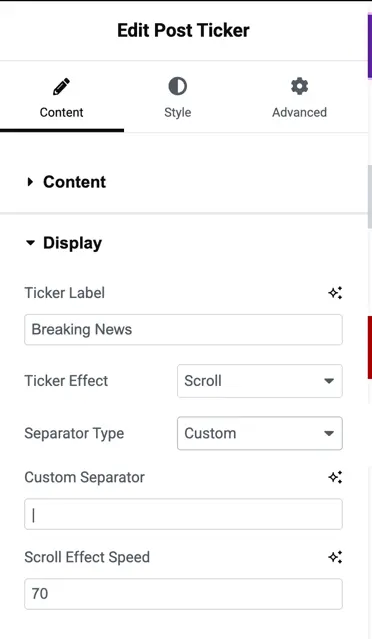
• Ticker label#
Set the label text that appears before the ticker.
Example: Breaking News
• Ticker effect#
Choose how posts animate:
- Scroll
- Fade
- Slide
• Separator type#
Choose the separation style between each post:
- Custom Icon
- Default options
• Custom separator#
Upload an icon or choose from the icon library.
• Scroll effect Speed#
Adjust ticker speed.
Default: 70
Style settings#
Normal & Hover#
Customize styles for both states.
Available Options#
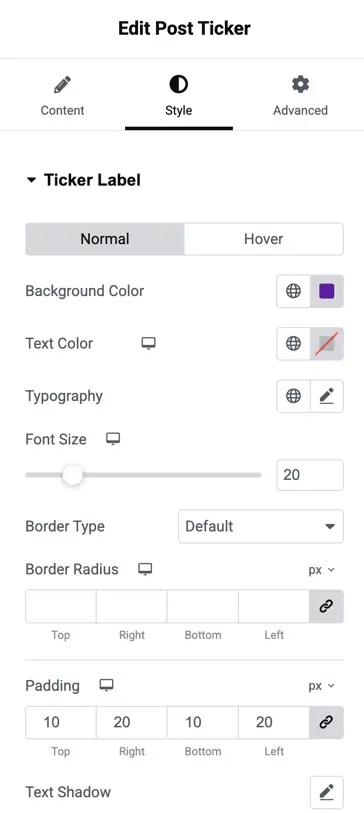
The Post Ticker widget includes a variety of styling options that allow you to customize both the ticker label and post items to match your site design.
You can set the background color and text color to define the visual appearance, while the typography controls let you choose the font family, weight, and text transform for a polished look.
The font size option helps you adjust text readability. You can further enhance the design by selecting a border type, customizing border radius individually for the top, right, bottom, and left sides, and adding padding with full individual control to refine spacing inside the label.
Additionally, the text shadow option enables you to create depth and emphasis, making the ticker content more visually appealing. These options together provide full flexibility for personalizing the ticker’s appearance.
Post item styling#
• Normal & hover#
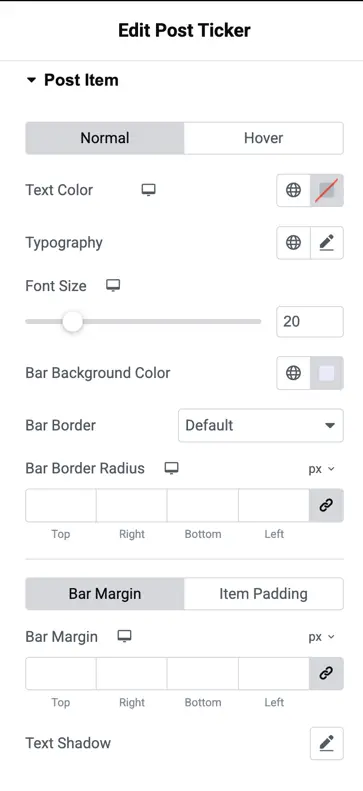
Set styles for post text appearance.
Available options#
- Text Color
- Typography
- Font Size
- Bar Background Color
- Bar Border (type, width, color)
- Bar Border Radius (individual control)
- Bar Margin
- Item Padding
- Text Shadow
Separator styling#
Customize the separator between posts:
- Font Size
- Color
- Padding
Was this article helpful?
Thanks for the feedback. Need more help? Contact support.